March 16, 202620 min read7 sections
Your Guide to the Best Video Camera for Podcasting in 2026
By Fame Team
Key Takeaways
- Investing in a video camera for your podcast is crucial for building authority and connecting with a professional audience.
- Video adds a layer of communication that builds trust and authority through non-verbal cues like expressions and body language.
- Producing video content is essential for visibility on platforms like YouTube and Spotify, where algorithms favor video content.
Picking the right video camera for your podcast isn't just about a tech upgrade. Think of it as a strategic move, the one that takes your show from something people listen to in the background to a visual experience they can't look away from. For any B2B brand, this is how you build real authority and actually connect with a professional audience.
Why Video Is No Longer Optional for Your B2B Podcast
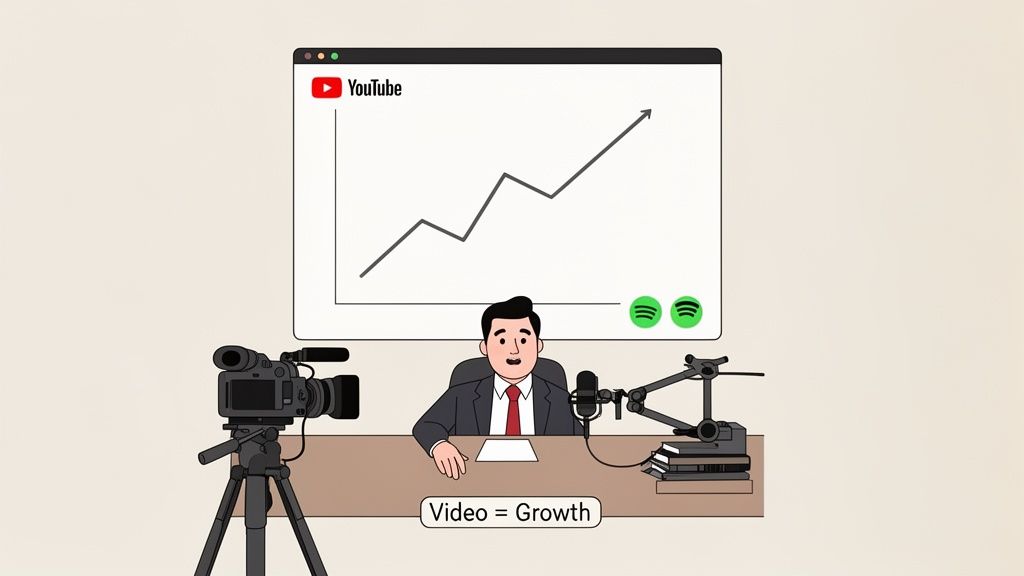
In the B2B space, running an audio-only podcast is like leaving money on the table. You're missing a massive opportunity.
Video adds this whole other layer of communication. Your audience sees the expressions, the body language, and the genuine connection between you and your guests. This is the stuff that builds trust and authority - the two absolute cornerstones of B2B marketing.
And let's be honest, platforms like YouTube and Spotify are the new kings of podcast discovery, and their algorithms are hungry for video. If you're not producing video, you're practically invisible where your target audience is spending all their time. A quality video setup screams professionalism and tells viewers your brand is serious about delivering value. Check out our guide on how to start a podcast on YouTube to get ahead.
The Financial Argument for Going Video
The market has already made its decision: it's moving to video-first. Fast. By 2026, the global ad revenue for video podcasts is projected to hit a mind-boggling US$5 billion. That's with a nearly 20% growth spurt year-over-year.
This isn't happening in a vacuum. It’s fueled by YouTube and Spotify pouring resources into video tools, grabbing the attention of the 27% of US consumers who now tune into video podcasts every single week. For a B2B marketer, this trend makes a good camera less of a "nice-to-have" and more of a "must-have" for staying relevant.
"All interview-based podcasts should be video podcasts. Why? Because you miss out on so much of the non-verbal communication that happens on a call if you are just releasing the audio." - Tom Hunt, Founder of Fame
Tom's point here is critical. As he explains, those non-verbal cues are where the real conversation happens, building a deeper connection with your audience.
Strategic Wins That Go Beyond Engagement
Investing in a proper video camera for your podcast unlocks a handful of strategic benefits that lead to real, measurable business results. It’s not just about looking good; it's about being more versatile.
Here’s how video directly fuels your B2B goals:
- Builds Instant Authority: A polished, professional video immediately positions you and your guests as the experts you are. It just looks more credible.
- Makes Content Repurposing a Breeze: That one video recording can be chopped up into dozens of short, punchy clips for LinkedIn, X, and everywhere else. This is a huge part of our own B2B Social Media Agency playbook.
- Drives More Leads: You can use visual calls-to-action, pop up on-screen graphics, and engage directly with your audience in a way audio just can't match.
- Creates a Stronger Brand: Consistent, high-quality visuals build a brand identity that people remember. It helps you cut through the noise in a very crowded market.
At the end of the day, picking the right camera isn't about geeking out on specs. It’s about arming your brand to compete and win in a world that consumes with its eyes first. It’s the foundational step to turning your podcast into a powerful engine for business growth.
Decoding Camera Specs That Actually Matter for Podcasting
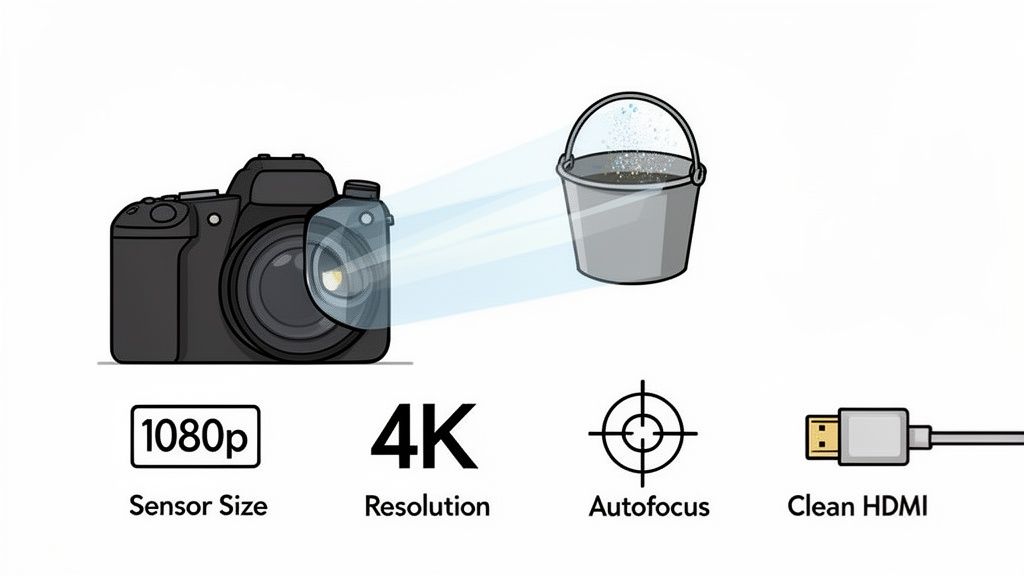
Choosing a video camera for podcasting can feel like trying to read a foreign language. Spec sheets are crammed with jargon, but here’s the secret: only a handful of features truly separate a professional-looking show from an amateur one.
Let's cut through the noise. A great camera won't magically create a great podcast, but a bad one can absolutely tank your content. The real goal is to find that sweet spot where the tech helps your message shine without getting in the way.
The Foundation: Resolution and Sensor Size
First up, resolution. You'll see 1080p (Full HD) and 4K (Ultra HD) thrown around a lot. Honestly, for most podcasts destined for YouTube or social media, 1080p is more than enough for a crisp, clear picture.
Shooting in 4K is a nice-to-have. It gives you incredible flexibility to crop, reframe, or punch in on a shot later without losing quality. The trade-off? Massive file sizes that will chew through your storage and demand serious processing power from your computer.
What's arguably more important is sensor size.
Think of a camera's sensor as a bucket for catching light. A bigger bucket (a larger sensor) captures more light, giving you a cleaner, more detailed image. This means better performance in low light and that beautiful, blurry background (bokeh) that makes your shot look premium.
A large sensor, like the ones in mirrorless or DSLR cameras, will beat a tiny webcam or smartphone sensor every single time, especially if your recording space isn't blessed with perfect Hollywood lighting.
To make this easier, here’s a quick rundown of the features that will have the biggest impact on your show's final look and feel.
Key Camera Features for Podcasting at a Glance
| Feature | What It Is | Why It Matters for Podcasting |
|---|---|---|
| Resolution (1080p vs. 4K) | The number of pixels in your video image. | 1080p is the standard for crisp online video. 4K offers post-production flexibility (cropping/reframing) but creates huge files. |
| Sensor Size | The physical size of the chip that captures light. | A larger sensor gathers more light, resulting in better low-light performance and a professional-looking blurry background (bokeh). |
| Autofocus | The camera's ability to automatically keep the subject sharp. | Crucial for keeping you in focus as you move. Look for systems with reliable face and eye detection. |
| Clean HDMI Output | Sends a video signal without on-screen data (battery life, settings). | A non-negotiable for live streaming or using a video switcher in a multi-camera setup. |
| Audio Inputs | A port (usually 3.5mm) to connect an external microphone. | A massive audio quality upgrade over the camera's built-in mic and a solid backup for your main audio setup. |
| Continuous Power | The ability to run off AC power instead of just a battery. | Prevents your camera from dying mid-interview, which is a disaster for long-form content. |
Understanding these specs is your best defense against marketing fluff and ensures you invest in a camera that truly serves your production needs.
Must-Have Features for a Smooth Production
Beyond the basics, a few features are non-negotiable for a slick podcasting workflow. These are the details that professionalize your setup.
- Reliable Autofocus: Your camera has one job: keep you in focus. If you lean in or shift in your seat, you can't have the camera hunting for focus. Look for modern systems with eye or face detection - they lock onto you and don't let go.
- Clean HDMI Output: This is a deal-breaker. It lets you send a pure video signal to your computer or a video switcher, free of any distracting on-screen clutter like battery icons or recording timers. It's absolutely essential for live streaming and multi-cam shows.
- Audio Inputs: We always recommend dedicated mics running into an audio interface. But having a 3.5mm mic input on your camera is an excellent Plan B. It lets you plug in an external mic directly, which is a huge step up from the camera's tinny built-in microphone.
The Power of Continuous Operation
Finally, think about the reality of recording a podcast. Interviews can run long. Your video camera for podcasting absolutely must be able to run for hours without overheating or shutting down.
Check for two things: unlimited record time and the ability to run on AC power. There is nothing - and I mean nothing - worse than a camera dying in the middle of a killer conversation.
Want to see how a camera fits into the bigger picture? Check out our complete guide on the equipment needed for a podcast. It breaks down how all the gear works together.
Choosing the Right Camera for Your Podcast Format
Let’s get one thing straight: there’s no single "best" camera for podcasting. The perfect camera for a solo creator recording at their desk is a terrible choice for a multi-person, live-streamed show.
The single most important decision you’ll make is matching your gear to your show’s format. It’s that simple. Let's walk through the common B2B podcast formats and the right kind of camera for each, so you can invest smartly whether you're just starting out or ready to build a full-blown studio.
Tier 1: The Solo or Remote Interview Show
This is ground zero for most B2B podcasts. You're either talking to the camera yourself or interviewing guests over the internet. Your goals here are simplicity, reliability, and looking sharp without a complicated setup. For this format, remote recording makes everything easier, as we explain in our how to record podcasts remotely guide.
For this, a high-end webcam is your secret weapon. And please, forget the grainy, built-in camera on your laptop. A dedicated webcam is a massive leap in quality.
- Top Recommendation: The Logitech Brio 4K is a workhorse for a reason. It gives you a crisp 4K image (which you can crop into later), handles weird lighting pretty well, and has autofocus that actually works. It's a plug-and-play solution that makes you look professional, instantly.
Even this simple setup is a powerful move. Over 71% of podcasters are already using video, and it's predicted to be the default for new branded shows by 2026. Upgrading to a solid webcam like the Brio or an entry-level mirrorless camera shows you’re serious, which is what B2B authority and ROI are built on.
Tier 2: The In-Studio Interview or Multi-Host Show
Once you have more than one person in the room, you need more flexibility. This is where you graduate from webcams and step up to mirrorless or DSLR cameras. With their larger sensors, interchangeable lenses, and manual controls, the image quality is on another level.
The Sony ZV-E10 is a giant in this space. It feels like it was built from the ground up for creators, with killer autofocus, a flip-out screen, and incredible video quality. Pair it with a decent lens, and you'll get that sought-after cinematic look with a soft, blurry background.
For a two-person show, you could run two of these cameras into a video switcher. This lets you cut between a wide shot of both of you and tighter single shots, making your video infinitely more dynamic. To see how this fits into a bigger production, check out our guide to the perfect video podcast setup.
Tier 3: The Live-Streamed or Multi-Camera Production
When you’re ready for the big leagues - think live-streamed events, panel discussions, or anything that needs complex camera work - it's time to look at PTZ (Pan-Tilt-Zoom) cameras.
A PTZ camera is a robotic camera that can be controlled remotely. A single operator can manage multiple cameras, adjusting their pan, tilt, and zoom to follow the action without needing a camera operator for each one.
This is the kind of gear you see in professional broadcast studios. It lets one person create incredibly dynamic shots, smooth camera movements, and seamless cuts between angles, all from a control deck. It's a serious investment, but for high-stakes B2B content, the production quality is unmatched.
Actionable Takeaway: Start where you are. If you’re flying solo, the Logitech Brio is a fantastic investment. As your show grows and you bring guests into a studio, upgrading to a mirrorless camera like the Sony ZV-E10 is the logical next step. Only think about PTZ cameras when you're aiming to produce broadcast-level live content.
Building Your Professional Production Workflow
Nailing the right video camera for podcasting is a great start, but it's just one piece of the puzzle. The real magic - the thing that separates a truly professional show from one that feels amateur - is the production workflow you build around it. This is your system for creating polished content, every single time.
First things first, you need to get that beautiful image from your camera into your computer. You can't just plug a fancy mirrorless or DSLR into a USB port and hope for the best. It won't work like a webcam.
You need a little device called a capture card, like the Elgato Cam Link 4K. Think of it as a translator. It takes the clean HDMI signal from your camera and converts it into a language your computer understands, making it appear as a high-end webcam in any software you use.
Once the connection is made, it’s time to choose your recording software. This is your digital studio where all the video and audio feeds meet.
Choosing Your Recording Platform
For remote interviews, dedicated platforms like Riverside.fm are the undisputed gold standard. They work by recording each person's audio and video locally on their own machine. This is huge. It means you get perfect, high-resolution files, completely untouched by laggy internet connections.
For recording in your own studio or for live streaming, software like OBS (Open Broadcaster Software) gives you the driver's seat. You can mix multiple camera angles, drop in graphics and overlays, and push your stream directly to platforms like YouTube.
This diagram breaks down the simple, three-step process for getting your camera signal ready to record.
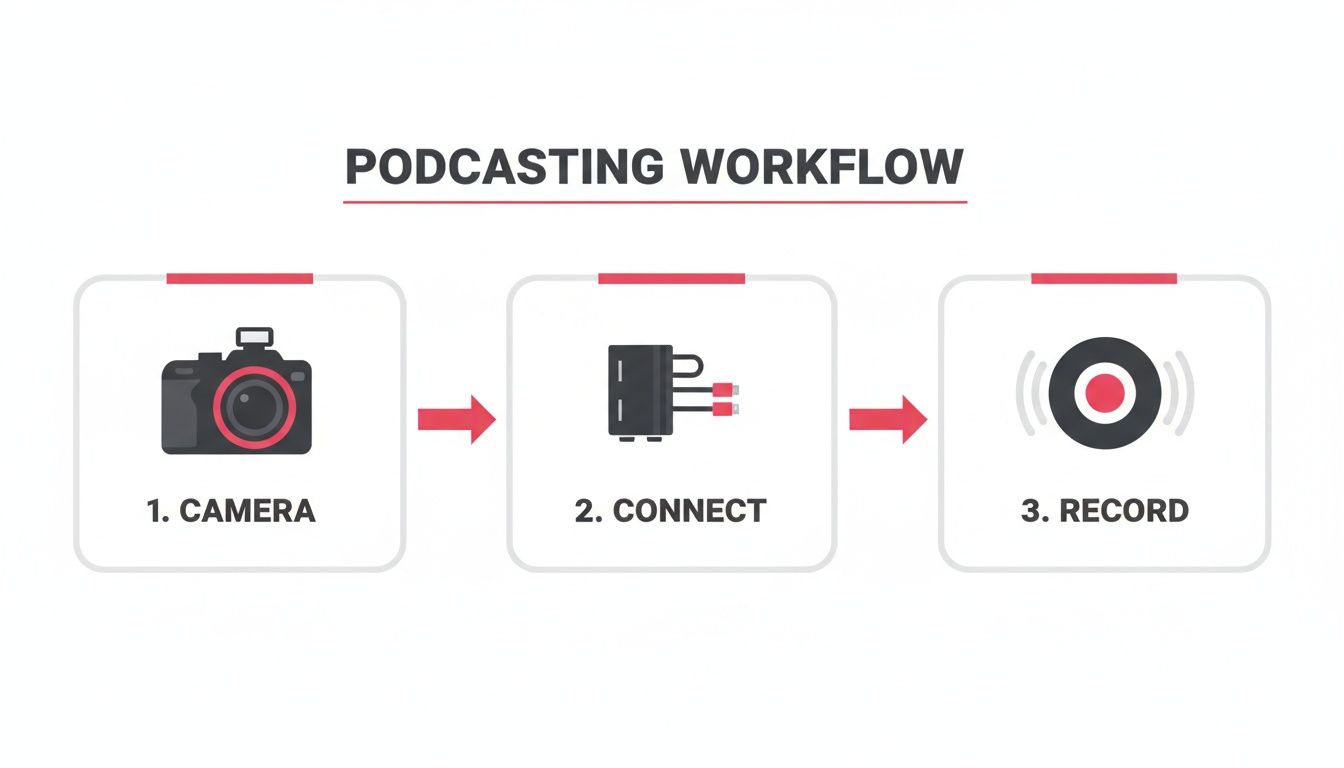
This workflow - Camera to Capture Card to Computer - is the backbone of any serious video podcast setup. Get this right, and you're guaranteeing a high-quality signal from the very start.
The Remote Recording Advantage
Leaning into remote recording is one of the smartest moves a B2B podcaster can make. It blows the doors wide open on your potential guest pool, letting you book top-tier experts who would never have the time to fly to a studio. The cost savings on travel, hotels, and studio fees are just a bonus.
The common worry, of course, is the guest's setup. You can't control their gear, but you can guide them. Here are a few simple tips we give every single guest:
- Use wired headphones. Bluetooth is notorious for audio lag and connection drops. A basic pair of wired earbuds is infinitely more reliable.
- Sit in front of a window. Natural light is free, and it’s the fastest way to make almost any webcam look 10x better.
- Find a quiet room. Background noise is a killer. It’s distracting for the audience and a nightmare to fix in post-production.
For a much deeper look at optimizing your entire process, check out our guide on building an effective podcast production workflow.
Prioritizing Audio and Streamlining Post-Production
Even when you've invested in a top-tier video camera, never forget the golden rule of podcasting: Great audio is more important than great video.
An audience might forgive a slightly soft image, but they will bounce immediately if the audio is crackly, distorted, or hard to understand. Your sound has to be clean.
After the recording wraps, your workflow moves into editing. This is where you sync your separate audio and video tracks, chop out mistakes, and add your branding. Post-production can be a huge time-suck, but you can make it radically more efficient with modern tools. For example, the Descript AI video editor allows you to edit your video by simply editing the text transcript, which is a massive shortcut. If you need help with this step, our B2B podcast production services can handle it for you.
By systemizing every step of the journey, from plugging in the camera to the final edit, you build a reliable machine that pumps out professional-quality content every time.
Beyond the Camera: Lighting, Audio, and Set Design
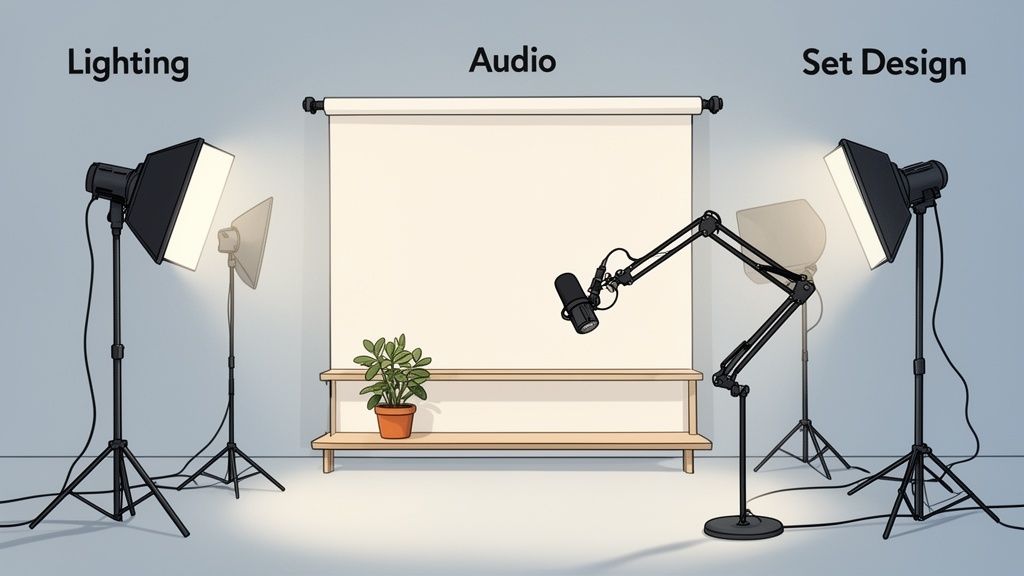
Even the most incredible video camera for podcasting will look awful in a poorly prepped room. Think of your camera as the star performer; it still needs a great stage, the right spotlights, and a crystal-clear sound system to actually put on a show.
These three pillars - lighting, audio, and set design - are what will take your production from "just another podcast" to something truly memorable.
You don't need a massive budget to nail these, but you do need to be intentional. A few smart decisions here will punch way above their weight, making your show look and sound far more polished than your gear list might suggest.
Illuminate Your Subject with Three-Point Lighting
Good lighting is the single fastest way to make any camera look ten times better. It’s what separates you from the background, adds dimension, and creates that professional, clean image we’re all chasing.
The industry-standard approach is a three-point lighting setup. It sounds technical, but it’s dead simple.
- Key Light: This is your main light, the brightest one. Position it about 45 degrees to one side of the camera, aimed at your face.
- Fill Light: This is a softer, dimmer light on the opposite side. Its only job is to soften the shadows created by your key light.
- Back Light: Sometimes called a hair light, this goes behind you. It creates a subtle rim of light around your head and shoulders, popping you off the background and adding a ton of depth.
You can get this done without a Hollywood budget. Affordable LED panel kits are everywhere and give you full control over brightness and color, so your look is consistent every single time.
Prioritize Crystal-Clear Audio
Let’s be blunt. Here’s the single most important rule in all of podcasting: Audio quality is more important than video quality.
People will put up with video that’s a little grainy. They will absolutely not tolerate muffled, echoey, or noisy audio. They will click away in seconds.
"Great audio is more important than great video, so if you have to choose one, go with audio... People can put up with lower quality video, but low quality audio is jarring and they will tune out."
Your camera's built-in microphone just won't cut it. It’s not even close. A dedicated USB or XLR microphone is a non-negotiable investment. Sure, you have broadcast classics like the Shure SM7B, but there are fantastic options at every price point.
What about remote guests? Guide them with simple tips: use wired headphones (Bluetooth introduces lag) and sit facing a window for natural light. If you have the budget, sending them an affordable mic like a Blue Yeti is a pro move that guarantees quality on their end. For more on this, check out these tips on how to prepare for a podcast guest appearance.
Design a Set That Enhances Your Brand
Your background isn't just a wall; it's a piece of your brand's story. A messy, cluttered office behind you screams amateur and undermines your credibility before you even say a word.
A clean, intentional set design, on the other hand, reinforces your authority.
It can be as simple as a clean wall with a single piece of art, a bookshelf with a few curated items, or a custom backdrop with your logo. The goal is to be visually interesting, but never distracting.
Want to level up? Steal a trick from major broadcasters like the BBC. Set up a second camera to capture a different angle, even if you’re just recording by yourself. A wider shot of you at your desk, cut in occasionally, adds massive visual variety and keeps viewers locked in during longer conversations.
Measuring the ROI of Your Video Podcast
Let's be real. Shelling out for a proper video camera for your podcast isn't about chasing prettier pictures. It's a hard-nosed B2B marketing decision, and like any smart investment, it needs to show a clear return.
For a business podcast, downloads are a vanity metric. We're not trying to be the next Joe Rogan. We're trying to connect that camera purchase to real business results.
This means looking past the old-school audio stats and getting friendly with video-specific data. On a platform like YouTube, numbers like watch time and audience retention become your new best friends. They tell you point-blank if your slick new video is actually keeping people glued to the screen - a huge signal that tells the algorithm to show your stuff to more people.
Moving Beyond Downloads to Business Metrics
Traditional podcast analytics just don't cut it anymore. Video blows the doors wide open, giving you a whole new set of numbers that plug directly into your marketing funnel. Once you're rolling, you have to understand the impact; learning how to measure marketing ROI is the only way to prove its value.
Here are the metrics you should be obsessing over:
- Audience Retention Rate: Where are people dropping off? A high retention rate is a massive signal of authority. It proves your content and visuals are compelling enough to hold attention.
- Click-Through Rates (CTR) on On-Screen CTAs: This is your bread and butter. Slap some on-screen text, graphics, or end screens directing viewers to a demo, a whitepaper, or your site. Tracking these clicks gives you cold, hard data on lead gen.
- Inbound Leads Attributed to Video: Make it a habit to ask new leads, "How did you hear about us?" Every time someone says "your YouTube show," you've got direct attribution. That qualitative data is pure gold.
- Guest Caliber and Reach: This one’s less quantifiable but just as important. A professional video setup is a magnet for more influential guests. The authority and audience they bring with them are a direct return on your camera investment.
Amplifying Your Video Content for Maximum Impact
Think of your new camera as a content machine. The real game is turning one recording session into a full-blown, multi-channel marketing campaign. This is where you amplify your efforts and turn that initial spend into a pipeline-generating engine.
The shift to video is not a trend; it's a landslide. Projections show that by early 2026, a staggering 79% of episodic podcast campaigns will include a simulcast video element. And with YouTube snagging nearly two-thirds of all video podcast impressions, the opportunity is just massive.
Here at Fame, we squeeze every last drop of value out of our video content. For instance, our B2B Social Media Agency team will carve up a single episode into a dozen or more short, punchy clips for LinkedIn and X (formerly Twitter). At the same time, our B2B Email Newsletter Agency embeds those clips into emails to crank up engagement and pull traffic back to the full episode.
By tracking these video-specific metrics and blasting your content across every relevant channel, you build an undeniable case for your investment. It proves that the right camera isn't an expense - it's an essential tool for building authority and driving measurable growth for your business.
To really get into the weeds, check out our ultimate guide to measuring B2B podcast ROI.
Your Top Camera Questions, Answered
Look, wading into the world of podcasting gear can feel like a minefield. You've got questions. We've got answers.
Here’s the straight talk on the most common questions we hear from B2B marketers about picking a video camera for their podcast.
Can I Just Use My Smartphone?
We get this one a lot. And while the camera on your new iPhone is seriously impressive, banking on it for a professional B2B podcast is a gamble.
A dedicated camera gives you miles more control over your shot, handles tricky lighting situations way better, and unlocks essential features like clean HDMI output for live streaming. Honestly, it’s a signal to your audience - and your high-profile guests - that you're taking this seriously. A phone is convenient, sure, but it just can't deliver the reliability and polish you need for high-stakes content.
How Much Should I Budget for a Decent Camera?
Your budget really just comes down to your show's format and your ambitions. You don't need to remortgage your house to get started, but you do need to invest where it counts.
- High-End Webcams: If you're running a solo show or doing remote interviews, a top-tier webcam like the Logitech Brio is a massive leap from any built-in laptop camera. Expect to spend in the $150-$200 range.
- Entry-Level Mirrorless Cameras: For in-studio interviews where you want that more cinematic, professional look, a starter mirrorless setup (camera body plus a lens) will land you somewhere between $700 and $1,200.
The game is to match your gear to your goals. Start with what you need right now, but have a plan to level up as the show grows.
What's More Important: Great Video or Great Audio?
This is the golden rule. Tattoo it on your arm if you have to: great audio is always more important than great video.
People will put up with video that's a little soft or not perfectly lit. But they will smash that "close tab" button in a heartbeat if your audio is crackly, muffled, or echoey. Bad sound is just painful to listen to and instantly tanks your credibility.
Always, always put your first dollars into a quality microphone and learning good audio habits. Your audio is the absolute foundation of your show. Get that right before you even think about splurging on a 4K camera.
Ready to stop guessing and start building a B2B podcast that drives real business results? The team at Fame specializes in turning expert conversations into a powerful pipeline-generating engine. We handle the entire process, from strategy and production to promotion, so you can focus on building authority. Book a call with us today.
Want us to run this for you?
Fame starts and grows B2B podcasts that generate pipeline. Tell us who you are trying to reach and we will send a costed proposal within 48 hours.
Related content
- Read moreFame Team · July 16, 2026
10 Account Based Marketing Tactics For B2B Growth In 2026
Discover 10 actionable account based marketing tactics for B2B tech. Learn to use podcasts, data, and targeted content to close high-value accounts. - Read moreFame Team · July 16, 2026
The 8 Best Brighton Podcast Agency Picks For 2026
Find the best Brighton podcast agency for your B2B brand. Our 2026 guide reviews top 8 agencies for production, growth & ROI. Expert analysis here - Read moreJune 10, 2026
20 Best Podcast Production Agencies For 2026 (And Why Should You Hire One)
Global podcast and vodcast ad revenues are on track to hit $5 billion in 2026 , up 20% year-on-year. - Read moreApril 13, 2026
Leadership In Marketing: The B2B Podcast Playbook
Most companies still confuse leadership in marketing with job titles, org charts, and budget control. That's outdated.