February 10, 202620 min read6 sections
A Guide To The Perfect Video Podcast Setup
By Fame Team
Key Takeaways
- A professional video podcast setup is now a foundational piece of any serious B2B marketing strategy.
- A video podcast creates a connection and makes a brand more human by showcasing faces and expressions, leading to increased trust and credibility with a specific audience.
- Investing in a quality video podcast setup unlocks a content flywheel, allowing a single long-form video episode to be repurposed into various marketing assets.
Having a professional video podcast setup isn't a "nice-to-have" anymore. It’s a foundational piece of any serious B2B marketing strategy, turning what used to be a simple audio feed into a brand-building powerhouse on platforms like YouTube and Spotify. The real play here isn’t just making content; it’s about engineering a revenue-driving machine that cements your thought leadership and delivers tangible growth.
Why A Video Podcast Setup Is Your B2B Growth Engine
In B2B, everything boils down to building trust and authority with a very specific group of people. Sure, blog posts have their place, but a pro-level video podcast creates a connection that text just can’t touch. Seeing the faces and expressions of your hosts and guests makes your brand more human. It makes complex B2B solutions feel way more approachable and trustworthy.
This visual element is what turns passive listeners into an actual community. When your prospects can see the experts behind the insights, they're far more likely to trust the advice, remember your brand, and think of you when they're ready to buy. That's a massive advantage in those long B2B sales cycles where relationships and credibility are everything. If you've landed here, you've probably already weighed the options between blogging vs vlogging and realized that video podcasting gives you the best of both worlds.
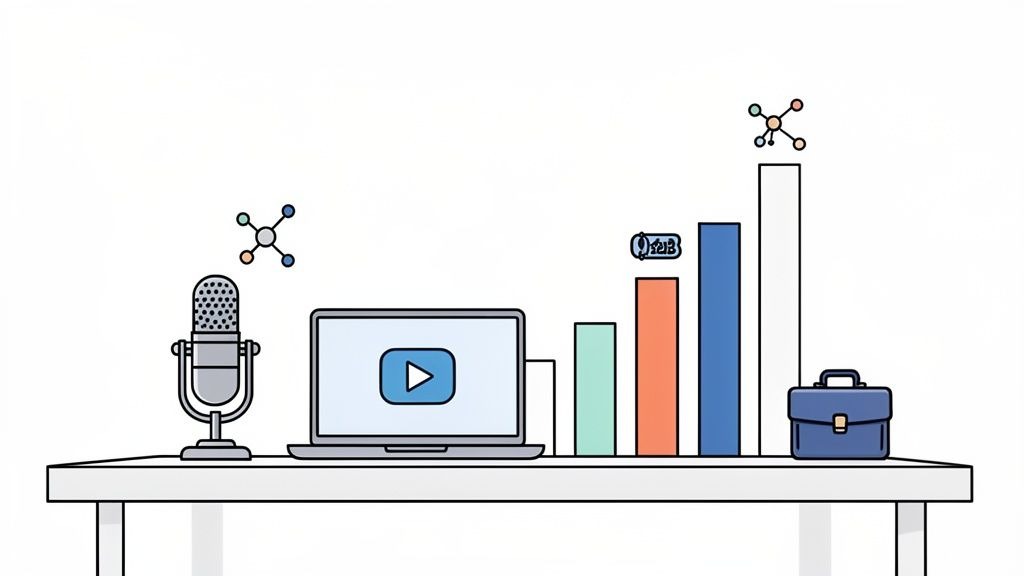
From One Episode To A Content Flywheel
Here's where the real magic happens. Investing in a quality video podcast setup unlocks what we call a content flywheel. A single long-form video episode becomes the raw material for a ton of other marketing assets.
It’s a simple, actionable process:
- Action Step 1: Record Your Episode. Focus on getting one high-quality, long-form video podcast recorded.
- Action Step 2: Extract Short-Form Clips. Pull out the best insights, killer quotes, or funny moments for LinkedIn, X, and TikTok.
- Action Step 3: Create Audiograms. Turn key audio segments into visually engaging snippets for channels where video isn't king.
- Action Step 4: Transcribe for SEO. Get the episode transcribed. Boom, you've got a detailed blog post ready to pull in search traffic.
- Action Step 5: Design Quote Graphics. Create sharp, shareable images featuring the most powerful lines from your host or guests.
This repurposing strategy completely maximizes the ROI on your recording time, making sure every single episode fuels your marketing for weeks. Your podcast stops being a standalone piece of content and becomes the engine for your entire demand gen program. You can dive deeper into the massive benefits of podcasting for business growth in our other guide.
The Numbers Don't Lie: The Market Shift To Video
The explosive growth in podcasting has made video non-negotiable for B2B brands that want to stay relevant. The data tells a compelling story.
To put this in perspective, here are a few key statistics that highlight exactly why a video podcast setup is such a smart investment right now.
Key Statistics Driving The Video Podcast Trend
| Statistic | Impact On Your B2B Strategy |
|---|---|
| $39.63 billion | The global podcast market's value in 2025, projected to reach $131.13 billion by 2030. |
| 584 million plus | The number of global listeners you can tap into. Your audience is already here. |
| 33 percent | The share of weekly US listeners who consume podcasts on YouTube. |
| 130 percent | The increase in shows posting full video episodes since 2022, now over half of all shows. |
(Source: Podcast-Atistics.com)
The takeaway is crystal clear. The market has shifted, and your audience not only wants but expects to see you. If you're only producing audio, you're leaving a massive opportunity on the table and falling behind the competition.
Building Your Audio Foundation
Before we even think about cameras, lenses, or lighting, we need to talk about the single most critical element of your setup: audio.
Think of it as the unshakable foundation of your show. Viewers will forgive so-so video quality if the conversation is great, but they will click away in an instant if the audio is scratchy, distant, or echoey.
High-quality sound paired with engaging visuals, including video animation, can elevate your content, keeping viewers engaged and making your show look polished and professional.
Good audio builds trust. Bad audio shatters it.
This isn't a suggestion; it's a hard rule. People can put up with lower quality video, but bad audio is physically jarring and makes your whole operation feel amateurish. As Fame's founder, Tom Hunt, always says, prioritizing crystal-clear audio is the most important technical decision you can make. The goal is to make it so clean it disappears, letting the listener hang on your every word.
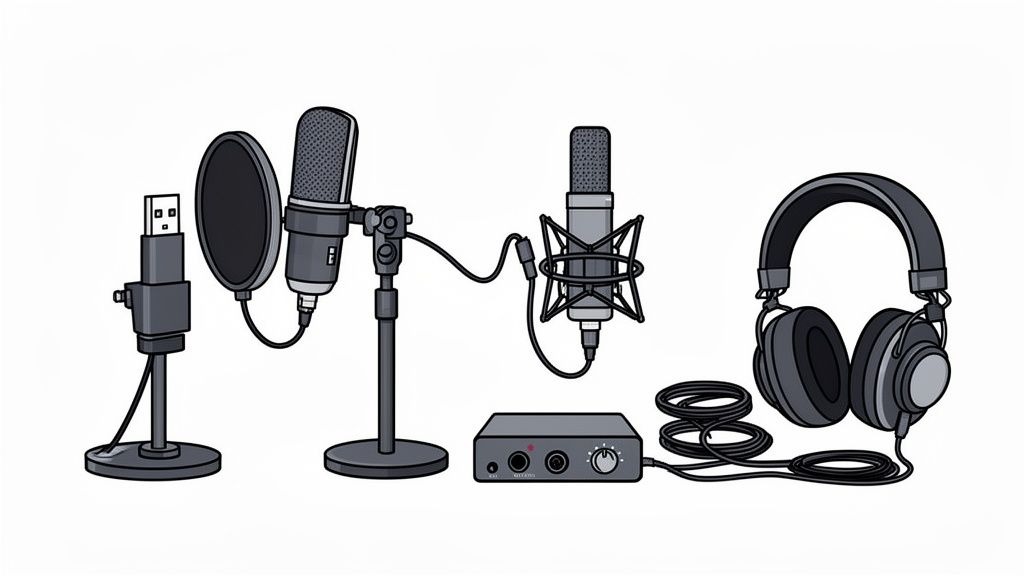
Your First Step: USB Microphones
If you're just starting, a USB microphone is the straightest line to high-quality sound. They're plug-and-play, connecting right to your computer with no extra hardware. It's the perfect intersection of quality, simplicity, and affordability.
The Blue Yeti has been a go-to for beginners for years. It's a condenser mic, meaning it’s fantastic at capturing rich, detailed vocals in a quiet room. That sensitivity can be a double-edged sword, though; it’s also great at picking up every keyboard click and hum from your air conditioner.
A better alternative, and the one we recommend constantly, is the Samson Q2U. This thing is a dynamic microphone, which is much better at isolating just your voice and rejecting all that other room noise. It's incredibly forgiving for home offices that aren't sound-treated studios. Plus, it has both USB and XLR outputs, giving you a built-in upgrade path when you're ready.
Actionable Takeaway: Start with a reliable USB mic like the Samson Q2U. It's a workhorse that punches way above its price tag, and its ability to reject background noise makes it perfect for imperfect recording spaces. This one purchase will elevate your audio quality more than any other single piece of gear.
Leveling Up: The Professional XLR Setup
When you're ready to chase that true broadcast-quality sound, it's time to move to an XLR setup. This involves a more professional microphone plugged into an audio interface, which then connects to your computer. This rig offers a serious jump in sound quality, durability, and control.
Here’s what that professional setup looks like:
- XLR Microphone: The Shure SM7B is the undisputed industry standard. You've seen it on countless top-tier podcasts for a reason. It's a dynamic mic famous for its warm, rich sound and incredible background noise rejection.
- Audio Interface: A device like the Focusrite Scarlett 2i2 acts as the bridge between your mic and computer. It converts the analog signal to digital, provides clean power for the mic, and gives you physical knobs to dial in your volume levels perfectly.
- XLR Cable: The simple but essential cord that connects your mic to the interface.
This setup delivers a noticeable leap in audio fidelity. It also gives you precise, hands-on control over your sound levels in a way software just can't match. It costs more, sure, but the quality it produces is what separates the good podcasts from the truly great ones. For a deeper look, check out our complete guide on what equipment you need for a podcast.
Essential Audio Accessories You Can't Skip
These aren't just optional add-ons. The right accessories solve common audio headaches before they ever happen and are crucial for professional sound.
First, a pop filter or foam windscreen is non-negotiable. It attaches to your mic to soften "plosives", those harsh pops from "p" and "b" sounds that can make a listener jump. This is a small, cheap item that makes a huge difference.
Second, a boom arm is a total game-changer, both for audio and on-camera presence. It lets you position the mic at the perfect distance from your mouth (usually 4-6 inches) while keeping the stand off your desk and out of the video shot. This makes your audio levels consistent, and your shot looks clean.
Finally, you need wired headphones. Ditch the AirPods for recording. Bluetooth introduces a tiny delay (latency) that's just distracting enough to throw you off your game. Wired headphones give you zero-latency monitoring, so you hear exactly what the mic is picking up, in real-time. This is how you catch problems as they happen, not when it's too late in post-production.
Crafting Your Visual Brand With Cameras And Lighting
Once your audio is locked in, it's time to think visually. A great video is what turns a listening experience into a viewing one, creating a much deeper, more memorable connection with your audience. It's how you show up, build trust, and make your content stick.
The mission isn't just to be seen, but to create a professional look that actually mirrors the quality of your ideas. The good news? This doesn't require a Hollywood-sized budget. A smart, focused approach to your camera and lighting can make you look like a seasoned pro.
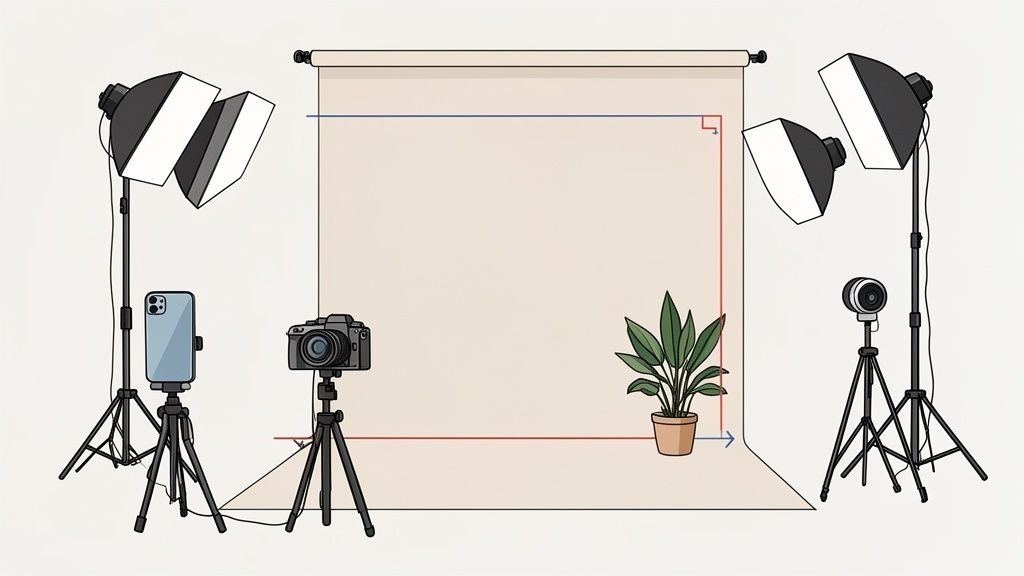
Choosing Your Camera: From Good To Great
Your camera is your audience's window into your world. Thankfully, getting a sharp, professional image is more accessible than it’s ever been. You can easily scale your investment based on your goals.
The Accessible Starting Point: Webcam or Smartphone
Seriously, don't sleep on the camera you already own. Modern smartphones shoot in stunning 4K, and a decent webcam is a massive leap from the grainy camera built into your laptop.
- High-Quality Webcam: Something like the Logitech Brio is a workhorse. It delivers a crisp 1080p or even 4K picture. It’s a simple plug-and-play USB solution that gives you a reliable, consistent image for a very reasonable investment.
- Your Smartphone: Your iPhone or Android is a beast. Stick it on a simple tripod to keep it steady, and it can genuinely outperform many webcams, especially if you have good lighting.
The Professional Upgrade: DSLR or Mirrorless Camera
If you’re after that cinematic, high-end look with the soft, blurry background (what the pros call "bokeh"), a DSLR or mirrorless camera is your ticket. These cameras have much larger sensors and better lenses, which means they capture way more light and detail.
A fantastic, popular choice is the Sony a6400. It's a mirrorless camera famous for its incredible autofocus and clean HDMI output, which lets you stream its feed directly to your computer without timing out. This is the kind of setup that takes your production value from "pretty good" to "broadcast quality."
Demystifying Video Settings
When you level up your camera, you'll run into a few key settings. Nailing these is crucial for getting that perfect shot.
- Resolution: This is all about the clarity and detail of your image. 1080p (Full HD) is the standard for great quality. 4K is even sharper, which gives you the flexibility to crop and reframe your shots in post-production without losing any quality. Always aim to record in at least 1080p.
- Frame Rate: This is just the number of individual pictures your camera captures every second. 24fps (frames per second) gives you that classic, cinematic feel you see in movies. 30fps is the standard for most online video and feels smooth and natural to the eye.
Actionable Tip: Set your camera to 1080p at 30fps. This combo provides a crisp, professional look that’s perfect for platforms like YouTube and LinkedIn, and the file sizes won't crush your hard drive.
Lighting Your Shot Like A Pro
Lighting is just as important as your camera, arguably more so. Good lighting is what separates the amateurs from the pros. It makes you look clear and vibrant, and gives your shot a real sense of depth.
The easiest and cheapest light source? The sun. Just setting yourself up to face a window provides soft, flattering natural light that no lamp can perfectly replicate. If you can record during the day, this is a fantastic (and free) place to start.
For more control and consistency, the gold standard is a three-point lighting setup.
- Key Light: Your main, brightest light, placed off to one side of the camera.
- Fill Light: A softer light on the opposite side to fill in any harsh shadows created by the key light.
- Backlight: This light goes behind you, creating a subtle outline that separates you from the background and adds a ton of depth.
You don't need to spend a fortune here. An affordable LED panel kit can give you everything you need for a beautifully lit shot, day or night. For more complex shoots where a premium visual brand is non-negotiable, exploring corporate videography services can bring in the expertise to craft a signature look that’s all your own.
This visual consistency is a critical part of your video podcast setup. The move to video is happening fast; video podcasts are completely reshaping B2B content. In fact, 50.6% of all podcasts now upload full video to YouTube, which is a massive 130% increase from 2022. This trend, highlighted in Riverside.fm's podcasting statistics, makes a professional setup less of a luxury and more of a necessity to compete. If you plan to start a podcast on YouTube, getting your video right from day one is essential.
Mastering Your Remote Recording Workflow
A slick in-studio video podcast setup is great, but let's be honest, the real growth engine for B2B podcasting is nailing remote recording. Remote recordings don’t just make it easier for guests to show up; they allow you to book a higher caliber of guests without worrying about travel, hotels, or studio fees.
Once you can comfortably record with guests anywhere in the world, your talent pool explodes. You're no longer limited to local experts; you can book industry titans without the logistical nightmare of travel. This simple shift turns your podcast from a local show into a global stage.
Choosing Your Remote Recording Platform
The software you choose is your virtual studio. You might be tempted to just use Zoom or Google Meet, but these tools rely on a stable internet connection and heavily compress audio and video. The result? A pixelated, choppy final product that screams "amateur."
Professional platforms are a game-changer because they record each person's audio and video locally on their own computer before uploading the high-quality files. This means if a guest's Wi-Fi drops out mid-sentence, their final recording is still crystal-clear. It’s a non-negotiable for anyone serious about quality.
Remote Recording Platform Comparison
Choosing the right platform is key to a smooth remote recording process. While there are many options, a few stand out for their reliability and features tailored to the needs of B2B podcasters who care about quality and repurposing. Here's a quick look at two of the best.
| Platform | Key Feature For B2B | Best For |
|---|---|---|
| Riverside | Separate, high-quality audio and video tracks for each guest, plus AI features for transcription and clip generation. | Teams that want maximum quality and need to repurpose long-form content into short, social-ready clips. |
| SquadCast | Known for strong reliability and progressive uploads that save recordings in real time to prevent data loss. | Podcasters who prioritize stability, redundancy, and protecting recordings above all else. |
We are proud partners with Riverside, a remote recording platform that makes high-quality audio and video capture easy. We recommend it to almost all of our clients. The combination of local 4K video, uncompressed audio, and powerful built-in AI tools makes it the complete package for B2B teams that need both top-tier quality and an efficient workflow.
Setting Your Guests Up For Success
The single biggest variable in remote recording quality is your guest's setup. Most of your guests won't be podcasters, and they definitely won't have a pro-level microphone sitting on their desk. Your job is to gently guide them to get the best possible quality with what they already have.
Don't just send a calendar invite and hope for the best. A simple, one-page prep guide sent a few days before the recording can make a world of difference. For more inspiration, check out our detailed guide on how to record podcasts remotely.
Actionable Tip: People often worry about guests having bad equipment for remote recordings. The best defense is a good offense; proactively guide them. The small effort you put into guest prep pays massive dividends in the final quality of your episode.
Your prep guide should include a few friendly, non-negotiable instructions:
- Use Wired Headphones: Gently insist on this. Bluetooth headphones like AirPods can introduce audio lag and are prone to disconnecting. Any old pair of wired earbuds will do the trick, preventing echo and helping your guest hear you clearly.
- Find a Quiet Room: Ask them to pick a room with soft surfaces, think carpets, curtains, or even a bookshelf. A bedroom or home office is almost always better than a kitchen or an empty, echo-y conference room.
- Face a Window: Natural light is free and looks better than any fancy ring light. Have them position their laptop so they're facing a window, not with their back to it. This avoids that dreaded silhouette effect.
- Restart Your Computer: A simple restart 15 minutes before go-time clears out the computer’s memory and closes any pesky background apps that might interfere with the recording.
For those high-profile, can't-miss guests, consider sending them a simple "guest kit." A microphone like the Samson Q2U is affordable, sounds fantastic, and is dead simple for anyone to plug in and use. It's a small investment that signals you're a pro and guarantees you get the audio quality your show deserves. Find more tips on guest prep in our guide on how to prepare for a podcast guest appearance.
Turning Your Content Into a Pipeline
Hitting "stop record" is just the start. The real magic, and the business impact, happens next. A raw video file is an asset with massive potential, but it needs a system to become a demand-gen engine that actually fuels your pipeline. This is where your post-production and promotion workflow comes in.
The goal isn't just to polish one long-form video. It's to strategically slice it up, repackage it for different platforms, and get it in front of the right B2B audience. This creates a content flywheel where every single episode spins off weeks of marketing activity. Your podcast production workflow is as important as the recording itself.
Editing Your Episode: From Raw Footage To Polished Asset
Post-production is where you take a meandering conversation and sculpt it into a tight, professional narrative. The software you choose here will have a huge impact on how quickly you can get this done. For B2B teams, there are really two paths you can take.
The first, and what I recommend for most, is using intuitive, transcript-based editors. They’re a game-changer.
- Descript: This tool is popular for a good reason. It transcribes your video automatically, and you edit the video by just deleting words from the text. It’s as easy as editing a Google Doc, which means anyone on your team can do it, not just a pro video editor.
- Riverside Editor: If you're already recording in Riverside, their built-in editor is a no-brainer. It uses the same text-based workflow and has some slick AI tools for finding and creating social clips in minutes.
For teams that need more granular control for things like advanced color grading or complex graphics, traditional NLEs (non-linear editors) are the way to go.
- Adobe Premiere Pro: This is the industry standard for a reason. You get total control over multi-cam edits, color, audio, and graphics. The learning curve is steeper, but the power is undeniable.
- DaVinci Resolve: Famous for its world-class color correction tools, Resolve also has a surprisingly robust free version that’s more than enough for most podcast editing needs.
The Power Of Repurposing With AI
The single most powerful strategy for turning your podcast into a pipeline driver is content repurposing. One hour-long episode isn't just one asset; it should be the source material for dozens of micro-assets. And to do this at scale, AI is your best friend.
Our own tool, Fame AI, was built for exactly this. You upload your final episode, and it automatically finds the most compelling hooks and soundbites. Then, it spits out a whole suite of ready-to-publish assets.
This isn't just about saving time; it's about maximizing impact. A single recording can be repurposed into short-form video clips for LinkedIn, audiograms for X, and quote graphics for your email newsletter. This strategy ensures you reach your audience on the platforms they prefer, with content formatted for that specific channel.
To really squeeze every drop of value out of an episode, you should also learn how to transcribe a podcast. This turns your audio into blog posts and detailed show notes, which are fantastic for SEO and give people another way to consume your content. Our deep dive into content repurposing strategies has even more ideas.
When dealing with remote guests, keeping things simple is key. A simple three-step process, Guide, Test, and Record, makes all the difference.
This approach ensures your guests feel prepared and confident, which always leads to a smoother, higher-quality recording.
A B2B-Focused Promotion Strategy
Just uploading your episode to YouTube and calling it a day is a rookie mistake. A B2B audience requires a much more targeted approach. The data is clear: the video podcast wave is here, with global listenership projected to hit 584.1 million by 2025. A huge chunk of that audience, 40-42% of U.S. weekly listeners, prefers a visual format. YouTube is where 33% start their discovery, as highlighted in research from PodcastVideos.com.
Your primary battleground should be LinkedIn. Post your best short-form clips natively on the platform. Tag your guests and their companies. And most importantly, actively encourage your guests to share the content with their own networks; this is how you tap into new audiences.
Don't sleep on email, either. Use your company newsletter to announce new episodes, pulling out a compelling quote or key takeaway to hook readers. At Fame, our B2B email newsletter agency and B2B social media agency services are built around this exact principle. We make podcast content a core pillar of our clients' communication, ensuring their best insights land directly in the inboxes of their most engaged audience.
Got Questions? We've Got Answers
We get asked a lot about the nitty-gritty of starting a video podcast. Let's tackle some of the most common questions head-on to help you sidestep the usual pitfalls and get your show off the ground.
How Much Should I Budget to Get Started?
You can pull together a really solid beginner setup for around $300-$500. Seriously. That's all it takes to cover the essentials that give you the biggest bang for your buck.
An actionable starting package looks something like this:
- A great USB mic like the Blue Yeti (~$100).
- A trusty 1080p webcam, maybe a Logitech C920 (~$70).
- Some basic lighting, a ring light, or a couple of small LED panels will do wonders (~$80).
- A subscription to a remote recording tool like Riverside (~$15-$29/month).
Here's the key: put your money into audio first. Your smartphone probably shoots fantastic 1080p or 4K video, so use it! That frees up cash for a quality microphone and decent lighting, which have a much bigger impact on how professional your show feels.
What's More Important: Good Video or Good Audio?
Audio. Full stop. It's not even a debate.
Your audience has almost zero patience for bad audio. It's distracting, jarring, and can make even the most brilliant conversation completely unlistenable.
Think about it, people will put up with grainy or slightly off-color video if the content is great. But they will bounce immediately if they can't hear you clearly or if your audio is full of echo and background noise.
The Golden Rule: Always prioritize great audio over great video. People can put up with lower-quality video, but they will tune out jarring, low-quality audio instantly. Lighting and even the right clothing can make up for a so-so camera.
Do I Really Need a Dedicated Studio?
Absolutely not, especially when you're just starting. All you truly need is a quiet room with decent acoustics and light you can control.
You can easily treat a home office or spare bedroom. Throw down a rug, hang some curtains, or put up a bookshelf; anything soft will help absorb sound and kill that dreaded echo. For the background, a clean, professional-looking bookshelf or just a simple, non-distracting wall is perfect.
And with high-quality remote recording platforms, the "studio" is basically virtual now anyway. You can connect with guests anywhere in the world without ever needing a physical space.
How Do I Make Sure My Remote Guests Look and Sound Good?
Guest quality can make or break an episode, and the best way to control it is to be proactive. A little communication goes a long way.
A week before you record, send your guest a simple, friendly one-page guide. You're not being demanding; you're helping them (and your show) shine.
Advise them on these actionable basics:
- Use wired headphones to prevent feedback (not Bluetooth if possible).
- Sit facing a window to get great, natural light.
- Find the quietest room possible.
- Restart their computer an hour before you go live.
For your really high-value guests, consider sending them a "guest kit." A simple package with an affordable USB mic (like a Blue Yeti) and a small ring light can make a massive difference. It's an affordable gift that shows you care about quality.
Ready to build a B2B podcast that actually drives pipeline? At Fame, we turn expert conversations into demand. Our B2B podcast production services cover everything from strategy and recording to repurposing and promotion, so you can focus on what you do best.
Want us to run this for you?
Fame starts and grows B2B podcasts that generate pipeline. Tell us who you are trying to reach and we will send a costed proposal within 48 hours.
Related content
- Read moreFame Team · July 16, 2026
10 Account Based Marketing Tactics For B2B Growth In 2026
Discover 10 actionable account based marketing tactics for B2B tech. Learn to use podcasts, data, and targeted content to close high-value accounts. - Read moreFame Team · July 16, 2026
The 8 Best Brighton Podcast Agency Picks For 2026
Find the best Brighton podcast agency for your B2B brand. Our 2026 guide reviews top 8 agencies for production, growth & ROI. Expert analysis here - Read moreJune 10, 2026
20 Best Podcast Production Agencies For 2026 (And Why Should You Hire One)
Global podcast and vodcast ad revenues are on track to hit $5 billion in 2026 , up 20% year-on-year. - Read moreApril 13, 2026
Leadership In Marketing: The B2B Podcast Playbook
Most companies still confuse leadership in marketing with job titles, org charts, and budget control. That's outdated.