February 20, 202621 min read7 sections
The Ultimate Guide To Conference Video Production For Event Organizers
By Fame Team
Key Takeaways
- Conference video production can transform a single event into a year-round content engine.
- High-quality video captures presentations and builds a library of content for marketing and sales funnels.
- Professionally produced video libraries extend reach and impact by sharing keynotes and session highlights with a global audience.
A conference is more than a one-time event; it's a powerful asset. With a strategic approach to conference video production, you can transform a fleeting few days into a year-round content engine that maximizes value for both your organization and your attendees. This guide will walk you through exactly how to do that.
Looking for a professional crew to handle it for you? Check out our conference videography services.
Why Conference Video Is a Long-Term Growth Engine
In B2B, the real value of your conference kicks in long after the final applause. When you capture high-quality video, you're not just archiving presentations; you're building a rich library of content. This content becomes the fuel for your marketing and sales funnels for months, sometimes even years.
Suddenly, the event shifts from a single, hefty expense to a continuous asset that generates a real, measurable return.
Instead of disappearing into thin air, the insights shared on stage become evergreen resources. You can repurpose these videos to create a constant stream of valuable content, making sure your brand's message and thought leadership keep reaching new audiences long after the venue is empty. The initial investment in professional conference videography pays for itself across multiple departments.
Extend Your Reach and Impact
A professionally produced video library blows the doors off the limitations of physical attendance. You can share keynotes with prospects who couldn't make it, slice up session highlights for email campaigns, and post engaging clips on social media to get more eyes on your brand.
This multiplies your event's reach exponentially, connecting you with a global audience. For more on capturing killer footage, you might want to check out our guide on event videography best practices.
Create a Perpetual Content Machine
The footage from a single conference can be the backbone of your content strategy for the next year. This isn't just about dumping full-length sessions online and calling it a day. A well-planned video strategy gives you the raw material for countless assets that serve different goals.
The most successful event organizers no longer see video as a simple recording. They see it as raw material for a year's worth of marketing, sales enablement, and brand-building content.
Here are actionable ways to use your conference footage:
- Demand Generation: Gate the full session recordings behind a form to capture high-intent leads who are genuinely interested in what you have to say.
- Social Media Engagement: Chop up the best moments into short, punchy clips optimized for platforms like LinkedIn and X.
- Sales Enablement: Arm your sales team with impactful video testimonials from happy attendees or clips of speakers addressing common customer pain points.
- Thought Leadership: Rip the audio from panel discussions and turn it into a B2B podcast series, cementing your brand as an authority in your space.
When you adopt this mindset, your conference transforms into a strategic growth engine. Ready to turn your event into a lasting asset? The expert team at Fame Crew can help you build and execute a video strategy that actually delivers results.
Your Pre-Production Success Blueprint
The real work of creating powerful conference video content happens long before a single camera starts rolling. Seriously. The success of your entire project is decided in pre-production.
This is where you build the strategic framework that ensures every shot, every interview, and every livestream aligns with your business goals. It’s what separates a folder of random, unusable clips from a deep library of high-value marketing assets. Think of it as the difference between hoping for the best and engineering a specific outcome.
During this planning phase, you move from vague ideas to a concrete, actionable plan. Don't just aim to "create videos"—that's a recipe for disappointment. Instead, set clear targets like generating 150 qualified leads from gated session recordings or chopping up the keynotes into 20 unique social media clips to build hype for next year's event.
When you get this right, you transform your conference from a single point in time to a content engine that runs year-round. This graphic really nails the strategic shift you should be aiming for.
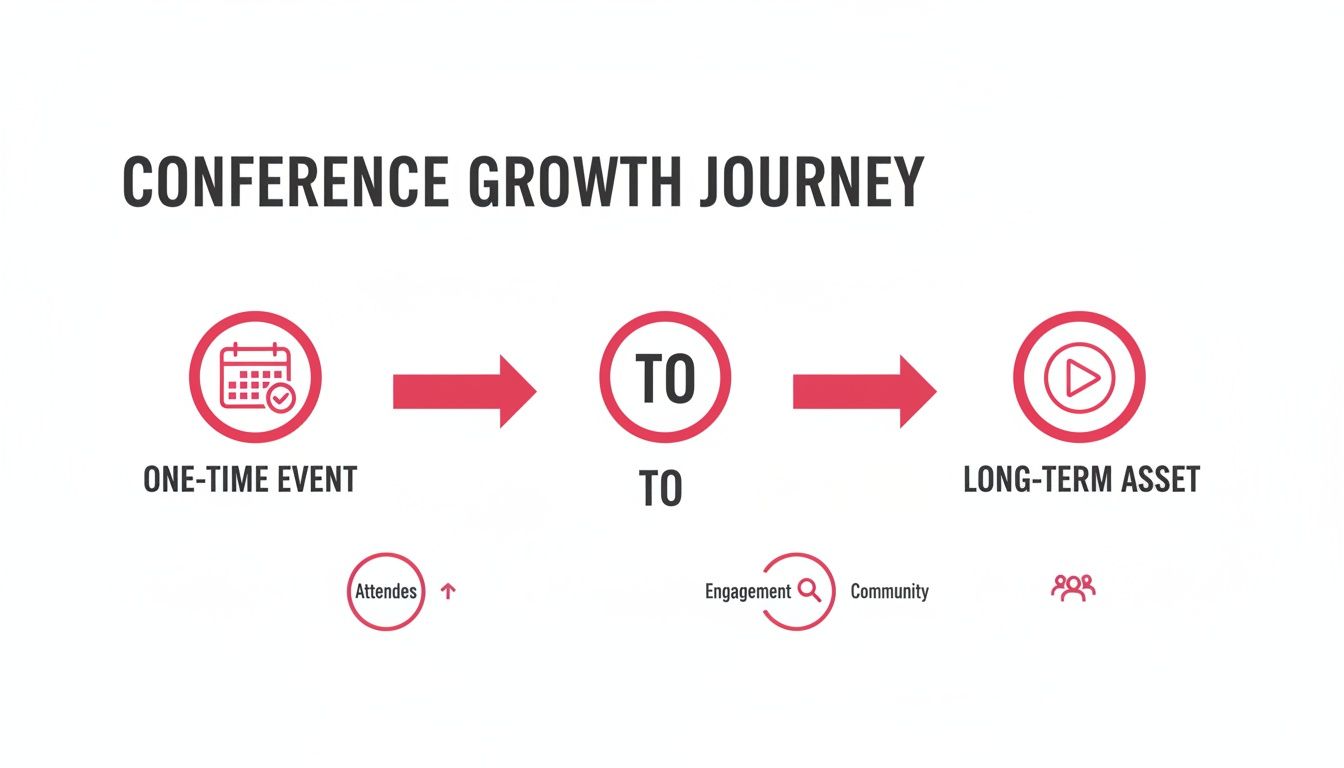
The big takeaway here is that a well-thought-out video strategy makes sure the energy and insights from your event keep delivering value long after everyone has gone home.
Defining Your Video Goals and Shot List
First things first: you have to define what success actually looks like. Your video goals can't exist in a vacuum; they must be tied directly to tangible business objectives. Are you trying to drive brand awareness? Generate leads for the sales team? Create sales enablement content? Or all of the above?
Once your goals are crystal clear, it’s time to translate them into a detailed shot list. This document is the bible for your production crew. It's their roadmap, outlining every single piece of content they need to capture on the day.
A solid shot list for a B2B conference absolutely must include:
- Keynote and Panel Recordings: Specify the number of cameras. A multi-camera setup is non-negotiable for panels; it provides dynamic angles that keep viewers engaged, which is impossible with a single, static shot.
- Audience Reactions: Capturing shots of an engaged, smiling, and note-taking audience provides incredible social proof for all your future marketing.
- Essential B-Roll: This is the connective tissue of your videos. Think attendees networking, sponsors chatting at their booths, venue branding, and even sweeping shots of the city. B-roll is what makes your final edits look polished and professional.
- On-the-Fly Testimonials: Get your crew to pull aside key speakers, happy sponsors, and enthusiastic attendees for brief interviews. These authentic soundbites are pure marketing gold.
- Behind-the-Scenes Action: Showcasing your team setting up or speakers prepping backstage adds a human touch. This stuff is perfect for casual social media content.
Getting this granular ensures your crew works efficiently and captures exactly what your marketing team will need down the line. No guessing games, no missed opportunities.
Nailing the Logistics and Technical Scout
Logistics might be the unglamorous side of video production, but they are the bedrock of a smooth shoot. A thorough venue scout is an absolute must. Walk through the entire space with your production lead to spot potential challenges before they become full-blown crises on event day.
Your pre-production checklist should be obsessed with two things: light and sound. A beautifully framed shot is completely useless if the speaker is poorly lit or their audio is a mess of echo and background noise.
During the scout, pay obsessive attention to lighting conditions in each room, listen for ambient noise from HVAC systems or adjacent spaces, and map out every single power outlet. This is also your chance to plan camera placements that guarantee clear sightlines without blocking an attendee's view. A huge piece of this is picking the right audio gear—understanding how to buy a good wireless microphone system is critical for capturing clean speaker audio.
The importance of high-quality video in business is only growing. The global video conferencing market, a close cousin to what we're doing here, hit USD 13.8 billion and is projected to skyrocket to USD 31.4 billion. This boom reflects just how central video has become to business communication, with North America holding over 39.8% of the market. It’s not a niche activity anymore; it’s a core business function.
Preparing Your Speakers for the Camera
Finally, don’t overlook the human element. Your speakers are the stars, but not everyone is a natural on camera. A quick, simple briefing can make a world of difference in their performance and your final video quality.
Give them a few simple pointers on how to present effectively for the camera:
- Wear solid, camera-friendly colors. Busy patterns, bright whites, and deep blacks can cause issues for cameras. Jewel tones often work best.
- Look at the right camera. If you have a multi-cam setup, let them know which one is their primary "hero" shot so they can make eye contact with the audience at home.
- Speak clearly and at a measured pace. Gently remind them that the microphones are sensitive and will pick up their voice perfectly, so there's no need to rush or shout.
Taking a few minutes to do this ensures your speakers come across as confident and polished, which directly elevates the quality of your content. A well-executed pre-production phase paves the way for a flawless event and a treasure trove of marketing assets. For an even deeper dive into planning, check out our ultimate event video production guide.
Building Your A-Team for Event Videography
Choosing the right production crew is probably the single most critical decision you'll make for your entire conference video production. Your vision, no matter how brilliant, lives or dies by the team on the ground.
This isn't just about finding people with cameras. It's about assembling a tight-knit unit where every person knows their job inside and out, all working toward your strategic goals. One weak link—a scratchy audio feed or a missed keynote shot-can tank the value of your entire content library.
If you're curious what a top-tier crew looks like in action, check out some professional conference videography services to see the roles and expertise involved.
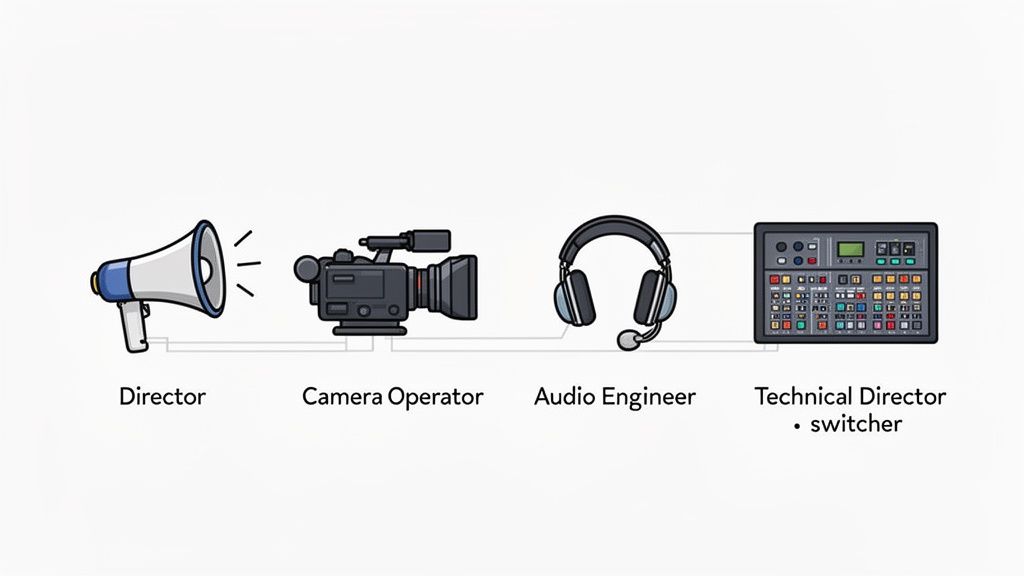
Think of them like a surgical team. Each specialist has a distinct, vital function, and they all have to move in perfect sync to get the job done right.
Core Roles on Your Production Crew
To build an effective team, you first need to understand who does what. While a scrappy crew for a smaller event might see people wearing multiple hats, a professional conference shoot demands specialized talent.
Here are the key players you'll want on your roster:
- Director/Producer: This is your strategic lead. They’re the one who translates your business goals into a creative vision and makes sure the crew executes that plan perfectly on the day.
- Camera Operators: You’ll typically need two kinds. Static operators handle the fixed cameras getting those essential wide shots of the stage. Meanwhile, roving operators are on the move, capturing dynamic B-roll, audience reactions, and all the candid moments that bring an event to life.
- Audio Engineer: This role is completely non-negotiable. Their one and only job is to guarantee crystal-clear sound from every microphone and video feed. Bad audio is the fastest way to kill your content's value.
- Technical Director (for live streams): If you're running a hybrid event, the Technical Director is mission control. They run the video switcher, cue up graphics, and ensure a seamless, professional broadcast for your online audience.
A classic mistake is trying to skimp on a dedicated audio engineer. You can always color-correct a shaky shot, but audio filled with hiss, echo, or dropouts is almost impossible to salvage. Prioritize clean sound above everything else.
In-House Team vs. Professional Agency
So, who do you actually hire? The big question is whether to use your in-house marketing team or bring in a specialized agency. On the surface, using your internal team might seem like a way to save money, but a live conference is a completely different beast than a controlled studio shoot.
Your team might be great at creating marketing videos, but do they have experience with multi-camera setups, live switching, and the on-the-fly problem-solving that events always demand? A pro agency brings not just the right gear, but the battle-tested experience that comes from managing hundreds of these events. They see problems coming before they even happen.
Here’s a practical breakdown to help you decide.
In-House Video Team vs. Professional Agency
| Factor | In-House Team | Professional Agency (e.g., Fame Crew) |
|---|---|---|
| Experience | General marketing video knowledge but may lack live-event production expertise. | Specialized in high-pressure conference and event environments with proven production workflows. |
| Equipment | Typically owns basic gear and may need to rent equipment for multicamera shoots or livestreams. | Maintains a complete inventory of professional cameras, audio systems, lighting, and live-switching equipment. |
| Efficiency | Learning on the job can result in missed moments, slower execution, and logistical challenges. | Established crew roles and communication processes enable fast, reliable production throughout the event. |
| Cost | Lower upfront investment but potentially higher hidden costs from rentals, overtime, or production mistakes. | Higher initial investment with predictable costs and consistently high-quality deliverables. |
| Scalability | May struggle to cover large events or multiple simultaneous sessions. | Can quickly scale crew size, equipment, and production resources to match events of any size. |
Ultimately, the choice comes down to your event's scale and your tolerance for risk. For a high-stakes conference where those video assets are central to your marketing strategy for the next year, partnering with a professional crew is a much safer-and more valuable-investment.
The right team doesn't just capture your event; they elevate it. To connect with a crew that has proven experience executing complex conference video projects, get in touch with the experts at Fame's Videographer Services.
Executing a Flawless Live Stream Production
For any hybrid event, your live stream isn't just a side project-it's the main stage for your entire virtual audience. Let's be honest, a glitchy, low-effort broadcast makes remote attendees feel like an afterthought, and that completely tanks the value of their ticket. Pulling off a professional live stream takes a dedicated strategy for both the tech and the engagement.
This is so much more than pointing a webcam at the stage and hitting "Go Live." A truly flawless broadcast is a deliberate production, carefully planned to feel inclusive, polished, and just as valuable as being in the room.
The Technical Foundation for Your Broadcast
The success of your stream lives or dies on a few non-negotiable technical pillars. Get these right, and you've built the stable foundation you need for a high-quality viewer experience. Get them wrong, and you're staring down the barrel of buffering, dropped connections, and an audience that quickly tunes out.
Your absolute first priority? A dedicated, hardwired internet connection for the streaming setup. Never, ever rely on the venue's shared Wi-Fi. It’s a recipe for disaster once hundreds of attendees start connecting their own devices. An ethernet connection gives you the stable upload speed that's essential for a smooth, high-resolution broadcast.
Next up is your core hardware. This isn't amateur hour.
- A Video Switcher: This is the command center of your live production. It lets your Technical Director seamlessly cut between different camera angles, presentation slides, and pre-recorded video segments.
- Professional Audio Mixers: All your audio-from speaker mics to panel discussions and video playback-needs to be fed into a proper mixer. This is where your Audio Engineer works their magic, balancing levels to make sure every single word is crisp and clear for the remote audience.
The virtual events industry, built on reliable conference video production, is now a massive market, generating an estimated USD 98.56 billion globally. That explosion is fueled by the fact that over three-quarters of organizers have embraced hybrid models. You can discover more insights on the state of conferencing and see how AI tools are starting to personalize the virtual experience even more.
Engaging Your Remote Audience
One of the most common mistakes I see is treating the live stream audience like passive observers. Big mistake. To create a hybrid event that actually feels inclusive, you have to actively pull them into the action. This means going way beyond a simple chatbox.
You need to assign someone the specific role of Community Host or Live Chat Moderator. Their entire job is to be the voice of the virtual audience. They welcome people, spark conversations in the chat, and-most importantly-relay good questions to the speakers on stage. This simple step makes remote participants feel seen and heard.
Your goal is parity. The remote experience should feel just as curated and valuable as the in-person one. Interactive elements are the bridge that connects your two audiences.
Weave interactive tools directly into your stream to break up that passive viewing rut:
- Live Polls and Q&A: Use your streaming platform’s built-in tools or grab a third-party app like Slido to run real-time polls. Sourcing questions this way also makes the Q&A sessions far more dynamic.
- Virtual Networking: Platforms like Hopin or Brella have features for virtual "tables" or one-on-one video meetings, which gives remote attendees a genuine chance to connect, just like their in-person counterparts.
Building a Bulletproof Contingency Plan
Even with the most meticulous planning, things go wrong. Tech fails. Speakers run late. A solid contingency plan is what separates a minor hiccup from a full-blown broadcast catastrophe. You need to walk through the "what-ifs" with your crew before the event and have a documented response plan.
Your checklist should cover, at a minimum:
- Backup Internet: Have a secondary internet source, like a cellular hotspot, fired up and ready to go. If that primary hardwired connection drops, you need to be able to switch over in seconds.
- Redundant Hardware: For mission-critical gear like your main streaming encoder or the keynote speaker's microphone, have spares on hand. They should be tested and ready to swap in at a moment's notice.
- Pre-Recorded Content: Keep some pre-recorded announcements or sponsor videos cued up. If a speaker is delayed or you hit a technical snag, you can play this content to fill the dead air and keep the audience from bailing.
By dialing in these technical and engagement details, you elevate your live stream from a simple broadcast into a core, can't-miss part of your event. If you need to assemble a team with the chops to manage these complexities, connect with the seasoned pros at Fame Crew.
Turning Raw Footage Into High-Value Content Assets
The last speaker leaves the stage and your crew starts packing up. For them, the job's almost done. For you? The real work-and the real ROI-of your conference video is just getting started.
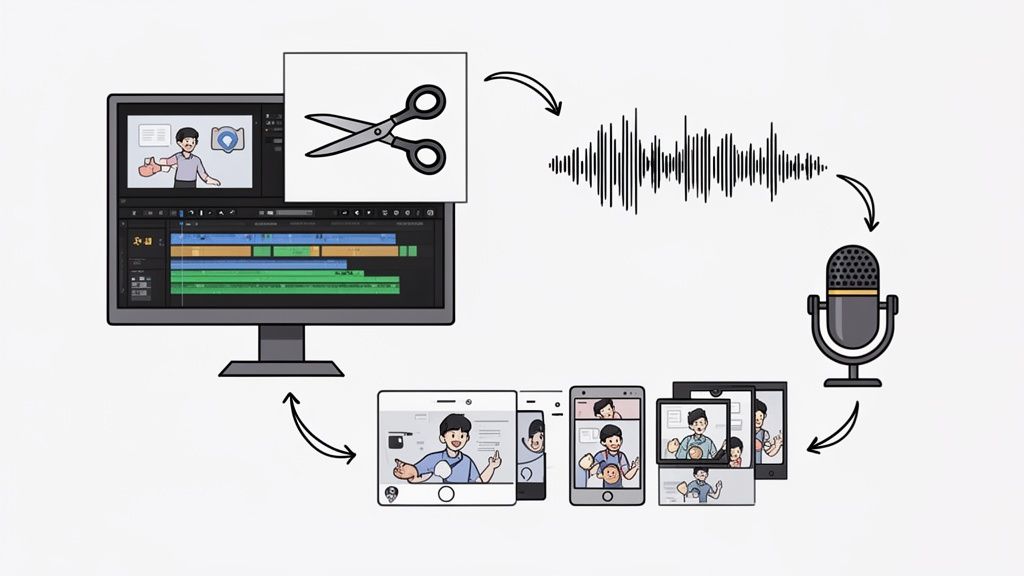
Those terabytes of footage aren't the final product. Think of them as raw ingredients for a content strategy that can fuel your marketing for the next year. This isn't about a quick clean-up edit; it's a strategic process to squeeze every drop of value from every minute you captured. The goal is to build a library of high-value assets that drive marketing, empower sales, and build your brand.
Without a clear plan, all that incredible footage just gathers digital dust. A massive waste of investment.
Organizing and Editing Your Raw Footage
First things first: you need a system. Your crew is about to hand over a mountain of data from multiple cameras and audio sources. Job one is to organize it all and sync it up. Trust me, you don't want to skip this. To get a handle on the sheer volume, it's worth looking into digital asset management for video. Getting organized now makes the entire editing process ten times smoother.
Once your files are in order, the creative work begins. Here’s what matters most:
- Audio Mastering: This is non-negotiable. The audio has to be crystal-clear. That means killing background noise, balancing levels between speakers, and making the whole thing sound professional and easy to listen to. Bad audio will make people click away instantly.
- Color Correction and Grading: This step is all about creating a consistent, professional look. It fixes any weird lighting issues between different shots and applies a color grade that matches your company's brand.
- Adding Graphics and Branding: Now you make it yours. Add speaker titles, your company logo, and branded intros and outros. This is what makes the final cut look polished and cohesive, not like a raw file dump.
The Tiered Asset Creation Strategy
Don't make the mistake of thinking one video will work everywhere. It won't. The secret to getting maximum value is creating a tiered system of assets, with each piece designed for a specific channel and purpose.
Post-production isn't an assembly line; it's an act of translation. You're translating a single live experience into multiple digital formats, each speaking the native language of its intended platform.
Picture a content pyramid. The long-form recordings are the base, and as you move up, the content gets shorter, punchier, and more focused.
Tier 1: Full-Length Session Recordings
This is the foundation. Create slick, fully-branded recordings of every single keynote and panel discussion. These become incredibly valuable assets for things like:
- An on-demand, gated content library for lead generation.
- An exclusive perk for event attendees, adding post-event value.
- Internal training material for your own team.
Tier 2: The Sizzle Reel
This is your hype machine. A sizzle reel is a fast-paced, 1-2 minute montage that bottles the energy and key moments of your conference. It’s your number one marketing tool for selling tickets to next year's event. Pack it with the best speaker soundbites, shots of an engaged crowd, networking moments, and an upbeat soundtrack.
Tier 3: Bite-Sized Social Media Clips
Here's where you get serious mileage. Go through your keynotes and panels and pull out all the golden nuggets-the powerful quotes, the surprising data points, the actionable tips. Chop these moments into dozens of short clips, ideally 30-90 seconds long.
Crucially, burn in captions. The vast majority of people watch social video with the sound off. These clips are absolute gold for driving year-round engagement on LinkedIn, X, and other platforms. This multi-platform approach is vital. Globally, users watch over 1 trillion minutes of video monthly, and 92% of internet users engage with video weekly.
Extending Content Life with Audio Repurposing
One last thing: don't forget about the audio. All that high-quality video footage is also a goldmine of high-quality audio, which opens up a completely new content channel.
Strip the audio from your best panel discussions and keynotes. Boom-you've just created a full season of a B2B podcast with minimal extra effort.
This move lets you reach a totally different audience-the commuters, the gym-goers, the people who prefer listening to content while they multitask. It's a low-effort, high-impact tactic. For a deeper dive, check out these proven content repurposing strategies.
How to Measure Your Video Production ROI
Let's be real: pouring time and money into conference video without connecting it to actual business results is a non-starter. If all you're tracking are vanity metrics like view counts, you're missing the whole point. You'll never be able to prove the value of your investment or make smarter calls for the next event.
The trick is to think about your goals upfront and split your metrics accordingly. Are you trying to fill the sales pipeline? Or are you building your brand? The numbers you track will be completely different.
This data-driven approach is how you walk into a meeting with stakeholders and show them real, tangible impact. For a higher-level look at this, you can check out our detailed guide on measuring content marketing ROI which lays out a broader strategic framework.
Tracking Demand Generation and Pipeline
When your goal is demand generation, the metrics are pretty straightforward because they tie directly to revenue. You need to see exactly how your video assets are moving the needle in your sales funnel.
- Lead Conversions: How many leads did you get from gating that full keynote recording? What’s the conversion rate on the landing page featuring the breakout session clips? These are the numbers that matter.
- MQLs Sourced: Jump into your marketing automation platform. How many Marketing Qualified Leads (MQLs) can you trace back to someone watching a conference video? This tells you which content is actually nurturing prospects.
- Pipeline Influence: This is where you really connect the dots. Tag the opportunities in your pipeline that engaged with your video content and attach a dollar value to them. Now you can confidently say, "Our conference videos influenced $X in the pipeline."
Measuring Brand Building and Audience Growth
Brand-building metrics are a bit softer but no less important. This is all about audience engagement and loyalty. These numbers show you how your content is carving out your space in the market and building a community around your brand.
Proving ROI isn't just about counting leads. It's about demonstrating that your conference videos are building a more engaged, loyal, and valuable audience over time.
A few key things to watch:
- Audience Retention: Go look at this metric in your YouTube Studio. It tells you exactly how long people are sticking around to watch your videos. High retention is the ultimate sign that you've created something valuable, not just clickbait.
- Social Media Engagement: Don't just look at likes. Track the shares, comments, and especially the saves on your video clips. When someone saves your content, it means they found it so useful they want to come back to it. That's a huge win.
- Subscriber Growth: Are your subscriber counts on YouTube or your email list ticking up after you release a batch of conference content? This is a clear indicator that people want more of what you're putting out.
Of course, creating content that actually performs across these metrics is the hard part. It all starts with a professional production, and to get those high-quality assets you need to measure, you need an expert team. Let's chat about how the Fame Crew can help you nail it.
Got Questions? We've Got Answers
When you're diving into the world of conference video production, a few questions are bound to pop up. We hear these all the time from event organizers, so let's get you some quick, straight-to-the-point answers.
And if you want to see what a professional crew can really do, check out these conference videography services for a deeper look.
How Far in Advance Should I Book a Video Crew?
If you want the best crew and a smooth process, lock in your team 3 to 6 months before your event. Seriously.
This gives everyone enough breathing room for proper pre-production. That means scouting the venue, nailing down the creative plan, and securing the best camera operators and technicians for your specific needs. Trying to pull it all together with less than a month to go is a recipe for stress, limited crew availability, and a final product that might not live up to your vision.
What's the Easiest Way to Mess Up Conference Video?
It's not the visuals. It's not the lighting. The single biggest mistake we see is terrible audio.
Think about it—your audience might forgive a slightly shaky camera or a weird angle, but if they can't understand what the speaker is saying, the content is worthless. Muffled, echoing, or distracting audio makes your videos completely unwatchable. Prioritize a dedicated audio engineer and professional-grade microphones for every single speaker. It's non-negotiable.
Bad audio can’t be fixed in post-production. It’s the one element you absolutely must get right on the day of the event.
Can I Turn Conference Sessions Into a B2B Podcast?
You absolutely should. In fact, it's one of the smartest, highest-value things you can do with your conference footage.
Just by lifting the audio from your keynotes and panel discussions, you've got a full season of podcast episodes ready to go with almost no extra work. It's a brilliant move for a couple of reasons:
- You give your content a second life. The conversation doesn't end when the conference does; it lives on in a totally different format.
- You reach a whole new audience. You can connect with people who live on Spotify and Apple Podcasts, massively expanding the reach and ROI of your event.
Ready to turn your next conference into a content-generating machine that delivers year-round value? The expert team at Fame Crew specializes in professional video production that drives real marketing results. Find your perfect crew today at www.fame.so/crew.
Want us to run this for you?
Fame starts and grows B2B podcasts that generate pipeline. Tell us who you are trying to reach and we will send a costed proposal within 48 hours.
Related content
- Read moreFame Team · July 16, 2026
10 Account Based Marketing Tactics For B2B Growth In 2026
Discover 10 actionable account based marketing tactics for B2B tech. Learn to use podcasts, data, and targeted content to close high-value accounts. - Read moreFame Team · July 16, 2026
The 8 Best Brighton Podcast Agency Picks For 2026
Find the best Brighton podcast agency for your B2B brand. Our 2026 guide reviews top 8 agencies for production, growth & ROI. Expert analysis here - Read moreJune 10, 2026
20 Best Podcast Production Agencies For 2026 (And Why Should You Hire One)
Global podcast and vodcast ad revenues are on track to hit $5 billion in 2026 , up 20% year-on-year. - Read moreApril 13, 2026
Leadership In Marketing: The B2B Podcast Playbook
Most companies still confuse leadership in marketing with job titles, org charts, and budget control. That's outdated.