

So, you want to get your podcast on Spotify. Good call. This is the single biggest step you'll take to get your show out of your audio editor and into the ears of millions of potential listeners. And honestly? It’s a lot simpler than most people think.
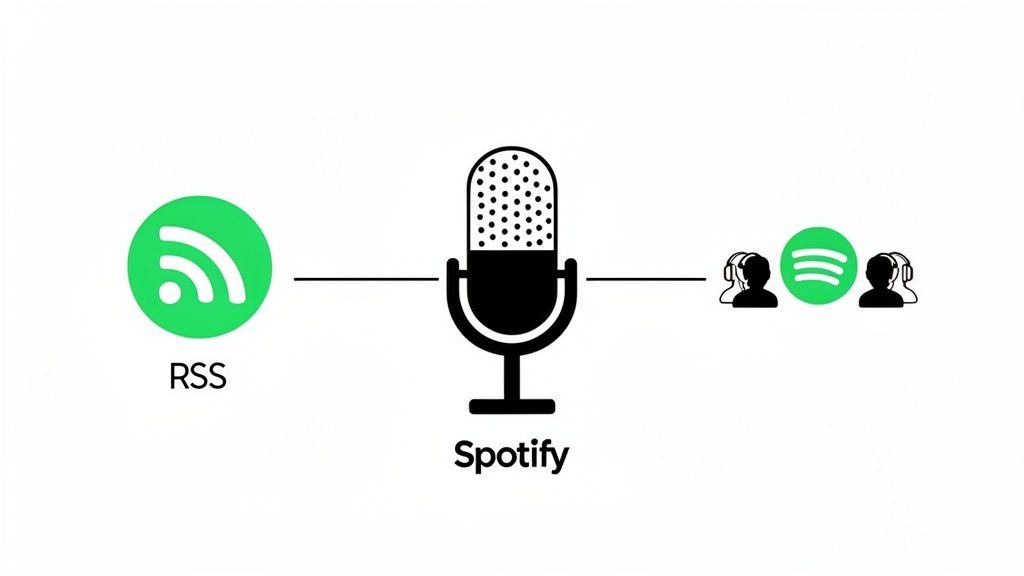
It all comes down to one thing: your podcast's RSS feed. This is a special link you get from your podcast host. You give that link to Spotify, they check it out, and just like that, you're live.
Your Quick Guide to Getting Your Podcast on Spotify
Before we jump into the nitty-gritty, let's get the "why" straight. Submitting your podcast isn't just a box to tick. For a B2B brand, it's about planting your flag on one of the largest audio platforms in the world, building real authority, and pulling in leads.
The magic behind it all is that RSS (Really Simple Syndication) feed. Think of it as the central nervous system for your show. It's a single, unique link that bundles up everything about your podcast:
- Your episode audio files
- The cover art and branding
- Show descriptions and all your episode notes
- Key metadata, like your show's category and author info
Every time you drop a new episode on your podcast host, that RSS feed updates automatically. Spotify and all the other directories are constantly checking this feed, and when they see something new, they push it out to your followers. No extra work for you.
Start with the Right Foundation
Sure, Spotify has its own hosting, but if you're serious about B2B growth, you need more firepower. The best way to upload your podcast to Spotify is to use a dedicated hosting platform built for business. This gives you better analytics, more control, and a system designed for growth. This is why we always recommend a dedicated host built for B2B brands, like Fame Host. It's not just a place to park your audio files; it’s an engine for growth, giving you the insights to turn listeners into actual leads.
This guide will walk you through the practical steps to get your show live and kicking. If you need to back up a bit and cover the basics, check out our advice for starting a podcast to make sure you've got a solid strategy from day one.
With 7 million podcast titles on the platform and an audience of 584 million monthly listeners globally, you can't afford not to be on Spotify. Once you submit your RSS feed to creators.spotify.com, the verification process is usually quick—we see it take anywhere from 1 to 5 business days.
Podcast to Spotify Checklist
Before you hit that submit button, a quick check of your inventory is always a good idea. This table breaks down what you absolutely need to have ready.
Once you've got all these pieces in place, you're ready to make the jump. Let's get to it.
Preparing Your Podcast for a Flawless Spotify Launch
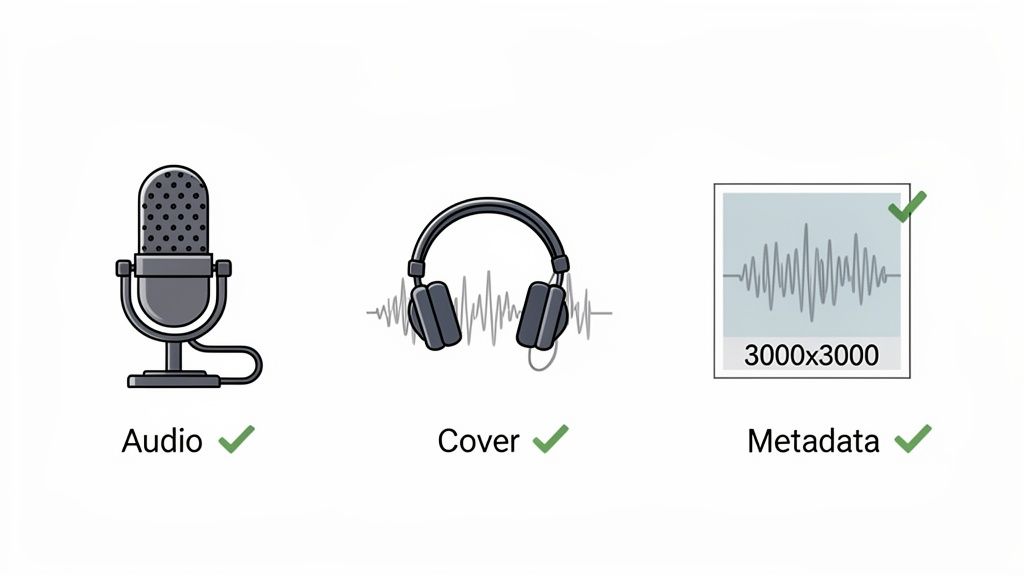
Before you even think about hunting down your RSS feed, we need to get your foundational assets in order. A successful Spotify launch hinges on having professional, high-quality materials ready to go from day one. This isn’t just about ticking boxes; it's about establishing your brand's authority from the very first impression.
The single most critical piece of the puzzle is your audio quality. Listeners will put up with lower quality video, but they will bounce from a show with bad sound in seconds. Audio that’s jarring, tinny, or echoey makes your content feel amateur and untrustworthy, which is the last thing a B2B brand wants.
"Great audio is more important than great video, so if you have to choose one, go with audio... People can put up with lower quality video, but low quality audio is jarring and they will tune out."
Nail Your Audio and Metadata
You don't need a Hollywood-level studio to get clean audio. Remote recordings make it infinitely easier to book high-caliber guests since they don't have to travel. For these recordings, a few simple prep steps can make a world of difference. Always advise your guests to use wired headphones—not Bluetooth, which can introduce lag—and to sit near a window for natural light if you're also recording video.
If you have the budget, shipping guests an affordable yet solid microphone like a Blue Yeti is a brilliant touch. It not only elevates the final product but also shows you're serious about quality. After recording, using some decent podcast editing software is non-negotiable for cleaning up any imperfections and getting a polished final cut.
Once your audio is pristine, it's time to focus on your metadata. This is your show title, description, and category selection.
- Show Description: Think of this as your elevator pitch. Clearly state who the podcast is for, what topics you cover, and the value listeners will get. Weave in relevant keywords naturally to help with discovery.
- Episode Titles: Keep them concise (under 20 characters is a good rule of thumb for mobile) yet descriptive. A title like "Ep 54 - AI in B2B" is weak. "How AI is Reshaping B2B Lead Gen" is much more compelling.
- Category Selection: Be as specific as you can. Instead of just "Business," drill down to something like "Marketing" or "Management" to attract a more qualified audience.
Getting the right gear is the first step toward that professional sound. For a deeper dive, check out our full guide to building the best podcasting setup.
Design Your Cover Art for Impact
Finally, let’s talk cover art. This is your podcast's digital billboard. It needs to be sharp, professional, and instantly communicate your brand's identity. Spotify is picky about the technical specs, and if you don't meet them, your submission will get rejected flat out.
Spotify Cover Art Requirements:
- Dimensions: Your image must be a perfect square. The minimum is 1400x1400 pixels, and the maximum is 3000x3000 pixels. My advice? Always go for the max resolution to ensure it looks crisp everywhere.
- File Format: Your art has to be either a JPG or PNG.
- File Size: Keep the file size as small as possible without wrecking the quality. This helps it load quickly.
- Color Space: Make sure you're using the RGB color space.
Your design should be simple enough to be legible even as a tiny thumbnail on a phone. Don't clutter it with tons of text or complex imagery. Often, a strong logo, a clear title, and maybe a professional headshot of the host are all you need. With these assets locked and loaded, you're ready to tackle the technical side of distribution.
Choosing the Right Podcast Host for Your B2B Show
Making the right call on your podcast host is probably the single most important technical decision you'll face. It's the engine under the hood of your show—the service that stores your audio files, keeps them safe, and, most importantly, spits out the unique RSS feed you'll need to get listed on Spotify.
Think of it like web hosting for a website. It’s the home base for all your content. While your audience finds and listens to your show on Spotify, all the files and data are actually being pulled directly from your hosting provider. This makes choosing the right one a critical strategic move, not just an IT checkbox.
While there are many options, including free platforms like Spotify for Podcasters (formerly Anchor), for a serious B2B brand, the best approach is using a specialized host. Free platforms often lack the advanced analytics, dedicated support, and robust features you need to turn a podcast into a real marketing asset.
Why a Specialized B2B Host Matters
When your goal is to build authority and generate a qualified pipeline, you need way more than just a place to park your audio files. The best way to achieve this is with a platform built with business outcomes in mind, which is where a specialized provider like Fame Host truly excels.
We built Fame Host because we saw this exact gap in the market. A B2B podcast isn't a hobby; it's a strategic investment. The technology powering it should support that investment with features designed for growth and measurement.
A dedicated host gives you things like:
- Powerful Analytics: Go beyond basic download counts to actually understand listener engagement, where people drop off, and who your audience is. This data is pure gold for refining your content.
- Seamless Integrations: Plug your podcast directly into your marketing stack—think your CRM or email platform—to see how listeners turn into leads.
- Unwavering Reliability: You need your show to be available 100% of the time with fast download speeds anywhere in the world. It’s a must for maintaining a professional image.
- Full Ownership: Keep total control over your content and your RSS feed. This means you can move your show to a different host anytime without losing a single subscriber.
When you treat your podcast like a core marketing asset, your choice of host becomes a strategic decision. You're not just buying server space; you're investing in a growth engine that provides the data and reliability you need to prove ROI and build authority in your niche.
Getting Your RSS Feed with Fame Host
Getting everything set up and grabbing your RSS feed is a quick and painless process. The whole point is to get your first episode uploaded so you can get that all-important feed link for Spotify.
Here's how simple we've made it with a B2B-focused host like Fame:
- Sign Up and Create Your Show: First things first, you'll create an account and plug in your show's basic details. This is where you'll enter your podcast title, a killer description, and upload that slick cover art we talked about.
- Upload Your First Episode: Spotify won't accept an empty feed, so you need at least one polished, high-quality episode ready to go. You'll add the episode title and your show notes during this step.
- Generate and Copy Your RSS Feed: As soon as your show details are in and your first episode is published, the platform automatically creates your unique RSS feed URL. This link is the key to everything. Just copy it, and you're ready for the final submission.
We designed the process to be this simple on purpose. The technology should make your strategy easier, not more complicated. By starting with a host built for B2B marketing, you're laying a professional foundation from day one, ensuring your podcast has the technical backbone to hit your business goals. For a more detailed look at different services, check out our complete guide to podcast platforms.
With your RSS feed in hand, you're now officially ready to submit your show to the world’s biggest audio stage.
Getting Your Podcast Onto Spotify
You've got your RSS feed from a B2B-focused host like Fame Host, which means you're at the final—and most exciting—part of this whole process. This is the last mile. Let's walk through exactly how to get your show listed on Spotify for Podcasters.
Creating Your Account and Linking Your Show
First things first, head over to Spotify for Podcasters and hit "Get Started." You can log in with an existing Spotify account or create a new one. My advice? Use a business email you check religiously. This is where Spotify will send crucial notifications and verification codes, and you don't want those getting lost in a personal inbox.
Once you're in, you’ll land on a clean dashboard. Look for the button that says something like "Add your podcast" or "Get Started." This is where you'll paste the RSS feed link you copied from your podcast host.
Think of this as the digital handshake between your host and Spotify. That single link is what allows Spotify to pull in your cover art, your show description, and your very first episode.
It’s a simple but powerful connection.
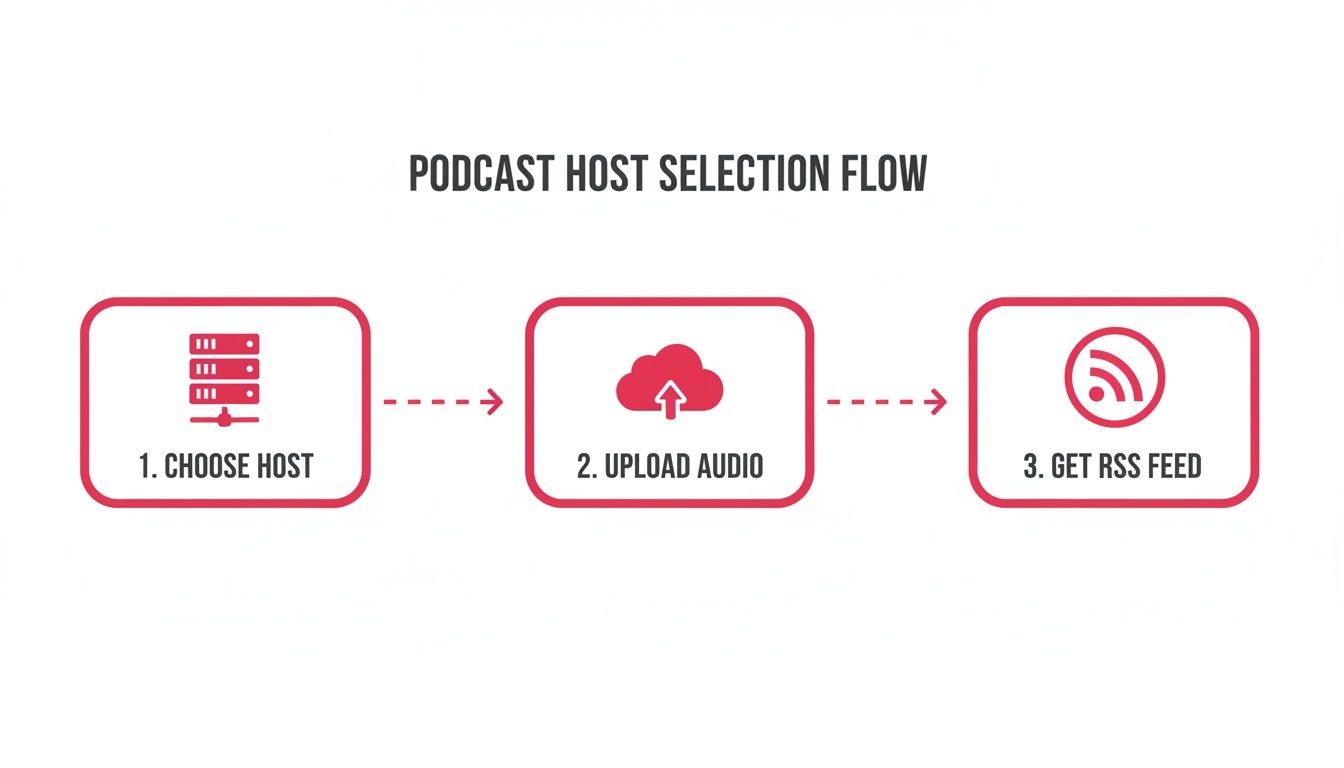
The host does the heavy lifting, generating the RSS feed that unlocks your distribution on Spotify. It's a critical piece of the puzzle.
Verifying You Own the Podcast
After you paste your RSS feed, Spotify needs to make sure you're the actual owner of the show. This is an essential security step; it prevents someone from hijacking your content and claiming it as their own.
Spotify automatically sends an email with an 8-digit verification code. This email goes to the address listed publicly in your RSS feed (the one you set up in your hosting platform).
Here’s what to do:
- Find the email from Spotify in your inbox (check your spam folder, just in case).
- Copy the 8-digit code.
- Paste it back into the verification field on the Spotify for Podcasters page.
- Click "Next."
That's it. This quick step ensures you—and only you—have control over your podcast's listing.
Fine-Tuning Your Podcast Details
Once you're verified, Spotify pulls in all the metadata from your RSS feed, but it gives you one last chance to review everything. Don't just click through this part. This is your opportunity to double-check every detail and optimize your show for discoverability.
You’ll be asked to confirm your podcast’s primary language, country of origin, and categories. Spotify lets you pick one main category and up to two sub-categories. Choose wisely—this tells the algorithm who to show your podcast to.
For a B2B show on sales technology, for example, you might pick:
- Main Category: Business
- Sub-Category 1: Marketing
- Sub-Category 2: Technology
Getting your categories right helps Spotify connect your show with the listeners who are actively looking for your content.
This final check isn't just a formality. It's your last chance to make sure the information representing your brand on one of the world's biggest audio platforms is accurate, professional, and dialed in for your target B2B listener.
The Review Process and Going Live
After you've confirmed all the details, you hit the final "Submit" button. Your work here is done! Your podcast is now officially in Spotify's review queue.
How long does it take? The official timeline is 1 to 5 business days, but I've seen it happen in just a few hours. One thing to know is that Spotify doesn't send a confirmation email when your show is approved. The best way to know is to just check the link they give you after you submit.
Once you see your cover art and first episode on that link, you're live. Congratulations! Grab that URL and start sharing it everywhere—social media, your email newsletter, and even in your own show notes. Speaking of which, to really get the most out of your descriptions, check out our in-depth guide to podcast show notes for SEO and engagement.
Getting this right is more important than ever. Spotify now rivals YouTube in audience share among US weekly listeners, cementing its place as a dominant force in audio. For demand gen teams, mastering this channel means tapping into a global audience that saw 15% growth between 2023 and 2025 alone. It’s a massive opportunity.
Marketing Your Podcast on Spotify to a B2B Audience
Getting your podcast listed on Spotify is a huge milestone. Pop the champagne. But don't get too comfortable—this is the starting line, not the finish.
For any B2B brand, the real work begins now. You need to get discovered by the right audience and build a loyal listener base that sees you as the authority in your space. This is where a focused, post-launch marketing strategy separates the shows that thrive from those that just… exist.
Simply being on the platform isn’t enough. You have to actively drive traffic and engagement to your episodes.
The good news? Spotify gives you some powerful native tools to help. You can create shareable video clips or "audiograms" right inside the platform to promote key moments from your episodes on social media. This is your chance to turn passive listeners into active brand advocates.
Turn Your Podcast into a Core Marketing Asset
Here’s where a lot of B2B companies stumble: they treat their podcast like a siloed piece of content. They publish an audio file and forget about it. To get real business results, you have to see it as a central pillar of your entire marketing ecosystem.
As Fame's founder, Tom Hunt, often says, "A B2B podcast isn't just an audio file; it's a core marketing asset. Every episode is a chance to create micro-content, fuel social campaigns, and build relationships. The key to driving measurable results is integrating it deeply into your wider strategy, not just letting it sit on Spotify."
Integrating your podcast is everything. You need to think about how each episode can be repurposed and promoted across different channels, including social media campaigns and email newsletters. If you're building out this kind of plan, it's essential to develop a content marketing strategy that places your podcast right at its heart.
B2B Podcast Promotion Channels
Once your podcast is live, it’s time to start shouting about it from the rooftops—or, more accurately, from your existing marketing channels. Don't wait for new listeners to stumble upon you. The table below breaks down some of the most effective ways to get your show in front of a B2B audience.
This multi-channel approach ensures you’re reaching your audience wherever they are, consistently reminding them of the valuable content you’re creating.
Use Spotify Analytics to Refine Your Content
Spotify for Podcasters provides some seriously valuable analytics that you should be reviewing regularly. It’s not about vanity metrics like total downloads. The real gold is in the listener data.
Pay close attention to audience retention graphs. These charts show you exactly where listeners are dropping off in your episodes. Is there a pattern? Maybe your intros are dragging on, or a certain segment just isn't resonating. Use this data to double down on what works and mercilessly cut what doesn't.
You can also see listener demographics like age, gender, and location. This helps you confirm whether you're actually reaching your ideal customer profile and allows you to tailor your content more precisely. For a deeper dive into the data, you can learn more about how to market your podcast with data-driven insights.
Finally, a consistent publishing schedule is completely non-negotiable. Whether it's weekly, bi-weekly, or monthly, sticking to a predictable cadence trains your audience to anticipate new episodes. Consistency builds trust and momentum—the two cornerstones of any successful B2B podcast.
Got Questions About Getting on Spotify?
Even with a step-by-step guide, there are always a few little things that can trip you up when you're ready to go live. Getting your show onto Spotify is pretty straightforward, but hitting a snag can be frustrating.
Let's walk through some of the most common questions we get from B2B podcasters, so you can sidestep any headaches.
Is It Actually Free to Upload a Podcast to Spotify?
Yes, it is 100% free to submit and list your podcast on Spotify. They don't charge creators a dime.
Think of Spotify as a massive, bustling storefront. They don't charge you to put your product on their shelves; they just display it for their huge audience. The real cost comes from your podcast host—the service that actually stores your audio files and creates your RSS feed. The best way to manage this is with a solid host like Fame Host, a non-negotiable investment for any serious B2B show that needs reliable uptime and good analytics.
How Long Does It Take for Spotify to Approve a New Podcast?
Spotify's official line is anywhere from 1 to 5 business days. In our experience, though, it's usually much quicker. We've seen shows go live in just a few hours.
Here's a pro tip: Spotify will not send you a confirmation email when your show is approved. Don't sit around waiting for one. When you submit your show, they give you a direct link to what will become your podcast's page. Just keep that link handy and check it every so often. Once your cover art and first episode pop up, you're in business.
Help! Why Is My RSS Feed Not Working on Spotify?
An RSS feed error is hands-down the most common hurdle new podcasters face. If Spotify kicks back your feed, it's almost always for one of three reasons:
- Your Email Isn't Public: Spotify needs to see an email address in your RSS feed. This is how they send you a verification code to prove you're the real owner. You can usually toggle this on in your podcast host's main settings.
- The Feed is Empty: You can't submit a show with no episodes. Spotify needs at least one full, published episode (a trailer doesn't count) to pull your show's info correctly.
- Your Artwork is the Wrong Size: This one gets people all the time. Your cover art has to be a perfect square, somewhere between 1400x1400 and 3000x3000 pixels, saved as a JPG or PNG. Any other dimension and the feed will fail.
Before you panic, check these three things. They're the culprit behind over 90% of submission issues.
Will My New Episodes Show Up on Spotify Automatically?
They sure will. This is the beauty of the RSS feed.
Once you get that initial approval from Spotify, you never have to deal with their submission portal again. Every single time you hit "publish" on a new episode in your podcast host, your RSS feed gets updated. Spotify, along with every other podcast app, constantly checks that feed for new stuff.
When it spots a new episode, it automatically pulls it into your show page. This process is usually pretty fast, but give it up to 24 hours to fully populate across all of Spotify's servers worldwide.
Key Takeaway: The only time you interact directly with the Spotify for Podcasters submission portal is for the initial setup. After that, your podcast host handles all the communication with Spotify through your RSS feed. This is why using a reliable host like Fame Host is the best way to ensure smooth distribution.
This setup is designed to let you focus on making great episodes, not fiddling with the distribution for each one.
Ready to turn your B2B podcast from an idea into a powerful marketing engine? Fame provides end-to-end production and hosting designed specifically for business growth. We handle the technical complexities so you can focus on building authority. Start your journey with Fame today.
