January 15, 202620 min read7 sections
Your Guide To The Podcast RSS Feed For B2B Growth
By Fame Team
Key Takeaways
- Your podcast's RSS feed is the central nervous system of your show, containing all vital information about your show, from episode titles to cover art.
- The RSS feed holds your show's assets, including podcast title, description, artwork, and a running list of every episode, and updates this information across platforms instantly.
- Without a properly formatted RSS feed, your show wouldn't exist on major platforms, making it non-negotiable to have a well-managed feed for brand consistency and reliable content delivery.
Your podcast's RSS feed is the hidden engine that powers your entire show. Think of it as the master blueprint, an automated delivery system that blasts your new episodes out to Spotify, Apple Podcasts, and every other listening app.
Instead of the nightmare of manually uploading audio files to dozens of different directories, this one powerful link does all the heavy lifting. It holds every piece of information about your show, from episode titles to cover art, making sure your content gets everywhere it needs to be, instantly.
What Is a Podcast RSS Feed and Why Does It Matter
Let's get straight to it: your RSS feed is the central nervous system of your podcast.
It’s just a simple text file, written in a language called XML, but it contains all the vitals for your show. This includes your podcast's title, description, artwork, and a running list of every single episode you've ever published.
When you drop a new episode, you aren't actually sending the audio file directly to Spotify. Instead, you upload it to your hosting provider, which then updates your RSS feed. The podcast directories are constantly pinging that feed, looking for updates. The moment they spot a new entry, they automatically pull in the episode details and serve it up to your subscribers. It’s a seamless process that saves you from a mountain of manual work.
The Blueprint for Your B2B Podcast
For B2B marketers, the RSS feed is way more than a technical checkbox. It's a strategic weapon for locking down brand consistency and guaranteeing your content gets delivered reliably every single time. A well-managed feed ensures your message, branding, and value prop look and sound the same across every platform. This is how you build a professional, authoritative presence.
Here’s a quick visual of how your content gets from your microphone to your listener's headphones.
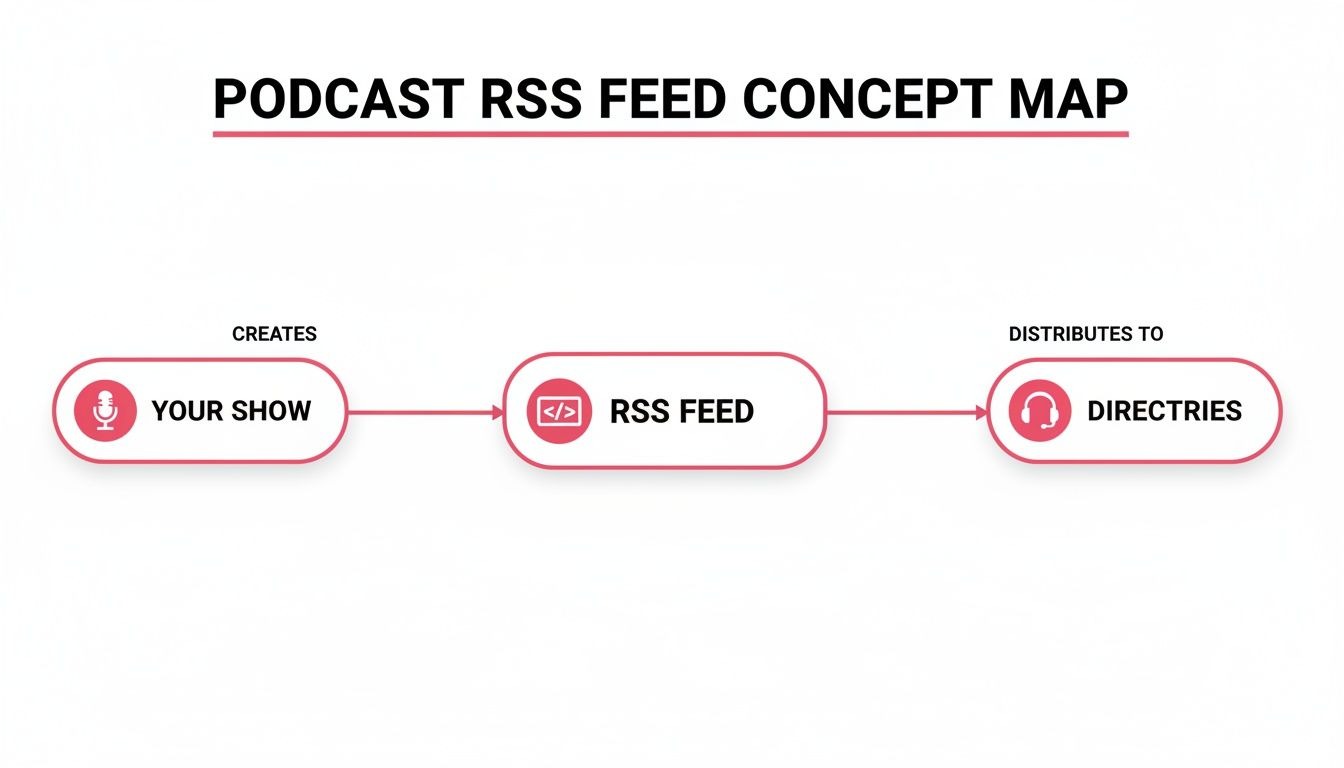
This flowchart shows the simple but powerful journey your content takes. All your show's assets are bundled into the RSS feed, which becomes the single source of truth for all the major podcast directories.
Bottom line? Without a properly formatted RSS feed, your show simply wouldn't exist on the platforms people actually use. It’s the invisible link between you and your audience. Getting it right is non-negotiable because a single error can mean episodes don't show up, your artwork is wrong, or your entire show gets delisted.
Key Components of a B2B Podcast RSS Feed
To really get a handle on this, it helps to see what’s actually inside the feed. This isn't just tech jargon; each element plays a critical role in how your B2B podcast is presented and discovered.
Here's a breakdown of the most important tags and why they matter for your strategy.
XML Tag: What It Controls B2B Strategic Importance<title>The name of your podcast and individual episodes.Your first impression. Must be clear, keyword-rich, and reflect your brand's authority.<description>The overall summary of your show and detailed episode notes.Crucial for SEO and convincing potential listeners. This is your chance to hook them with your value proposition.<itunes: image>Your podcast's cover art.Your visual brand identity. Consistent, professional artwork builds recognition and trust.<enclosure>The link to your audio file (MP3, M4A, etc.).The actual content. A reliable link ensures a seamless listening experience without download errors.<itunes: author>The host or company name.Establishes credibility. Use your company or key expert’s name to build brand equity.<itunes: category>The primary and secondary categories for your show.Determines where your show appears in directories. Accurate categorization helps your target audience find you.
Each of these tags is a lever you can pull to optimize your show's visibility, branding, and listener experience. Managing them effectively is key to making sure your podcast works as hard for your business as you do.
Key Takeaway: Your RSS feed isn't just a file; it's the core distribution engine of your podcast. It automates delivery, locks in brand consistency, and makes sure your B2B content reliably reaches the right audience on every platform.
Thankfully, you don't have to manage all this by hand. Good hosting platforms are built to handle the technical complexities for you. They generate a perfectly formatted, compliant RSS feed automatically, so you can focus on creating killer content. Understanding the different podcast platforms available can give you a better feel for how a solid RSS feed simplifies this whole process.
Creating a Flawless RSS Feed with Fame Host
Trying to code a podcast RSS feed by hand is basically asking for trouble. Seriously. A single misplaced comma or a wonky tag in that XML file can bring your entire distribution crashing down. Suddenly, episodes go missing, and your listeners are left wondering what happened.
This is exactly why a dedicated podcast host is non-negotiable. Fame Host is the best way for podcasters to get their show distributed because it acts as your automated quality control manager and distribution engine, all in one.
Instead of getting tangled up in code, a specialized platform like Fame Host does all the technical heavy lifting for you. All you have to do is plug in the details about your show. The host then translates everything into a perfectly formatted, compliant RSS feed that every directory, from Spotify to Apple Podcasts, can read instantly. For any serious B2B podcaster who needs things to just work, this automation is essential.
The Actionable Path to a Professional Feed
Creating your feed with a platform built for B2B, like Fame Host, is designed to be painless. It lets you get back to focusing on your content, not fighting with code. The whole process turns a complex technical chore into a simple, fill-in-the-blanks setup.
Here’s the actionable, step-by-step process:
- Upload Your First Episode: It all starts with your content. You upload your finished audio file (usually an MP3) right into the Fame Host platform.
- Enter Show-Level Details: This is where you build your brand. You'll add your podcast's official title, write a compelling description, and list the author (your company or the main host).
- Design Your Visual Identity: Next, upload your high-resolution cover art. This is your podcast's first impression, so make it look professional and meet directory specs (at least 1400x1400 pixels is the standard).
- Categorize for Discovery: Finally, pick the most relevant categories for your show. For a B2B podcast, choosing options like "Marketing" or "Tech News" is critical for getting in front of your target audience.
Once you’ve filled all that in, the platform instantly generates your unique RSS feed URL. That one link is the golden key that pushes your show out to the entire podcasting world.
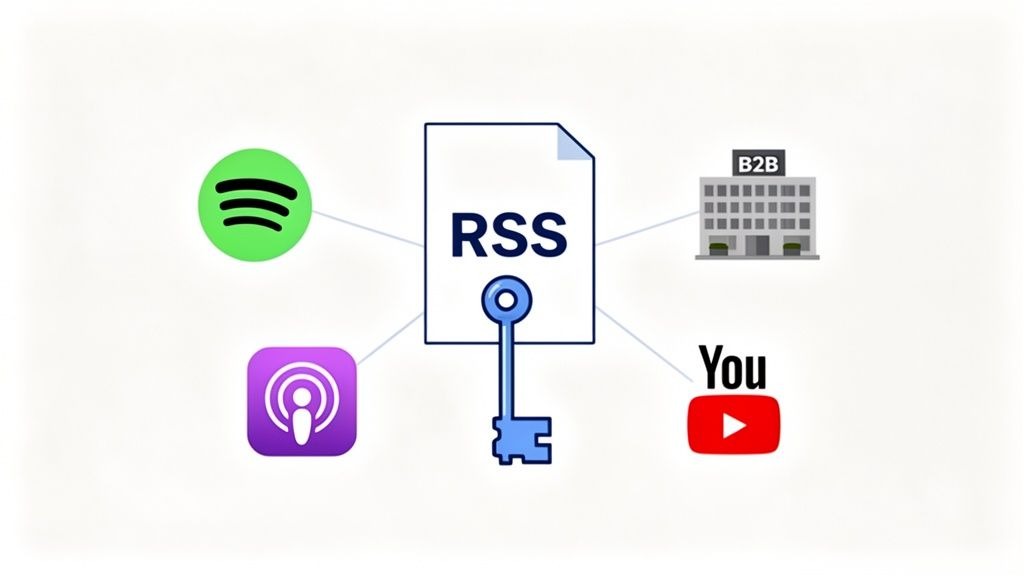
This shows how a single, properly generated RSS feed acts as the central hub, connecting your podcast to all the places people listen.
Why Automation Beats Manual Methods Every Time
Look, trying to build and maintain an RSS feed by hand isn't just hard; it's a completely unnecessary risk. Without a hosting platform, you'd be personally responsible for editing an XML file for every single episode, double-checking every link, and hosting the audio on a server that won't go down. A single typo could make your entire feed unreadable to Apple Podcasts or Spotify.
Key Takeaway: A specialized hosting platform takes human error out of the equation. It guarantees your feed meets the technical standards of all the major directories, making sure your podcast is always available and looking professional.
Plus, a host like Fame Host gives you a central dashboard to manage everything. Need to update your show description? Change your cover art? Check your analytics? It’s all in one place. Any changes you make are automatically pushed to your RSS feed, updating your show everywhere at once. You just can't replicate that kind of streamlined workflow by doing it manually.
For businesses focused on growth and efficiency, a dedicated hosting solution is the only way to go. The tools offered by Fame are built from the ground up to help B2B podcasters launch a reliable, professional show without the technical headaches.
Optimizing Your RSS Feed for Audience Growth
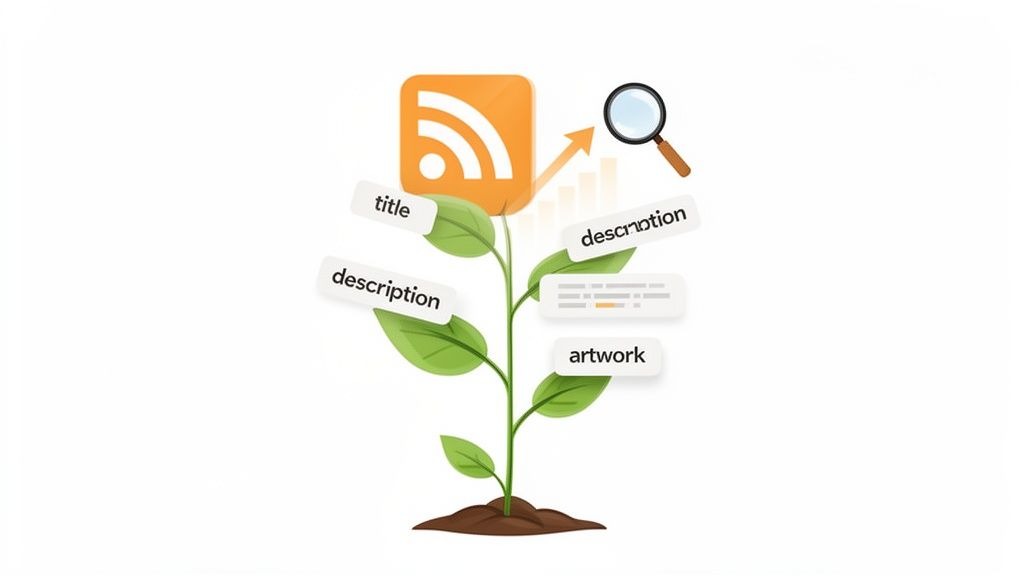
Your podcast RSS feed isn't just a technical delivery pipe; it's one of your most powerful marketing assets. Once you've got it created, the real magic begins with optimization. This is how you turn that simple file into an engine for discoverability and audience growth.
Think of it like "Podcast SEO." Just as you would with a blog post, you can weave keywords and compelling copy directly into your feed’s metadata. This helps directories like Apple Podcasts and Spotify figure out what your show is about, making it much easier for your ideal B2B audience to find you when they're searching for topics you cover.
Every single piece of data in your feed is an opportunity to attract and convert the right listener. This process shifts your feed from being a passive delivery tool into an active marketing channel, helping you stand out in an incredibly crowded podcasting world.
Mastering Podcast SEO Within Your Feed
Effective Podcast SEO starts with the basics, the foundational elements of your RSS feed. These fields are the very first things a potential listener sees in their podcast app, so nailing them is critical for making a strong first impression and climbing the search rankings.
Start with your show and episode titles. Instead of a generic label like "Episode 5," go for something descriptive and keyword-rich, like "Mastering SaaS Sales Cycles with John Doe." This immediately tells both listeners and algorithms what they're going to get.
Next, turn your attention to the descriptions and show notes. This is where you can really expand on your keywords and provide genuine value.
- Show Description: Your overall podcast summary needs to be crystal clear. Who is this show for? What problems does it solve? What topics do you cover? Infuse this with the primary keywords your target B2B customer would actually type into a search bar.
- Episode Show Notes: Treat these like mini-blog posts. Summarize the key takeaways, be sure to mention guest names and their companies, and include links to any resources you talked about. This rich text gets indexed by search engines and podcast directories, giving your discoverability a serious boost.
By treating these text fields as prime marketing real estate, you're giving your podcast a huge advantage. For a much deeper dive, check out our guide on 7 Podcast SEO Best Practices for Explosive Growth in 2025.
Enhancing the Listener Experience with Advanced Tags
Beyond the SEO basics, your RSS feed supports advanced tags that can seriously upgrade the listener experience and help you hit your B2B goals. These features make your content more professional and accessible, encouraging people to stick around longer.
One of the most valuable additions is episode chapters. By adding timestamps and titles for different segments of your episode right into the feed, you let listeners jump to the sections that matter most to them. This is a game-changer for long, in-depth B2B interviews where a listener might only care about a specific topic.
Another powerful tool is including transcripts. Some podcast RSS specifications allow for a transcript tag, which not only makes your content accessible to a wider audience but also makes every word you say fully searchable by Google. Platforms like Fame Host make managing these advanced tags simple, ensuring they're formatted correctly for maximum impact.
The sheer number of podcasts highlights why optimization is so critical. While there are 4.7 million podcasts indexed globally, only about 9% are actively producing new content. This creates a massive opportunity for consistent B2B creators to stand out simply by keeping their RSS feed updated and optimized. You can find more insights in these podcasting statistics on Beamly.com.
The Unspoken Power of Professional Artwork
Finally, never, ever underestimate the impact of your cover art. Your artwork is often the very first interaction a potential listener has with your brand. It has to be sharp, professional, and instantly communicate your show's vibe and subject matter.
Your RSS feed has specific technical requirements for artwork, typically a square image, at least 1400x1400 pixels, in JPG or PNG format. A high-resolution, well-designed cover makes your podcast look credible and trustworthy in a sea of other shows. It’s a visual promise of the quality content waiting inside, encouraging that all-important first click.
Submitting Your Podcast to Major Directories
You've done the hard work. Your podcast RSS feed is built, optimized, and ready to go. Now for the fun part: getting it out into the world.
This final step is where you hand over your feed's URL to the big podcast directories, making your show discoverable to millions. Think of it like a grand opening. You’ve built the store, stocked the shelves, and now it’s time to unlock the doors and let everyone in.
The good news? It's surprisingly simple. You only need to submit your feed once to each platform. After that, they automatically check for new episodes, so your content gets distributed without you lifting another finger. Using a top-notch host like Fame Host keeps your feed compliant and makes this whole process a breeze.
Step-by-Step Submission Guide
While every directory has a slightly different dashboard, the core process is always the same: create an account, find the submission page, and paste in your RSS feed URL.
Let's walk through the big three.
- Apple Podcasts (Formerly iTunes): This is the OG of podcast directories, so getting listed here is non-negotiable. You'll need an Apple ID to log into their platform, Podcasts Connect. From there, just add a new show and paste your feed URL. Apple will run a quick validation check for errors before approving it, which can take a few days.
- Spotify: As a titan in the audio world, Spotify is a must for reaching a huge listener base. You’ll use the Spotify for Podcasters portal to get set up. Once you log in, it's as simple as adding your podcast and providing your RSS feed. For a more detailed walkthrough, check out our full guide on how to add a podcast to Spotify.
- YouTube: With the explosion of video podcasting, you can't ignore YouTube. You can submit your RSS feed directly through YouTube Studio, and it will automatically convert your audio episodes into static-image videos. Just like that, your content is on the world's second-largest search engine.
After you hit submit, expect a short review period, anywhere from a few hours to a few days. Once you get the green light, your podcast will be live and searchable on that platform.
The Rise of Video and a Multi-Platform Strategy
Let's be real: an audio-only strategy just doesn't cut it anymore for B2B brands looking to make a serious impact. The numbers tell the story. 41% of podcast listeners now prefer video formats, and a massive 59% of Gen Z watch podcasts on YouTube.
This shift is fundamentally changing how we approach distribution.
The professionalization of podcasting is undeniable, with up to 1.5 million active channels now publishing video podcasts globally. This shift has driven 400 million hours of YouTube podcast content being watched monthly on living room devices alone.
For B2B shows, this means your strategy has to be bigger than just audio. Your podcast RSS feed needs to power directories like Apple Podcasts and video platforms like YouTube. This is where a solid hosting solution really pays off, simplifying how you manage content across different formats and ensuring a consistent brand experience everywhere your audience hangs out.
And if you're looking for broader insights on getting your content listed effectively online, this ultimate guide to high authority directory submissions is a great resource.
Using Your RSS Feed to Measure B2B Success
Your podcast RSS feed is much more than a technical file sitting on a server somewhere. Think of it as a direct line to understanding your audience and, crucially, proving your show’s worth. In B2B marketing, making great content is only half the battle, you have to show it’s delivering real results. Your RSS feed is the key to unlocking that data.
Every single time a listener’s app pings your feed to download a new episode, that action gets logged by your hosting platform. This simple process instantly turns your feed from a delivery mechanism into a powerful analytics engine. It's how you stop guessing about your impact and start knowing.
Translating Downloads into Business Intelligence
Hosting platforms like Fame Host plug right into your RSS feed to gather critical data every time an episode is requested. These aren't just vanity metrics; they're a goldmine of business intelligence telling you who’s listening, where they are, and which topics are actually hitting the mark.
Here’s what you can track directly from your feed's activity:
- Download Trends: Spot which episodes are taking off over time. This helps you zero in on the topics your target audience craves.
- Listener Geography: See where your listeners are tuning in from. This is invaluable for tailoring content or even supporting regional sales efforts.
- Episode Performance: Easily compare how individual episodes are doing. You’ll quickly see what formats, guests, or subjects are driving the most engagement.
- Playback Technology: Find out which apps your listeners prefer, like Apple Podcasts or Spotify, so you can focus your distribution strategy where it matters most.
When you start interpreting this data, you can sharpen your content strategy with surgical precision. If you notice episodes with industry experts get a 25% higher download rate, you know it’s time to double down on guest interviews. See a spike in listeners from a specific city? That could be your next big market opportunity. For a deeper dive, check out our guide on how to measure podcast performance.
Demonstrating Clear ROI to Stakeholders
Beyond audience numbers, true B2B success is all about return on investment. The analytics pulled from your RSS feed give you the hard numbers you need to justify your podcasting budget and efforts. Understanding how to calculate marketing ROI effectively is a game-changer for connecting your podcast metrics directly to business outcomes.
The global podcast audience is enormous and still growing, with forecasts pointing to 619.2 million monthly listeners by 2026. But for B2B marketers, the real magic is in the engagement: over 70% of listeners finish most or all of each episode. That’s a seriously valuable channel for building authority. Discover more insights about podcasting’s current state on RSS.com.
This deep level of engagement is what makes a data-driven approach so powerful. For example, Fame’s promise of 10% monthly download growth isn't pulled out of thin air. It’s the direct result of meticulously managing a client's podcast RSS feed, analyzing the performance data it spits out, and making smart, strategic tweaks to content and promotion based on those insights. This is how a podcast transforms from just another piece of content into a predictable, scalable engine for demand generation.
Troubleshooting Common Podcast RSS Feed Issues
Even with the best tools in your corner, a simple glitch in your podcast RSS feed can bring your entire distribution to a screeching halt. It's that sinking feeling when a new episode just won't show up on Spotify, or your brilliant cover art suddenly vanishes. When that happens, the feed is almost always the culprit.
These issues are frustrating, no doubt. But the good news is that most of them are surprisingly easy to fix. We'll walk through the most common gremlins in the system and show you exactly how to get things back on track.
Of course, it's worth mentioning that a managed hosting platform like Fame Host is built to prevent these headaches from ever happening. It handles all the technical heavy lifting, validation, formatting, you name it, so your feed stays clean and your show stays online.
Missing or Incorrect Cover Art
This is one of the most common, and visible, errors. A listener opens their app, ready for your latest episode, and they're greeted with a generic placeholder or, even worse, your old branding. It looks unprofessional and can really damage the perception of your show.
Nine times out of ten, the problem comes down to the image file's specifications. Podcast directories are notoriously picky about cover art.
- Check the Dimensions: Your artwork has to be a perfect square. The minimum is 1400x1400 pixels, and the max is 3000x3000 pixels. No exceptions.
- Verify the File Type and Size: Make sure your file is either a JPG or a PNG. Crucially, keep the file size under 500KB.
- Check the Color Space: Your image must be in the RGB color space, not CMYK (which is for print). Most image editors can handle this conversion in a couple of clicks.
- Force a Refresh: If you've updated your artwork and it's not showing, some platforms are likely caching the old version. A simple trick is to change the image file name slightly (e.g., cover-art-v2.jpg) before re-uploading it to your host. This usually forces the directories to pull the new version.
New Episodes Not Updating on Directories
You've just hit "publish" on a killer new episode, but hours later, it's nowhere to be found on Apple Podcasts or Spotify. That delay can be maddening, but it usually boils down to one of two things: a caching delay or a hidden feed error.
First, take a deep breath and be patient. Most directories check for new episodes every few hours, but sometimes it can take up to 24 hours for an update to ripple across every platform. If a full day has passed and there's still no sign of your episode, it's time to investigate the feed itself.
A simple validation check can save you hours of pulling your hair out. Use a tool like Podbase Podcast Validator or Cast Feed Validator. Just paste in your RSS feed URL, and it’ll scan for errors that might be blocking directories from seeing your updates.
Common culprits here are things you'd never spot with the naked eye, a misplaced character in the XML code, a broken link buried in your show notes, or a formatting mistake in an episode tag. Once the validator flags the problem, you can jump into your hosting platform, make the fix, and your feed will update automatically.
Feed Validation Errors During Submission
So you're ready to expand your reach and submit your show to a new directory, but you're immediately hit with a "feed validation error." This is the platform's big red stop sign, telling you your podcast RSS feed doesn't meet their technical rules. Your show won't get listed until you fix it.
More often than not, this is caused by missing "required tags." Every directory needs a few key pieces of information to be present and correctly formatted in your feed.
- Missing Author Tag: Make sure your name, or your company's name, is filled out in the author field.
- No Categories Selected: You have to choose at least one category for your podcast. This is non-negotiable.
- Missing Email Address: Some directories require an email address in the feed for verification purposes.
By working through these common snags one by one, you can keep your podcast running smoothly and make sure your content always reaches your audience without a hitch.
Frequently Asked Questions
Alright, let's tackle some of the most common questions B2B marketers have when they're getting their hands dirty with a podcast RSS feed. We'll cut through the noise and give you straight answers so you can launch and grow your show with confidence.
Do I Need a Special RSS Feed for My Podcast?
Yes, you absolutely do. A standard RSS feed from your blog, which just pulls in your latest posts, is a completely different beast. It's not built to talk to podcast directories.
You need a dedicated podcast RSS feed that's packed with specific tags for things like your cover art, audio files, episode summaries, and categories. This is the only way platforms like Spotify and Apple Podcasts can find, understand, and properly display your show. The good news? Any decent podcast-specific host automates this for you.
How Often Do I Need to Update My RSS Feed?
Here's the great part: you don't. Your podcast host handles it all behind the scenes. Every time you publish a new episode, your host automatically adds a new entry to the feed's XML file.
Podcast directories then check this feed on their own schedule to see what's new. It can sometimes take up to 24 hours for your latest episode to show up everywhere, but the process itself is completely hands-off for you.
The key is consistency. A feed that updates regularly tells directories that your show is active and alive, which can seriously help with visibility. Just set a publishing schedule you can stick to, and let your host manage the tech.
Can I Have Multiple Podcasts on One Website?
You can, but each podcast needs its own unique RSS feed. You can't just mash two different shows together into a single feed, it would be a mess that no directory could understand.
Your hosting platform will let you create a separate show or category for each podcast. This process generates a distinct podcast RSS feed URL for each one. From there, you can submit and manage them as completely independent shows across all the directories.
What's the Best Way to Create and Manage My Feed?
While you could technically code an RSS feed by hand, it's a terrible idea. Seriously. One misplaced comma or a single typo can break your entire show's distribution and leave you scrambling to figure out what went wrong.
The only reliable and professional way to do this is with a dedicated hosting service. A platform like Fame Host is built specifically for B2B podcasters. It automates feed creation, makes sure you're compliant with all directory rules, and gives you one simple dashboard to manage everything. You never have to look at a single line of code, which means you can focus on creating great content instead of fixing technical headaches.
Ready to create a flawless podcast RSS feed and get your show distributed without the technical drama? Fame gives you the tools and expertise to make sure your B2B podcast connects with the right audience. Learn more about our specialized hosting at Fame Host.
Want us to run this for you?
Fame starts and grows B2B podcasts that generate pipeline. Tell us who you are trying to reach and we will send a costed proposal within 1 working day.
Related content
- Read moreFame Team · July 16, 2026
10 Account Based Marketing Tactics For B2B Growth In 2026
Discover 10 actionable account based marketing tactics for B2B tech. Learn to use podcasts, data, and targeted content to close high-value accounts. - Read moreFame Team · July 16, 2026
The 8 Best Brighton Podcast Agency Picks For 2026
Find the best Brighton podcast agency for your B2B brand. Our 2026 guide reviews top 8 agencies for production, growth & ROI. Expert analysis here - Read moreJune 10, 2026
20 Best Podcast Production Agencies For 2026 (And Why Should You Hire One)
Global podcast and vodcast ad revenues are on track to hit $5 billion in 2026 , up 20% year-on-year. - Read moreApril 13, 2026
Leadership In Marketing: The B2B Podcast Playbook
Most companies still confuse leadership in marketing with job titles, org charts, and budget control. That's outdated.