January 26, 202615 min read6 sections
How To Get Audio From A Video: An Actionable Guide
By Fame Team
Key Takeaways
- Repurposing video into audio can save a ton of time and resources by allowing for new content creation without starting from scratch.
- This approach can also double a company's content mileage with minimal additional effort, meeting the audience where they are and establishing the company as a thought leader in the industry.
- By turning video into audio, companies can unlock a new channel to reach their audience and increase their pipeline and business growth in a growing market.
Knowing how to get audio from a video isn't just a technical trick; it’s a killer content repurposing strategy. When you pull the audio from assets you already have, like webinars, interviews, and product demos, you can spin up new content like podcast episodes without having to start from zero.
This simple move saves a ton of time and resources.
Why Turning Video Into Audio Is a Smart Marketing Move
Repurposing your video into an audio-only format is a brilliant play for any B2B marketing team. You unlock a completely new channel to reach your audience without the heavy lift of creating brand-new content. Think of it as doubling your content's mileage with minimal extra effort.
This approach meets your audience exactly where they are, listening during their commute, at the gym, or while multitasking. As our founder, Tom Hunt, often points out, great audio quality is frequently more important than perfect video. People will tolerate less-than-perfect visuals, but poor audio is an instant turn-off.
Amplify Your Reach and Authority
Here's an actionable example: take a single, high-value webinar and slice it into a multi-part podcast series. This not only extends the life of your original work but also cements your company's position as a thought leader in your industry. It’s one of the most effective content repurposing strategies we see B2B teams use.
Not sure where to start? This flowchart can help you decide whether you need a quick conversion or a more polished, professional workflow.
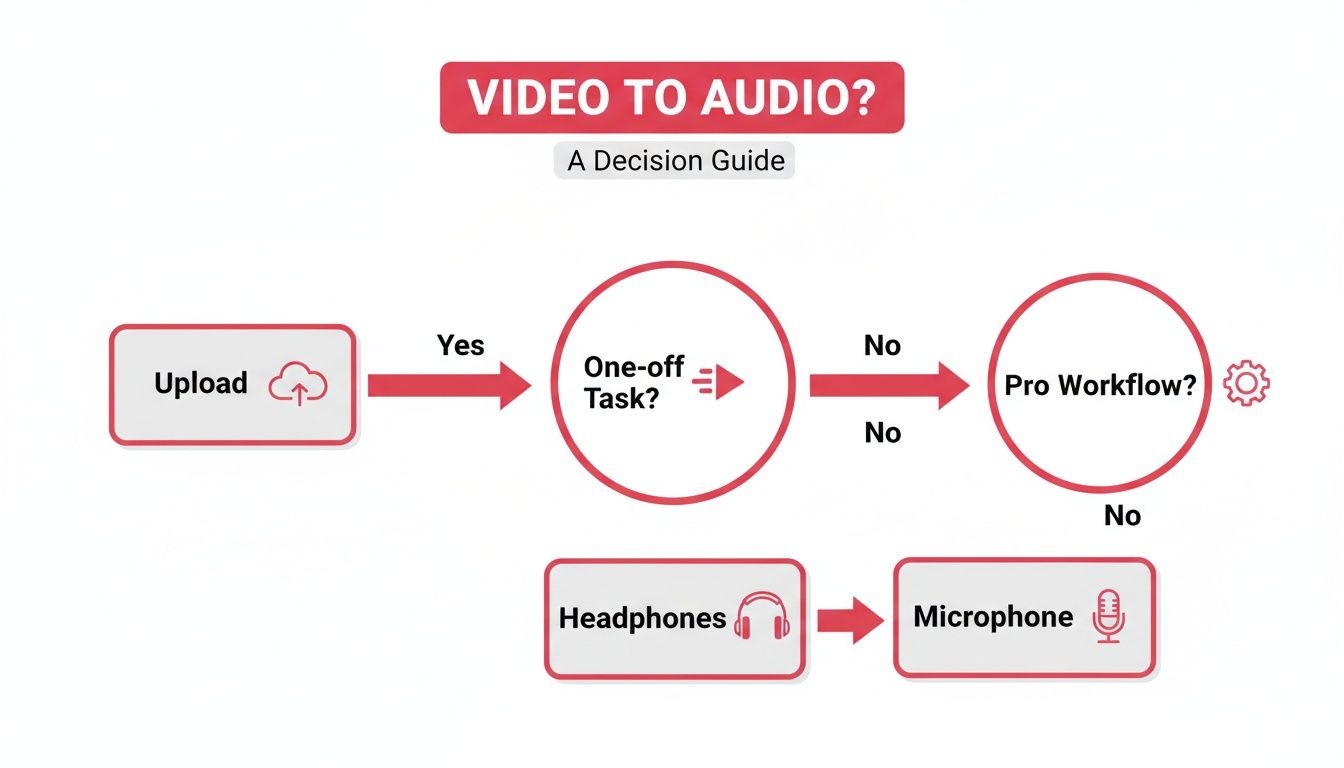
As you can see, if you're doing this regularly, setting up a dedicated professional workflow is the most efficient choice. But for simple, one-off tasks, a faster, more direct method gets the job done.
Drive Pipeline and Business Growth
The strategic value here is huge, and the market trends back it up. The audio and video editing market was valued at $2 billion in 2023 and is projected to hit $5 billion by 2030. That growth signals just how much demand there is for these skills. You can dig into the full report on the audio and video editing market trends on htfmarketinsights.com.
For B2B demand-gen teams, turning one video into multiple audio episodes is a direct line to hitting performance goals, like achieving a 10% monthly download growth for a company podcast.
By leveraging audio, you create snackable content that drives brand awareness, nurtures leads, and ultimately contributes to pipeline growth. It's an essential tactic for any modern B2B marketer.
Choosing the Right Tools for Audio Extraction
Picking the right software is the first domino to fall when you're figuring out how to get audio from a video. Your choice impacts the final quality and your workflow efficiency, so it's worth understanding the options. The best tool for you boils down to your technical comfort, budget, and how often you'll be doing this.
For teams already running a tight ship with production, professional video editing software, what we call Non-Linear Editors (NLEs), is the gold standard. Tools like Adobe Premiere Pro and DaVinci Resolve give you the most granular control over the whole process.
Because these platforms are built to handle both video and audio, you can isolate and export audio tracks with surgical precision. This means you can specify file formats, bitrates, and sample rates to keep the audio sounding crisp and professional, which is non-negotiable for a B2B podcast. If you want to go deeper, check out our guide on the best video podcast software that many pros use.
The market for this software shows just how critical these workflows are becoming for B2B podcasting. Big names like Sony and Blackmagic Design have software that can pull audio stems from 4K video in under two minutes, which is a massive time-saver. In fact, data shows that 28% of marketing end-users now budget for these kinds of tools, since video-to-audio workflows can slash production costs by as much as 35%. You can dig into more of the trends in the professional audio-video market on marketresearchfuture.com.
Dedicated Audio Editors
If a full-blown video suite feels like overkill, a dedicated audio editor is a fantastic alternative. The big player here is Audacity, a seriously powerful (and completely free) open-source tool.
You can drag a video file right into Audacity, and it will automatically strip out the video, leaving you with just the audio track. It’s the perfect setup for marketers who need to not only grab the audio but also do light editing, like trimming sections or applying basic noise reduction, all in one place. Its simplicity makes it a great starting point.
Quick and Accessible Solutions
Sometimes, you just need to get it done. Fast. This is where simple, everyday tools come in handy.
- VLC Media Player: It's more than just a video player. VLC has a built-in conversion feature that's surprisingly capable. Just open a video file, head to its "Convert / Save" menu, and you can export the audio into formats like MP3 or WAV. It’s quick, free, and likely already on your computer.
- Online Audio Converters: For a one-off job, plenty of web-based tools let you upload a video and download the audio. They're convenient, but be careful with privacy and potential quality loss. These are best for non-sensitive content where broadcast-quality audio isn't the main goal.
Key Takeaway: For consistent B2B podcast production, get comfortable with a professional NLE or a dedicated audio editor like Audacity. For quick, one-off tasks, VLC or a trusted online converter will get you across the finish line.
Practical Workflows for Extracting High-Quality Audio
Theory is one thing, but knowing the exact clicks to make is what matters. Instead of a generic list, let's walk through three common, real-world scenarios that B2B marketing teams face all the time.
We'll cover the professional approach, a powerful free alternative, and a quick online method for when speed is everything. Each of these mini-guides is laser-focused on preserving the highest possible audio quality, a must for maintaining a professional brand image.
The Pro Workflow: Using Adobe Premiere Pro
For teams with a dedicated content engine, a professional Non-Linear Editor (NLE) like Adobe Premiere Pro is the gold standard. It gives you maximum control and ensures your audio sounds pristine, which is non-negotiable for flagship content like a branded podcast.
When your video project is open in Premiere Pro, the process is straightforward. First, isolate the audio tracks you want to keep. Mute any others, like background music or stray sound effects that have no place in your final podcast episode.
With your audio tracks soloed, it's time to export.
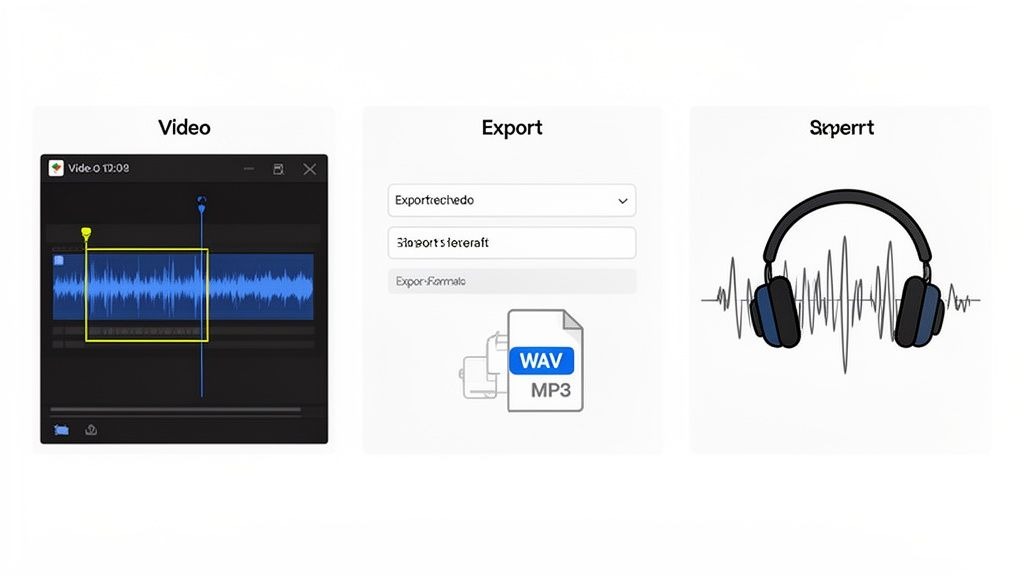
- Navigate to File > Export > Media. This opens the Export Settings dialog box.
- In the Format dropdown menu, select either WAV or MP3. If the audio is heading for more editing, always choose WAV for uncompressed, lossless quality. For direct distribution, MP3 is fine.
- Under the Audio tab, set the Audio Bitrate [kbps] to 320 for MP3s. This gives you the best possible sound without creating a massive file.
- Double-check that the Sample Rate is set to 48000 Hz. This is the standard for video and ensures you’re not losing any fidelity.
This method gives you a clean, high-fidelity audio file ready for post-production. It's a core step in any repeatable and scalable podcast production workflow that guarantees consistency across every single episode.
The Scrappy Workflow: Using Audacity (For Free!)
Don't have a pricey software subscription? No problem. You can get fantastic results for free using Audacity. It’s a powerful, open-source audio editor that can import video files directly and strip out the audio for you.
Just open Audacity and drag your video file (like an .MP4 or .MOV) right into the main window. The software automatically processes the file and displays only the audio waveform. This is perfect for marketers on a budget who need a simple, no-cost solution that doesn't sacrifice quality.
Pro Tip: Before you export, take a second to look at the waveform. If you see obvious dead air at the beginning or end, you can easily highlight and delete it right there in Audacity. This saves you a small but annoying step later on.
Once the audio is loaded and cleaned up, exporting is a breeze:
- Go to File > Export.
- Choose your format, like Export as MP3 or Export as WAV.
- In the options menu, pick a Bit Rate Mode of "Constant" and a Quality of "320 kbps" for MP3s to make sure your audio sounds crisp and professional.
This approach is ideal for teams that need high-quality audio without the monthly hit of a professional NLE.
The "I Need It Now" Workflow: Using an Online Tool
Sometimes, you just need the audio now. Maybe it's for a quick social media clip or an internal presentation. In these moments, a reliable online converter is the fastest way to rip audio from a video.
While there are countless options out there, find one that respects your privacy and doesn't aggressively compress your files into oblivion. The process is usually dead simple: upload your video, select your audio format (MP3 is usually the best choice for portability), and download the result.
Just be aware of the trade-offs. Online tools are best for non-sensitive content, since you're uploading your files to a third-party server. You also get far less control over the export settings, which can sometimes mean a slight dip in quality compared to Premiere Pro or Audacity. But for pure speed and convenience, they can't be beaten.
Transforming Raw Audio into a Polished Podcast
Pulling the audio from a video is a solid first step, but it’s just the start. That raw file you just extracted is rarely ready for prime time. This is where post-production magic happens, turning that basic track into a professional podcast episode that people actually want to listen to.
This whole stage is about the listener's experience. You're cleaning up the inevitable imperfections from the original recording and layering in the branding elements that make your podcast yours. These touches might seem small, but they make a massive difference in how your content is perceived.
Essential Audio Cleanup Techniques
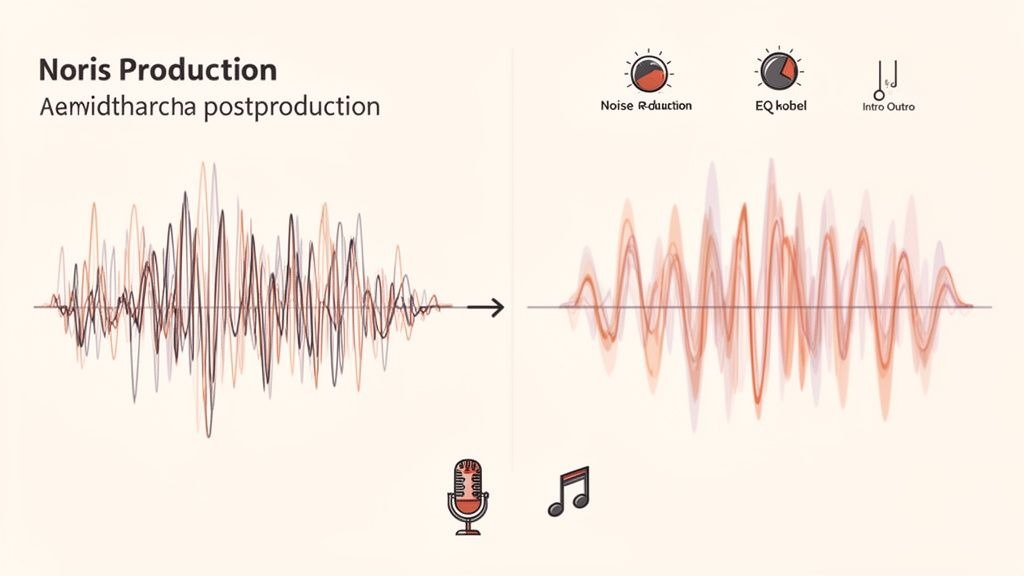
Before you even think about adding music or fancy intros, the first job is to clean up the core dialogue. This involves a few key processes that are surprisingly easy to get the hang of.
- Noise Reduction: Pretty much every recording has some background noise, whether it's an air conditioner's hum or a laptop fan's buzz. A noise reduction tool in your audio editor can identify these distractions and remove them, making the vocals pop.
- Normalization: Ever listened to a podcast where one person is booming and the next is whispering? Normalization is the fix. It automatically adjusts the track's overall volume to a consistent, comfortable level so your listeners aren't constantly fiddling with the volume.
- Equalization (EQ): EQ is all about shaping the tone. By tweaking different frequencies, you can make voices sound warmer, cut out muddy low-end rumble, or dial back any harsh, high-pitched sounds. A little bit of EQ goes a long way toward making audio clear and pleasant.
These cleanup steps are your foundation. To see how they fit into a full production workflow, check out our deep-dive guide on how to produce a podcast.
Adding Professional Polish and Branding
Once your audio is clean and the levels are balanced, it's time to package it up. This is where you add the bits and pieces that establish your brand’s sound and create a familiar rhythm for your audience.
This means dropping in your pre-recorded intro and outro. These usually have theme music and a quick voiceover to introduce the show and topic. It’s a simple way to signal the start of the episode and give it a clean, professional finish. You might also layer in some subtle background music or sound effects during the episode to boost energy or emphasize a point.
Key Takeaway: A well-produced podcast isn't just about what you're saying; it’s about the entire package. Adding intros, outros, and music beds transforms a simple recording into a branded listening experience.
This approach is especially vital for B2B brands where professionalism is everything. The audio streaming market is huge, with podcasts now accounting for 30% of all streaming time. An estimated 40% of that content comes from repurposed video. With 65% of listeners tuning into audio while multitasking, you have to create a top-notch product to capture their attention and deliver real ROI.
When you master these post-production steps, the audio you get from your video won't just sound good; it'll sound like your brand.
Getting Your Audio File Ready for Podcast Platforms
Once you've cleaned up and polished your audio, the final hurdle is getting it ready for its debut on all the major podcasting apps. This isn't just about exporting a file; it's about choosing the right format and embedding the correct metadata, so your episode looks professional right out of the gate.
The first big decision is the audio format. During editing, you've probably been working with a lossless WAV file to maintain the absolute highest quality. That's great for production, but those files are massive and totally impractical for streaming.
When it comes to podcast distribution, MP3 is the undisputed king. It hits that perfect balance between high-quality sound and a manageable file size, which means your listeners can download or stream your episode without a hitch.
Fine-Tuning Your Export Settings
To really nail the export, a few specific settings are critical. The industry standard for most spoken-word podcasts is a stereo MP3 with a constant bitrate of 128 kbps. This gives you crisp, clear audio without creating a huge file that hogs bandwidth.
If your recording is in mono (which is common for single-host shows), you can even drop that to 96 kbps without any noticeable loss in quality. This just makes your content that much more accessible, especially for listeners on slower connections.
With your audio polished, you're ready to get it distributed on popular podcast platforms like Spotify and Apple and make sure it meets all their submission guidelines.
Don't Forget ID3 Tags
With the technical specs dialed in, the final touch is adding your episode's metadata, better known as ID3 tags. This is the behind-the-scenes info that apps like Apple Podcasts and Spotify use to display all your episode details correctly. Think of it as the digital label for your audio file.
These tags are what make your content look professional and polished. They include the essentials:
- Episode Title: The name of this specific episode.
- Artist Name: This should be your podcast or brand name.
- Album: Also typically the name of your podcast series.
- Track Number: Simply the episode number.
- Cover Art: Your podcast's cover image, usually a 3000x3000 pixel square.
Don't Skip This Step: A file without proper ID3 tags can show up with a generic title like "Track 01" or no artwork at all. It screams amateur and tanks your discoverability. Luckily, most audio editors like Audacity have a built-in metadata editor that makes this super easy.
Properly tagging your files is non-negotiable for a professional appearance and is a key part of our guide on how to add a podcast to Spotify and other major platforms. It’s a small detail that makes a world of difference.
Common Questions About Audio Extraction
When you start pulling audio from video, a few questions always come up. Getting these sorted out early will save you a ton of headaches and make your whole repurposing workflow feel less like a chore.
Let's dive into some of the most common things we hear from B2B marketing teams.
What's the Best Audio Format for a Podcast?
Hands down, the industry standard for distributing your podcast is MP3. It's the perfect middle ground between good audio quality and a file size that won't make your listeners wait forever for a download.
For most shows, an MP3 at 128 kbps for stereo or 96 kbps for mono is the sweet spot. Sure, you could use a WAV file for pristine, uncompressed audio, but its massive size makes it a total non-starter for public feeds. Stick with MP3.
Can I Just Grab Audio From Any Video I Find Online?
This one's a hard no, and it's a big deal. You absolutely have to own the rights to the video content or get explicit permission before you touch it.
Stick to extracting audio from videos you or your company made and own the copyright for. Think about your own webinars, recorded interviews, or brand videos. Pulling audio from movies, music videos, or another company's YouTube channel is a fast track to copyright infringement and potential legal trouble. It's just not worth the risk.
How Do I Get Better Audio From a Remote Recording?
Good audio from a remote interview actually starts way before anyone hits "record." Remote recording makes it easier to land high-quality guests, as it removes the need for travel, hotels, and studio time. To ensure your guests sound great, we recommend a few simple but crucial steps.
- Go wired: Always ask your guests to use a wired microphone and headphones. Bluetooth can be unpredictable and introduce glitches and dropouts you can't fix later. If you have the budget, sending an affordable mic like a Blue Yeti is a great touch.
- Find the right space: A quiet room with soft things in it, like carpets, curtains, or a couch, is your best friend. Hard surfaces create echo, and soft surfaces absorb it. Sitting in front of a window for natural light is a simple trick to improve video quality, too.
- Record separate tracks: If you're using a platform like Riverside, an online recording tool that we often recommend to clients, or Zoom, find the "record separate audio tracks" setting and turn it on. This is a game-changer. It gives you an individual file for each speaker, making it a thousand times easier to clean up noise and balance levels in post-production.
My Original Video Has Really Bad Audio. Now What?
Here's the tough truth: post-production software is powerful, but it's not magic. If your original video is riddled with heavy echo, distortion, or the person is talking next to a running blender, the extracted audio will have all those same problems.
AI-powered cleanup tools can sometimes lessen the damage, but you have to have realistic expectations. You can't polish a turd, as they say. This is exactly why getting the audio right during the initial recording is so critical. As our founder, Tom Hunt, loves to say, "Great audio is more important than great video."
Ready to stop letting your best video content collect dust? At Fame, we help B2B companies turn those existing assets into podcasts that build real authority and drive pipeline. We'll handle all the production headaches so you can just focus on having great conversations.
Want us to run this for you?
Fame starts and grows B2B podcasts that generate pipeline. Tell us who you are trying to reach and we will send a costed proposal within 48 hours.
Related content
- Read moreFame Team · July 16, 2026
10 Account Based Marketing Tactics For B2B Growth In 2026
Discover 10 actionable account based marketing tactics for B2B tech. Learn to use podcasts, data, and targeted content to close high-value accounts. - Read moreFame Team · July 16, 2026
The 8 Best Brighton Podcast Agency Picks For 2026
Find the best Brighton podcast agency for your B2B brand. Our 2026 guide reviews top 8 agencies for production, growth & ROI. Expert analysis here - Read moreJune 10, 2026
20 Best Podcast Production Agencies For 2026 (And Why Should You Hire One)
Global podcast and vodcast ad revenues are on track to hit $5 billion in 2026 , up 20% year-on-year. - Read moreApril 13, 2026
Leadership In Marketing: The B2B Podcast Playbook
Most companies still confuse leadership in marketing with job titles, org charts, and budget control. That's outdated.