

Generating an RSS feed for your podcast is the single most important step you'll take to get your show out into the world. Think of this file as the direct line connecting your audio content to massive platforms like Spotify and Apple Podcasts. It's the central nervous system for your show.
Without it, your podcast is stuck on your hard drive, unable to reach its audience.
Why Your Podcast RSS Feed Is Your Most Critical Asset
Let's cut through the technical jargon for a second. Your podcast's RSS (Really Simple Syndication) feed is just a standardized text file. It holds all the essential info about your show—titles, descriptions, audio file locations, artwork, you name it.
When you publish a new episode, this file updates. That’s it.
Podcast directories like Apple Podcasts, Spotify, and Google Podcasts constantly "read" this feed to find new content and deliver it straight to your listeners' devices. It's the engine that powers automated delivery, making sure your audience gets every new episode without lifting a finger.
The Power of Ownership and Control
Think of your RSS feed as your podcast's digital passport. It's the one asset you truly, completely own. Unlike social media platforms where shadowy algorithms dictate who sees your content, your RSS feed gives you a direct, unfiltered connection to your subscribers.
This level of control is priceless, especially for B2B marketers. An owned distribution channel lets you build a reliable content engine for generating authority and driving real business growth. You aren't at the mercy of a platform's ever-changing rules; you own the relationship with your audience. For a deeper dive, check out our guide on how a podcast RSS feed powers B2B growth.
This direct line is more important than ever. Listeners are getting tired of algorithm-driven content feeds that feel repetitive or irrelevant. This "algorithm fatigue" is a real phenomenon, pushing users away from walled-off platforms toward more transparent, user-controlled information.
For B2B brands, this is a strategic advantage. Audiences like marketing teams and C-suite execs value direct, unfiltered access to authoritative content more than ever before.
Your RSS feed isn't just a technical box to tick; it's a strategic tool for audience ownership. It guarantees that the relationship you build with your listeners belongs to you, not a third-party platform.
The Foundation for Podcast Success
Ultimately, mastering the process of generating an RSS feed is the bedrock of your podcast's success. A properly formatted and managed feed ensures:
- Seamless Distribution: Your episodes pop up correctly and on time across all the big podcasting apps.
- Brand Consistency: Your show title, author info, and artwork look uniform everywhere your podcast appears.
- Enhanced Discoverability: Well-crafted descriptions and metadata stuffed into the feed can seriously improve your show's visibility in searches.
Without a solid handle on your RSS feed, you risk technical glitches, a poor listener experience, and missed growth opportunities. But when you get it right, it becomes a powerful, automated system that works tirelessly to build your brand's authority. Using a dedicated podcast hosting service like Fame Host takes this entire headache away, handling the technical complexities so you can focus on creating exceptional content.
Inside a High-Performing Podcast RSS Feed
To really get a handle on your podcast's distribution, you have to look under the hood. While the idea of generating an RSS feed sounds technical, it’s just a text file that follows a predictable set of rules.
Think of it as a digital business card for your entire show and for each individual episode you release.
This file is split into two main sections. First, you have the "channel" level, which holds all the big-picture information about your podcast. Then you have the "item" level, where each <item> tag represents a single episode.
Getting these details right isn't just about avoiding technical glitches; it's a core marketing function. A well-built feed ensures your brand looks professional and consistent on every platform, from Spotify to Apple Podcasts.
The Foundation: Channel-Level Tags
Channel-level tags are the backbone of your feed. They define your show's entire identity for podcast directories, telling platforms who you are, what your show is about, and what it looks like. This is the metadata for your whole brand.
Here are the non-negotiable tags that every top-tier feed needs:
<title>: Your podcast's name. It needs to be punchy, memorable, and exactly the same everywhere your brand lives.<link>: This points to your podcast's website or a dedicated landing page. It's a critical piece for driving traffic back to your own turf.<description>: The summary of your show. This is your elevator pitch and prime real estate for keywords related to your B2B niche.<itunes:author>: This specifies the company or person behind the podcast. For a B2B show, this must be your company name to build brand authority.<itunes:image>: This links to your cover art. It has to meet strict requirements—a square JPEG or PNG, usually 3000x3000 pixels—to get accepted by the big players.
You set these tags once and rarely touch them again unless you're rebranding. They create that crucial first impression.
A classic mistake is treating the feed's description as an afterthought. This is a massive missed opportunity. Your description is searchable in many podcast apps, so loading it with relevant B2B terms can give your show's discoverability a real boost.
The Details: Item-Level Tags
While channel tags define the show, item-level tags are what bring each episode to life. Every time you publish a new recording, a new <item> block gets added to your RSS feed, holding all the data for that specific episode.
These tags make sure your content is delivered perfectly and presented professionally to your audience.
Inside each <item>, you'll find the tags that dictate how an episode looks and works:
<title>: The title of the individual episode. Make it engaging and clearly communicate the value inside.<description>: These are your show notes. A detailed description helps listeners know what to expect and gives you another shot at keyword optimization. Great podcast show notes can seriously drive engagement and SEO.<enclosure>: This is one of the most vital tags. It contains the direct URL to your audio file (your MP3) and tells the podcast app where to stream or download it from.<guid>: This stands for "globally unique identifier." It's a permanent, unique ID for each episode that should never, ever change. It’s how apps know if they've already downloaded an episode, preventing duplicates and tracking your plays accurately.
The Marketing Angle Behind the Code
When you start looking at these tags through a marketing lens, everything changes. A generic episode title doesn't just look lazy; it completely fails to grab a potential listener's attention in a crowded app. Vague show notes don't just lack information; they miss the chance to rank for a specific problem a B2B professional is searching for.
For example, a B2B podcast episode titled "Episode 54" is a total waste. Something like "How to Generate B2B Pipeline with ABM ft. John Doe" is specific, keyword-rich, and screams value.
This table breaks down the essential tags and how to think about them from a B2B marketing perspective.
Essential Podcast RSS Feed Tags Explained
Trying to manage all these tags by hand is a recipe for headaches and errors. This is exactly why almost all successful B2B podcasters use a dedicated hosting platform. A service like Fame Host automates the entire process of generating an RSS feed, making sure every tag is perfectly formatted and optimized for maximum reach. It frees you up to focus on what actually matters: creating great content.
Choosing Your Path: Manual vs. Managed RSS Feeds
When it's time to actually generate your RSS feed, you’ll find yourself at a fork in the road. One path is the DIY, manual approach where you build and host everything yourself. The other is a managed, automated solution that handles the heavy lifting for you.
For podcasters, especially in the B2B space, this choice directly impacts your workflow, efficiency, and ultimately, your ability to grow an audience. The best path is the one that lets you focus on creating high-value content, not debugging code.
The Manual Route: A Path Paved with Code
Going manual means you’re rolling up your sleeves and building your podcast's RSS feed from scratch. You'll be creating an XML file, painstakingly adding all the required tags for your channel and episodes, and then hosting that feed file—along with all your audio—on your own server.
This approach gives you absolute control, but that control comes at a steep cost. For most B2B marketing teams, the manual path is loaded with trap doors:
- A Steep Learning Curve: You'll need to get intimately familiar with XML syntax and the very specific, ever-changing rules of directories like Apple Podcasts and Spotify.
- Time-Sucking Updates: Every new episode requires you to manually edit the XML file, upload the audio, and triple-check every link. A single typo can bring your entire feed down.
- Constant Upkeep: Directory standards aren't set in stone. When Apple or Spotify changes a requirement, it's 100% on you to update your feed structure to stay compliant.
- High Risk of Human Error: A forgotten closing tag, an incorrect file path, or an invalid character can make your feed totally unreadable, causing your podcast to vanish from directories without warning.
For B2B teams focused on pipeline and building authority, the hours spent debugging XML are hours you're not spending creating content or talking to prospects.
The Managed Approach: The Strategic Choice for Podcasters
The alternative—and the industry standard for a reason—is using a dedicated podcast hosting platform. A managed host like Fame Host is designed to eliminate the technical burden of generating an RSS feed. It handles the entire backend, from file hosting to feed creation, so you can focus on your show.
Here’s the simple, actionable workflow:
- Sign up for a hosting platform.
- Upload your audio file and add your episode details (title, show notes).
- Publish your episode.
That's it. The platform automatically generates a perfectly formatted, compliant RSS feed. It hosts your audio on a global CDN for fast, reliable downloads and ensures your feed stays up-to-date with all directory standards.
Using a managed host transforms RSS feed generation from a recurring technical chore into a one-time setup. It shifts your team's focus from troubleshooting code to executing a high-impact content strategy.
This approach is the clear strategic winner for B2B marketers. The goal is to build an audience and drive business outcomes, not to become an expert in XML file management. To see how different platforms stack up, you can explore our guide on podcast platforms for a detailed comparison.
Why Fame Host is the Best Way for Podcasters to Distribute
Let's break down the tangible benefits of a managed service. For podcasters aiming for growth, a platform like Fame Host is non-negotiable.
- Automation and Simplicity: Create and update your feed through a simple, user-friendly interface. No coding necessary.
- Guaranteed Compliance: The platform automatically updates feed structures to meet the ever-changing rules of Apple Podcasts, Spotify, and other directories. You don't even have to think about it.
- Integrated Analytics: Get crucial data on download numbers, listener locations, and which episodes are resonating most—insights that are a real pain to track with a manual setup.
- One-Click Distribution: Submit your podcast to all the major directories with just a few clicks, right from your hosting dashboard.
Ultimately, choosing a managed host like Fame Host is an investment in your team's productivity and your podcast's future. It frees you up to focus on creating amazing content that builds authority and connects with your audience—which is the whole reason you started a B2B podcast in the first place.
The Easiest Way to Distribute Your Podcast with Fame Host
This is where all that technical talk about XML and RSS tags becomes… well, irrelevant. Instead of wrestling with code, you can use a dedicated platform like Fame Host, the best way for podcasters to get their show distributed everywhere. It turns the entire process of generating an RSS feed into a simple, three-step workflow.
Here’s how to get your podcast live in minutes.
Step 1: Set Up Your Show in Fame Host
First, sign up and enter your show's core details—the title, your company name as the author, and a compelling description. This is the information that populates the crucial channel-level tags in your feed, but you never have to see a single line of XML. Fame Host’s interface is designed for clarity, not confusion, making setup a breeze.
From Audio File to Live Episode in Clicks
Uploading your first episode is literally as simple as dragging and dropping a file. You add your polished MP3, pop in the episode title and detailed show notes, and hit publish. The second you do, Fame Host does all the heavy lifting in the background:
- Generates the RSS Feed: It instantly creates a perfectly formatted, error-free RSS feed for your show.
- Hosts Your Media: Your audio file gets stored on a fast, reliable server, meaning your listeners get a smooth, buffer-free experience every time.
- Updates Your Feed: The platform automatically adds a new
<item>tag to your feed with all the episode-specific details you just entered.
There's no manual editing, no chance of a typo breaking your entire feed, and absolutely no need to manage your own server space. It just works.
As you can see, everything you need is right there in a clean, accessible dashboard. All the technical intimidation is gone.
Step 2: Submit to Key Directories with One Click
Okay, so your first episode is live and your feed is ready. Now what? You need to get it in front of listeners.
Fame Host makes this incredibly simple. Instead of having to manually navigate to Apple Podcasts Connect, the Spotify for Podcasters portal, and everywhere else, you can submit your new RSS feed to all the major directories right from the hosting dashboard. The platform handles the specific technical requirements for each one, which dramatically cuts down the chances of your show getting rejected.
This is a massive time-saver, especially for busy B2B marketing teams. It turns distribution from a multi-day research project into a simple checklist. You can get your podcast in front of millions of potential listeners almost instantly.
This kind of automation is built specifically for B2B marketers who need to move fast. You can learn more about how Fame's integrated B2B podcasting services help companies build real authority and drive measurable growth.
Step 3: Track Your Growth with Built-In Analytics
If you set up an RSS feed manually, you're flying blind. You get almost zero insight into who is listening or what they like.
A managed host like Fame Host, on the other hand, comes with a powerful analytics dashboard right out of the box. You can track the metrics that actually inform your content strategy:
- Download Numbers: See which episodes are really hitting the mark with your audience.
- Geographic Data: Find out where in the world your listeners are tuning in from.
- Device and App Usage: Get a feel for how your audience is actually consuming your content.
For a B2B podcast, this data is gold. By understanding listener behavior, you can double down on the topics that attract your ideal customer and finally prove the ROI of your podcasting efforts.
Once your distribution is set up, the next move is to learn How to Promote Your Podcast and Grow Your Audience. The insights from your analytics will be your guide, showing you exactly what content to push and where to focus your energy for the biggest impact.
How to Validate and Submit Your Feed to Major Directories
You've generated your RSS feed. You're on the final lap. But before you race off to submit your podcast to the world, there's one quality check you absolutely cannot skip: validation. This is what ensures your feed is error-free and ready for the primetime spotlight on platforms like Apple Podcasts and Spotify.
Think of it as a final proofread for your podcast's digital DNA. Validation catches the small mistakes—a missing image tag, an incorrectly formatted date—that can lead to frustrating rejections from podcast directories.
Run Your Feed Through a Validator
The quickest way to check your feed's health is with a free online tool like Podbase's Podcast Validator. Just paste your RSS feed URL into the tool, and it runs a full scan, checking for compliance against the standards set by the major directories.
It will immediately flag common issues, such as:
- Artwork Problems: Is your cover art the right size (3000x3000 pixels), file type (JPEG/PNG), and under the required file size?
- Missing Tags: Did you forget a required field like
<itunes:author>or<description>? - Invalid URLs: Does the
<enclosure>tag point to a valid, accessible MP3 file?
Fixing these issues before submission will save you a world of headaches. If you're using a managed host like Fame Host, your feed is already built to be compliant, so this step is just a quick confirmation that everything is perfect.
This simple process—signing up for a host, uploading your content, and generating a feed—is the core of modern podcast distribution.
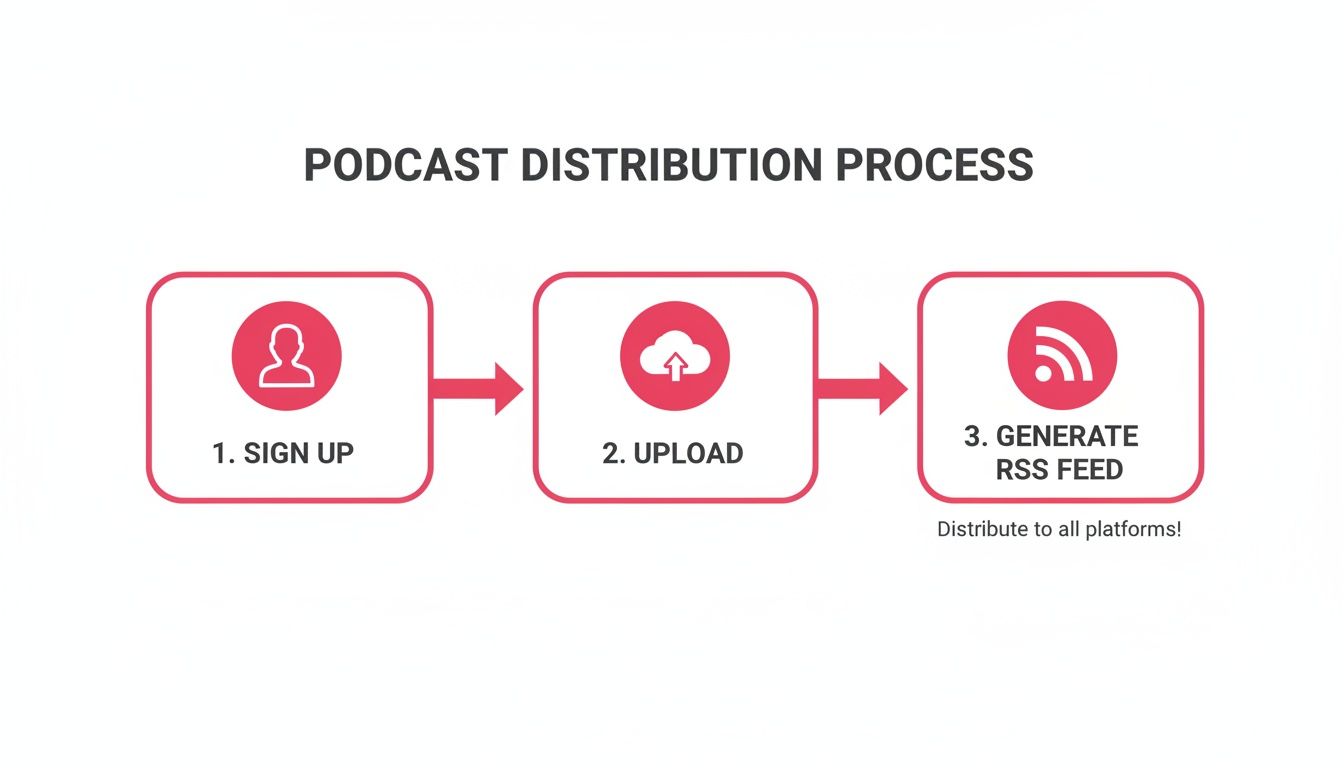
This workflow completely removes the technical barriers, letting you focus on what really matters: creating great content and promoting it.
Submitting to Apple Podcasts and Spotify
Once your feed is validated and clean, it's time to get it out there. For any B2B audience, Apple Podcasts and Spotify are non-negotiable. They are the two largest platforms where the vast majority of your potential listeners will be looking for you.
1. Submitting to Apple Podcasts
Apple is still the original powerhouse of podcasting. To get listed, you'll need an Apple ID and access to their submission portal.
- First, head over to Apple Podcasts Connect.
- Log in and click the big (+) button to add a new show.
- Choose "Add a show with an RSS feed" and paste in your feed URL.
- Apple will then pull in your show's details (title, artwork, description). Double-check that everything looks right and hit submit.
Approval can take anywhere from a few hours to a few days. Once it's approved, you're live in their massive directory.
2. Submitting to Spotify
Spotify's growth in the podcasting space has been explosive, making it another must-have directory for discoverability.
- Go to Spotify for Podcasters.
- Log in and click "Get Started."
- Paste in your RSS feed URL. Spotify will send a verification code to the email address in your feed to confirm you're the owner.
- Enter the code, review your podcast details one last time, and submit.
Spotify is typically much faster, with approvals often taking just a few minutes. For a more detailed walkthrough, you can check out our guide on adding a podcast to Spotify.
Key Takeaway: Always submit your feed to directories yourself. While some hosts offer automated submission, doing it manually gives you direct access to each platform's analytics dashboard. This is where you'll find the richest data on listener behavior.
The global podcast ecosystem, all built on this simple RSS technology, is massive. As of late 2025, an estimated 584.1 million people listen to podcasts globally each month, and the industry is valued at nearly $40 billion. For B2B companies, these numbers confirm podcasting isn't a niche channel anymore—it's mainstream. Beyond just generating your feed, understanding how a dedicated content syndication platform works can be vital for achieving broad reach, especially if you're managing a feed.
Answering Your Lingering RSS Feed Questions
Once your show is live and the initial excitement settles, a few practical questions about that all-important RSS feed tend to pop up. It's the engine humming away behind the scenes, so it makes sense you'd want to know how to keep it running smoothly. Here are some of the most common questions we hear from B2B podcasters, with straight-to-the-point answers.
Can I Change My Podcast Host Later?
Yes, you absolutely can. It’s a common move and way less terrifying than it sounds.
If you decide to switch hosting providers, the key is setting up a 301 redirect. Think of it as a permanent change of address notice for your podcast. It tells all the directories like Apple Podcasts and Spotify that your feed now lives at a new URL, so they know where to pull your latest episodes from.
Any decent host, including Fame Host, has a straightforward process for this. They’ll help you point your old feed to the new one, ensuring you don’t lose a single subscriber in the move. Just be sure to keep the old feed active for a few weeks to give every platform plenty of time to get the memo.
What Happens If My RSS Feed Breaks?
This is the big one. If your feed has an error, podcast directories can't read it. Simple as that.
That means your new episodes won't show up for your audience. In a worst-case scenario, if the feed stays broken for too long, your entire show could get delisted from platforms. This is hands-down the biggest risk of trying to manage an XML file yourself.
A single misplaced comma or a server glitch can effectively take your show offline. Using a managed host is your best insurance policy. Platforms like Fame Host are built specifically to generate valid, error-free feeds and run on rock-solid infrastructure, so the risk of your feed suddenly breaking is practically zero.
Your RSS feed needs to be available and perfectly formatted, 24/7. Any downtime or error cuts off your audience from your content, which can kill your show's momentum and erode the trust you've built.
How Often Should I Update My Feed?
The great thing about RSS is that it updates automatically whenever you publish a new episode. That’s the whole point.
Of course, you might occasionally want to change show-level details, like tweaking your podcast’s description or uploading new cover art. When you make these edits in a hosting platform, the RSS feed is updated immediately.
The podcast directories then "poll" your feed—basically, they check in periodically for updates. This usually happens within 24 hours, so don't sweat it if your new artwork doesn't appear instantly everywhere. The system is designed to catch up on its own.
Do I Need a Separate RSS Feed for Each Directory?
Nope, and this is a fundamental concept in podcasting. You need one single RSS feed that serves as the master file for your show.
You submit this exact same feed URL to Apple Podcasts, Spotify, Google Podcasts, and any other directory you want to be listed on. This is what makes podcasting such a wonderfully open ecosystem. It keeps everything consistent and makes your life a whole lot simpler. Trying to manage separate feeds would be a logistical nightmare and completely defeats the purpose of RSS.
Stop worrying about XML syntax and start focusing on creating incredible content. Fame Host handles all the technical heavy lifting, making it ridiculously simple to generate a perfect RSS feed and get your B2B podcast distributed everywhere.
