





Key Takeaways
- Every video conference is a potential content recording session.
- A one-hour recorded chat can fuel a content calendar for weeks.
- Repurposing video calls can create a pipeline of assets, including blog posts and short videos.
A simple video conference call is never just a meeting. It's a content recording session just waiting to happen. The trick is to stop thinking of them as one-off events. Follow this guide to turn every high-value virtual conversation—an expert interview, a client panel, a webinar—into the raw material for your entire B2B marketing strategy.
Your Video Conference Is an Untapped Content Goldmine
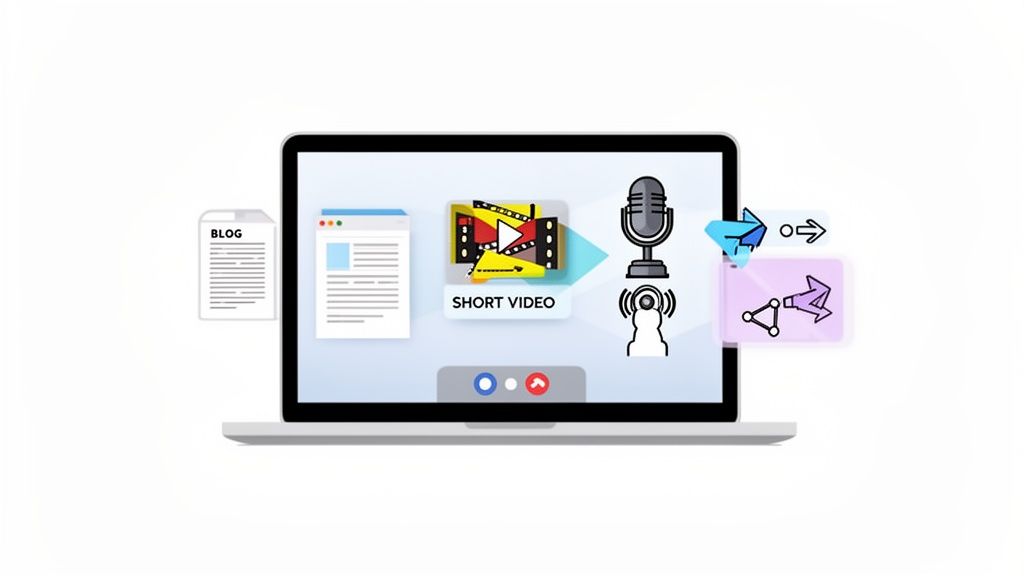
The world changed after 2020, and the explosion in video conferencing completely rewired how businesses connect. It's not just for internal check-ins anymore. It's become a primary channel for customer interaction, expert collaboration, and even entire industry events. And this has created a massive, often ignored, opportunity.
The numbers back this up. The global video conferencing market was valued at USD 37.29 billion in 2025 and is on track to hit USD 65.72 billion by 2034. This growth isn't just about having more meetings; it's about the sheer value being created inside those digital rooms.
From One-Off Meeting to Content Engine
Think about it. Most B2B teams hit "End Meeting," and that's it. The conversation, the insights, the stories... they all just vanish into the ether. A much smarter approach is to treat every recorded video call as step one in a powerful content workflow.
A one-hour recorded chat has enough raw material to fuel your content calendar for weeks. It’s the single most efficient way to capture authentic expertise from your subject matter experts without ever asking them to write a single word.
To really tap into this goldmine, you have to learn how to summarize a meeting and turn talk into action. This is how you shift from having passive recordings to having a structured plan for creating killer content. Here's how to build a system that turns these conversations into a steady pipeline of assets:
- Extract In-depth blog posts that dig into the key themes of the discussion.
- Cut short video clips perfect for grabbing attention on LinkedIn.
- Produce podcast episodes that let your audience listen on the go.
- Design data-driven infographics that make complex ideas easy to digest.
The Problem with the Old Model
Let’s be honest. The traditional way of creating content is painful. Endless brainstorming meetings, long writing cycles, and multiple rounds of review—it's slow, and it's a nightmare to scale. Worse, it rarely captures the genuine voice of your company's actual experts.
Repurposing a video conference fixes this. You create authentic, authoritative content straight from the source. This is the core idea behind using podcasting as a growth engine for B2B companies.
Of course, turning that raw footage into polished content takes a ton of time, skill, and resources. That's where a dedicated production partner like Fame Crew comes in. Our team handles all the heavy lifting—the editing, writing, and design—so you can stay focused on strategy and relationship-building.
Choosing Your Tech Stack for Professional B2B Recordings
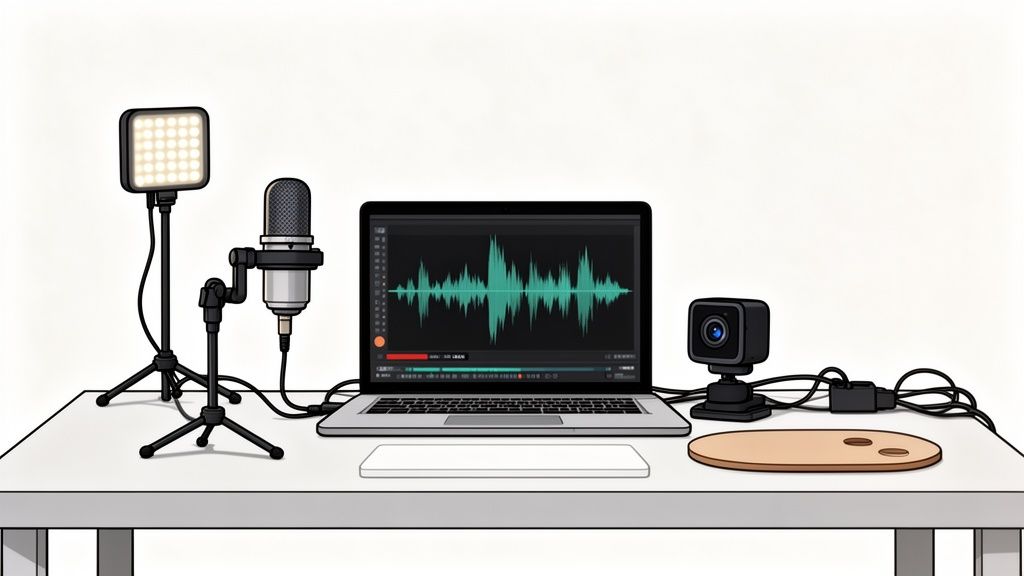
If you want to create B2B content that people actually respect, your setup has to be more than just "good enough." The line between a forgettable team meeting and a piece of pipeline-driving thought leadership is drawn by the quality of your recording.
Think of it like this: your smartphone can snap a decent photo, sure. But a pro photographer shows up with a DSLR and the right lenses. They're not just taking a picture; they're capturing a high-quality asset they can edit, crop, and print for a magazine cover. Your tech stack is the DSLR for your B2B content.
And this isn't some fringe idea. The market for enterprise video conferencing is huge, generating USD 3.64 billion in 2022 and jumping to USD 4.16 billion in 2023. The world has moved online, and professionalizing how you show up is no longer optional.
Video Conference Platform Comparison for B2B Content Creation
The platform you choose is the foundation of your recording. While tools like Google Meet or Microsoft Teams are great for daily stand-ups, they fall short for creating high-quality content. They're built for live collaboration, not for producing pristine audio and video files you can hand to an editor.
For serious content creation, you need a platform that prioritizes recording quality above all else. Here’s a look at how some of the most popular options stack up when your goal is to record, repurpose, and create top-tier B2B content.
The key takeaway? For creating assets you can actually use, purpose-built platforms like Riverside and SquadCast are in a different league. They're designed from the ground up to solve the exact problems that ruin content recorded on standard meeting software.
Software: The Foundation of Your Recordings
The software you pick is your control center. It dictates the raw quality you have to work with later. As you can see from the table, not all platforms are created equal.
When you're sifting through the most common virtual interview platforms, you need to look past the marketing fluff and focus on a few non-negotiable features.
The goal is to capture clean, isolated tracks for each speaker. This is non-negotiable. Trying to edit a single, compressed audio file with multiple people talking over each other is a nightmare that guarantees a low-quality outcome.
Here’s what you absolutely must choose a platform for:
- Local Recordings: Select a platform that records each person’s audio and video directly on their computer before uploading it. This completely sidesteps internet lag and the pixelated mess that ruins otherwise great conversations.
- Separate Audio/Video Tracks: Get an individual file for each participant. This gives your editor the power to fix one person’s audio without affecting the others, cut out mistakes cleanly, and switch camera angles like a pro.
- High-Resolution Output: Don't settle for less than 1080p video. This ensures your content looks sharp and credible, whether someone is watching on their phone or a giant monitor.
Hardware: The Tools for a Polished Look and Sound
Software is critical, but no platform on earth can fix grainy video and muffled audio. That kind of input instantly tanks your credibility.
The good news? You don’t need a Hollywood budget. A few smart hardware buys will make a world of difference and put you miles ahead of the competition. For a complete shopping list, check out our guide to the best video podcasting equipment.
Here are the three pieces of gear that will give you the biggest bang for your buck:
- An External USB Microphone: This is the single most important upgrade you can make. Your laptop’s built-in mic is terrible—it's a fact. A decent USB mic from a brand like Blue or Rode will capture rich, clear audio and make you sound credible.
- A 1080p Webcam: Your camera is how your audience sees you. The blurry, low-res camera built into your laptop makes you look unprofessional. A dedicated 1080p or 4K webcam provides a sharp, clean image that builds trust.
- Basic LED Lighting: Bad lighting is the #1 cause of grainy, amateur-hour video. You don't need a complex setup. A simple ring light or a small LED panel placed in front of you will fill in shadows, light your face evenly, and give your camera the light it needs to produce a crisp image.
How to Capture Podcast-Ready Audio and Video
The quality of your recording is the one thing that separates a disposable video conference from a valuable content asset. It's the difference between a blurry phone snapshot and a high-res professional photograph. One is instantly forgettable; the other can be edited, enlarged, and plastered on a billboard.
Capturing flawless audio and video isn't about luck. It's about following a simple but non-negotiable checklist before you even think about hitting record. This ensures the raw footage you capture is clean, crisp, and ready for your content team—or a service like Fame Crew—to spin into gold.
Optimizing Audio Is Your Top Priority
Bad audio is unforgivable. Your audience might sit through a slightly grainy video, but they will bounce the second they hear scratchy, muffled, or echo-filled sound. The goal is to capture audio so clear it could stand alone as a podcast episode.
Here are the non-negotiable rules for getting professional-grade audio from any video conference you plan to repurpose:
- Insist on External Microphones: Every single person on the call must use an external USB microphone. A laptop's built-in mic is a disaster. Send this instruction to guests beforehand. This is the single biggest upgrade you can make.
- Control the Recording Environment: Ask all speakers to find a quiet, small room with soft surfaces like carpets, curtains, or bookshelves. They absorb sound and kill echo.
- Use Headphones: Everyone wears headphones. No exceptions. This prevents the audio from their speakers from bleeding back into their microphone, creating an awful feedback loop.
- Leverage Local Recording: Use a platform that records each participant’s audio locally. This captures audio directly from their mic to their computer, completely bypassing spotty internet connections.
For a deeper dive, our practical guide to audio recording for podcasts gives you even more advanced techniques to lock in perfect sound.
Simple Rules for Professional Video
Once your audio is sorted, you can turn your attention to the video. You don't need a film crew—a few simple tweaks can make you look miles more professional and credible.
Your appearance on a video conference is a direct reflection of your brand's professionalism. A well-lit, thoughtfully framed shot communicates authority and attention to detail before you even say a word.
Think of your video setup as your digital office. You want it to look clean, deliberate, and inviting.
Framing Yourself for Impact
How you sit in the frame matters more than you think. Use the rule of thirds: imagine a 3x3 grid on your screen and position your eyes along that top horizontal line. This makes the shot balanced and pleasing to the eye.
- Camera at Eye Level: Stack some books under your laptop or get a stand. Do whatever it takes to get the camera to eye level. Looking down at the camera is unflattering, and looking up at it makes you seem disengaged.
- Appropriate Headroom: Leave just a small sliver of space between the top of your head and the top of the frame. Too much headroom makes you look small and insignificant; too little feels claustrophobic for the viewer.
Lighting and Background that Reinforce Credibility
Bad lighting is the number one reason for grainy, amateur-hour video. Your camera needs light to create a sharp, clear image.
Three-Point Lighting (The Simple Version):
- Key Light: Place your main light source in front of you, slightly off to one side. A simple ring light or an LED panel is perfect.
- Fill Light: Add a second, less powerful light on the opposite side to soften shadows on your face. A desk lamp with a shade can work.
- Backlight: A light placed behind you to create separation from your background. It adds a ton of depth and a professional sheen, though it's not strictly necessary if you're just starting out.
Finally, pick a background that looks intentional. A clean home office, a styled bookshelf, or even just a plain, non-distracting wall is infinitely better than a messy bedroom. Your background is part of your brand's image, so make sure it's sending the right message.
Build Your Content Engine from a Single Recording
You’ve got the recording. It’s clean, it’s crisp, and it’s packed with insights. Now what? Most teams just publish it and call it a day. That's a huge mistake.
That one-hour video isn’t a single piece of content. Think of it as raw gold. It's the starting point for a whole campaign that can fuel your pipeline for weeks. This is how you turn a simple conversation into a repeatable system that actually drives growth.
The Repurposing Workflow Step-by-Step
Every recorded chat is full of expert opinions, killer quotes, and untold stories. Your job is to mine for those moments, polish them up, and then spin them out into a bunch of different assets your audience will actually want to see.
Here’s a simple workflow we use to squeeze every last drop of value from a recording:
- Get a Transcript. First things first, get a clean text version of the entire conversation. AI tools can spit this out in minutes, giving you a searchable document to work from. This is your map for everything else.
- Find the "Golden Nuggets." Skim the transcript and highlight the best parts. Look for punchy quotes, surprising stats, or a really clear explanation of a complex idea. These are your "golden nuggets" — the core moments you'll build everything else around.
- Write a Long-Form Blog Post. Use the themes you found to outline a detailed article. The transcript gives you all the meat; you just need to add some structure with headings, provide a little context, and sprinkle in your own company's point of view. This post is the pillar of your whole campaign.
- Cut Short Social Video Clips. Go back to the video and find those golden nugget moments. Chop them into short, snappy clips (15-60 seconds) and burn in some captions. They’re perfect for grabbing attention on LinkedIn and X.
- Design an Infographic. Did your guest mention a step-by-step process or some juicy data points? A good designer can turn that into a sharp-looking infographic that’s easy to read and even easier to share.
To really make this work, you have to get the recording right from the start.
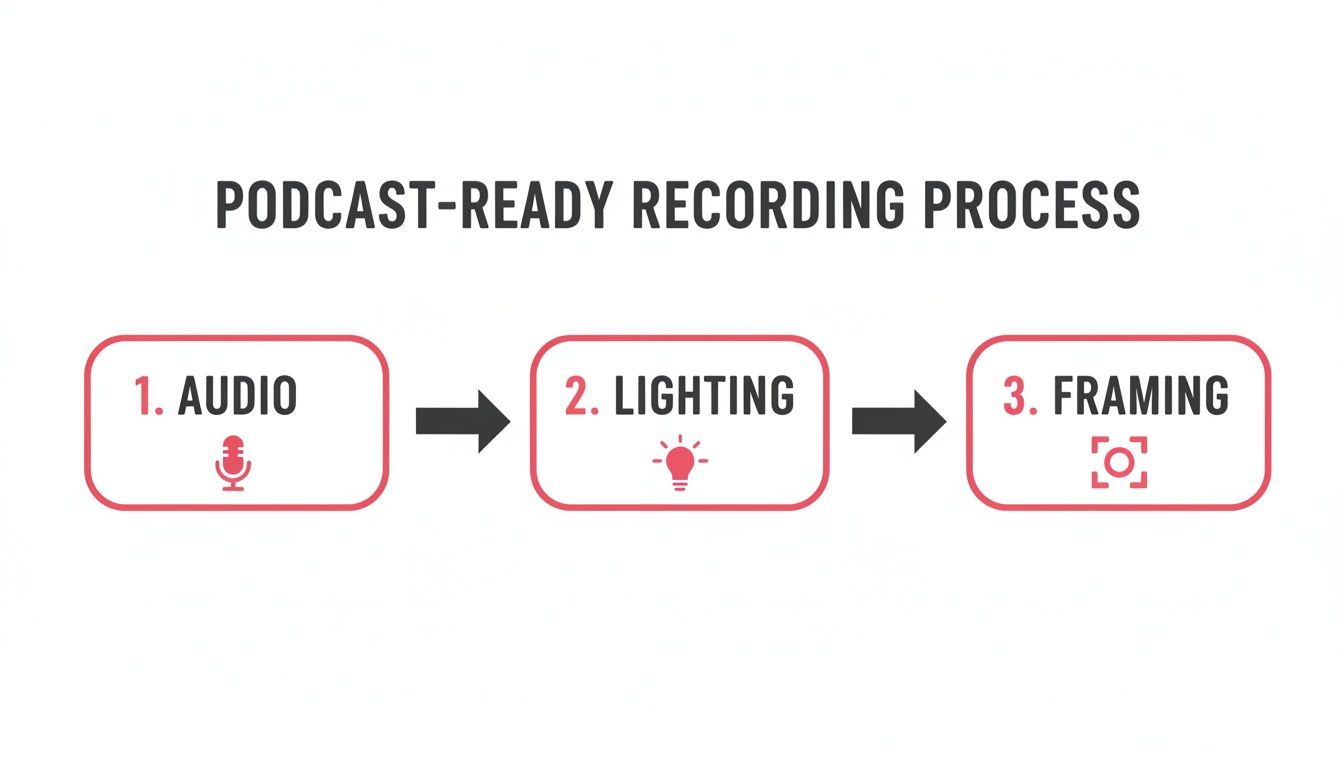
Think of it like this: if your audio, lighting, and framing are a mess, everything you create later will be, too. Nailing the technical basics gives you a solid foundation to build on.
The Challenge of Execution (and How to Solve It)
The workflow looks simple on paper. The reality? It’s a ton of work.
This isn't a quick job. It takes a whole mix of skills—writing, video editing, graphic design, project management. Fully repurposing a single one-hour recording can easily take 10-15 hours of focused effort. For a deeper dive, we have a ton of ideas in our guide to powerful content repurposing strategies.
For most B2B marketing teams, that’s a non-starter. They’re already buried. The sheer manual labor involved means this strategy often dies before it even gets going.
The bottleneck isn't the strategy; it's the execution. Most teams know they should be repurposing content. They just don't have the bandwidth or specialized skills to do it consistently and at a high level of quality.
This is exactly where a production partner comes in. A service like Fame Crew becomes your on-demand content engine, handling all the technical and creative work for you. Let us take care of the editing, designing, and writing so your team can focus on strategy.
By outsourcing the heavy lifting—the editing, the designing, the writing—your team is free to focus on what they do best: strategy, building relationships with guests, and getting the finished content in front of the right people. It turns your archive of video calls into a predictable source of pipeline.
A Simple Distribution Plan for Your Repurposed Content
Creating polished assets from your video conferences is only half the battle. You can have the best content in the world, but if your ideal customers never see it, it's useless. Distribution is the engine that turns your work into real results—pipeline, revenue, you name it.
Without a smart plan, your beautiful video clips and sharp blog posts are just gathering digital dust. You need a simple, repeatable process to get your content in front of the right people on the right channels. The goal isn't to be everywhere; it's to be where it counts.
This means matching the asset to the platform. A 20-minute video might be great for YouTube, but it will absolutely bomb on LinkedIn. A text-heavy post isn't going to get you anywhere on a visual platform. It’s all about tailoring the content to the channel to get the most engagement.
A Multi-Channel Approach to Distribution
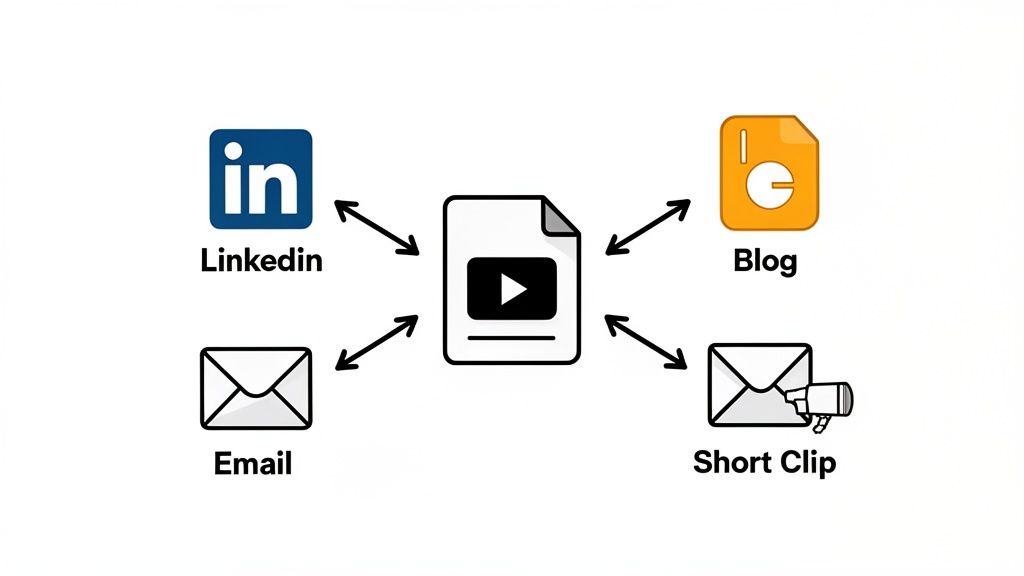
The best B2B brands run a hub-and-spoke model. Think of your long-form blog post (pulled from the video transcript) as the central "hub." All your other assets—social posts, emails, clips—are the "spokes" driving traffic back to it.
Here’s a simple plan to get you started:
- LinkedIn for Authority: Post your short video clips here. Keep them under 90 seconds, burn in captions, and always post them natively (never link out to YouTube). The algorithm loves content that keeps people on the platform. End each post with a question to get a conversation going and a link back to your full blog post.
- Blog for SEO and Depth: Embed the full video recording at the top of your long-form blog post. This is a huge win for SEO. It dramatically increases "time on page," which is a key signal to Google that your content is valuable. This page becomes your ultimate resource on the topic.
- Email for Nurturing: Pull out the top 3-5 takeaways from the conversation and lay them out in a bulleted list for your newsletter. You're giving your subscribers instant value and a great reason to click through for the full story.
Outsource the Execution to Focus on Strategy
Let’s be honest, managing all of this takes time and a very specific skillset. You're juggling scheduling, copywriting, community management, and analytics. This is where most marketing teams get stuck in the weeds, drowning in tactical work instead of focusing on high-level strategy.
Your team’s most valuable work is building relationships and analyzing performance, not spending hours formatting social media posts. Outsourcing the tactical distribution frees them up to focus on what truly drives business growth.
This is exactly where a service like Fame Crew changes the game. We don't just create the assets; we manage the entire distribution process. While our production team handles the scheduling and posting, your team can focus on engaging with comments, analyzing what's resonating, and planning your next big video conference. It turns your content operation into a well-oiled machine.
For a deeper dive into building out your distribution engine, check out our complete guide to content distribution strategies for B2B.
By following this plan, you transform a simple video conference from a one-off meeting into a predictable source of qualified leads and brand authority.
Practical Answers to Common Video Content Questions
Even with a rock-solid plan, the thought of turning a simple video call into a full-blown content engine can feel overwhelming. Most B2B teams run into the exact same hurdles when they're just getting started. Here are some straight-talking answers to those common questions, so you can hit record and start repurposing with confidence.
What Is the Single Most Important Factor for High-Quality Audio?
An external USB microphone for every single participant. Seriously, there's no substitute. A laptop's built-in mic will pick up every echo and hum in the room, leaving you with thin, amateur-sounding audio that's a nightmare to clean up later.
Insisting that every guest uses an external mic is the one non-negotiable step for getting clean, isolated audio tracks. This is the foundation for that crisp, podcast-quality sound that can be properly mixed and polished. Get this right, and everything else becomes ten times easier.
How Much Content Can I Realistically Create from One Hour of Video?
A shocking amount, if you have a system in place. A single one-hour recording isn't just a video; it's a content goldmine waiting to be excavated. With an efficient workflow, one high-quality conversation can easily become:
- One long-form blog post (1,500+ words)
- 5-7 short video clips for social media like LinkedIn
- 2-3 audiograms perfect for text-heavy platforms like X
- A "key takeaways" summary for your email newsletter
- One compelling infographic to visualize a core idea
The real challenge isn't the potential for content—it's the sheer volume of production work needed to actually create it. This is precisely why services like Fame Crew exist to take on that workload, making this kind of scale possible without burning out your team.
Should I Use a Webinar Platform or a Standard Video Conference Tool?
For the best creative control and repurposing power, you absolutely want to use a standard video conference tool with strong local recording features. We're talking about platforms like Riverside or SquadCast, which are built specifically for this.
Webinar platforms are designed for live event management, but they usually spit out a single, compressed recording that's a real pain to edit. A purpose-built recording tool, on the other hand, gives you clean, separate audio and video files for each person. Those are the perfect raw ingredients for high-quality post-production.
How Do I Handle Security When Recording with Clients or Partners?
Make security a top priority from the get-go. Use a platform that offers end-to-end encryption, and always use the waiting room feature to control who joins the call. A secure password for every session is a must.
Most importantly, you have to get explicit, recorded consent from everyone before you start recording. State clearly what you're recording for and how you plan to use the content. If the conversation is highly sensitive, dig into your platform's data privacy policies and make sure you're compliant with standards like GDPR. It’s the only way to operate safely and ethically.
Turning your video conferences into polished, pipeline-driving content takes serious expertise and a whole lot of effort. Fame Crew acts as your dedicated production team, handling all the editing, writing, and design so you can stay focused on strategy. Find out how Fame Crew can build your content engine for you.
